Photo Collage Grid Couple AI Photo Prompt: 4 Layout Looks (2026)
One photo is good, a grid tells the whole story. Copy a prompt below, paste it in ChatGPT or Gemini with one couple photo, and get polaroid sets, booth strips and season grids while both your faces stay exactly the same.
Quick answer
These 4 collage prompts turn your couple photos into layout art: a polaroid cafe set, a black and white photo booth strip, a nine-panel seasons grid, and a heart shaped beach collage. Keep both faces exactly unchanged in every panel.
Photo Collage Grid Couple AI Photo Prompt: 4 looks to copy and paste
Four looks, four prompts. Tap Copy prompt, open ChatGPT or Gemini, upload your photo and paste.

Polaroid Cafe Set prompt
Use our uploaded couple photo and keep both faces, skin tones, and features exactly unchanged in every panel. Create a four-panel polaroid style collage of us at a cozy cafe, laughing, sharing coffee and cake, warm tones and soft borders, social media photo dump style, photorealistic, vertical 4:5.
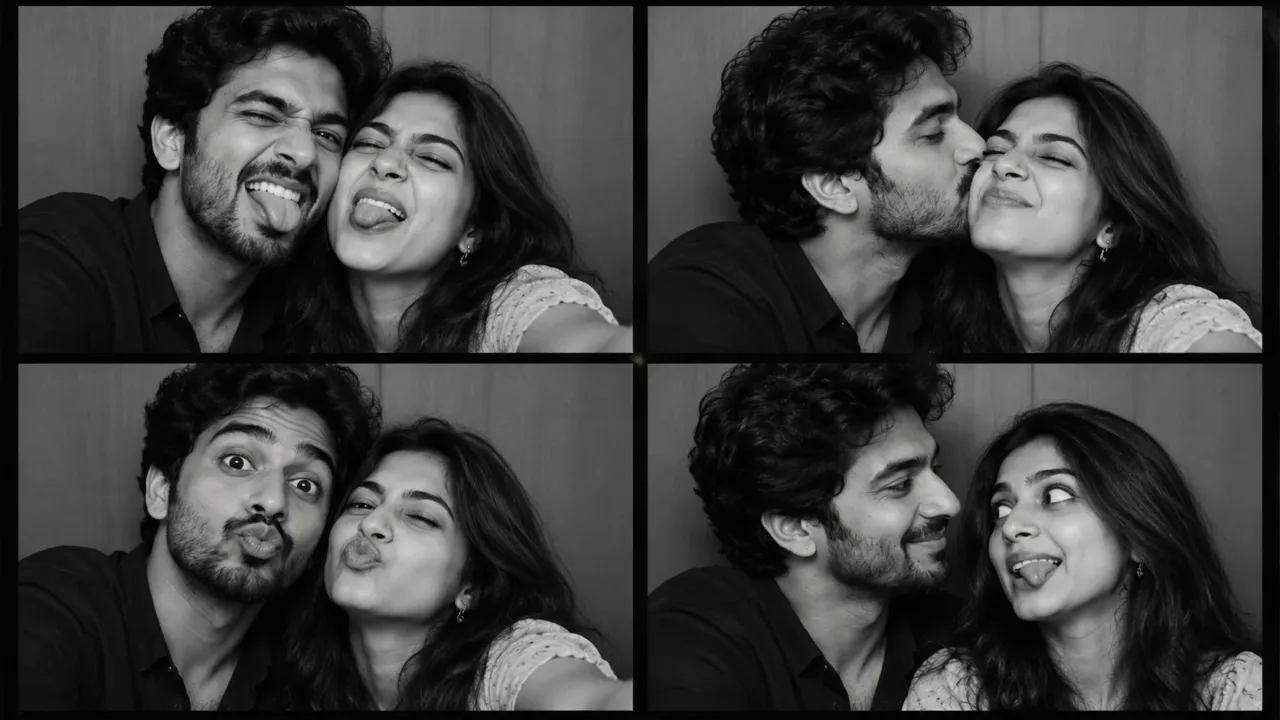
Photo Booth Strip prompt
Keep both faces from our photo exactly the same in all frames. Create a classic photo booth strip collage of us making fun faces across four black and white panels, studio booth lighting and borders, playful couple energy, photorealistic, vertical 4:5.
Seasons Grid Nine prompt
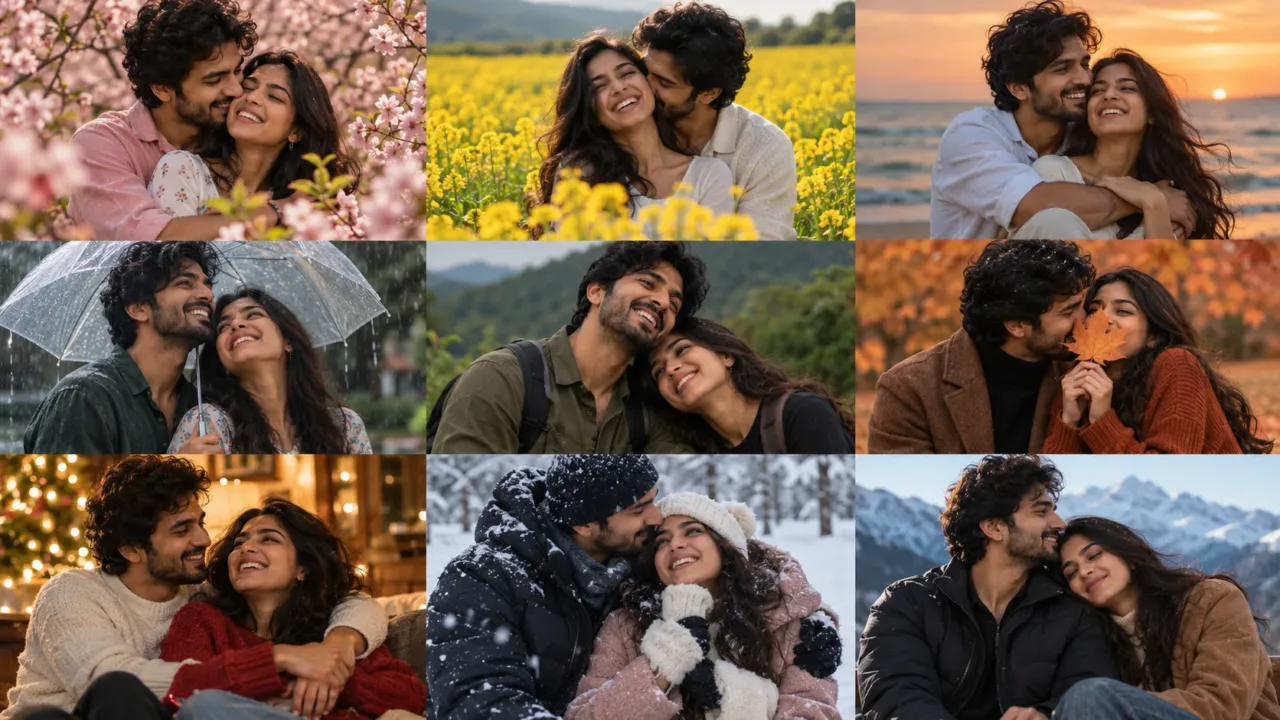
Preserve both faces exactly unchanged from the uploaded photo in every panel. Create a nine-panel grid collage of us in different season outfits and settings, spring flowers to winter snow, creative consistent layout, photorealistic, vertical 4:5.
Heart Beach Collage prompt
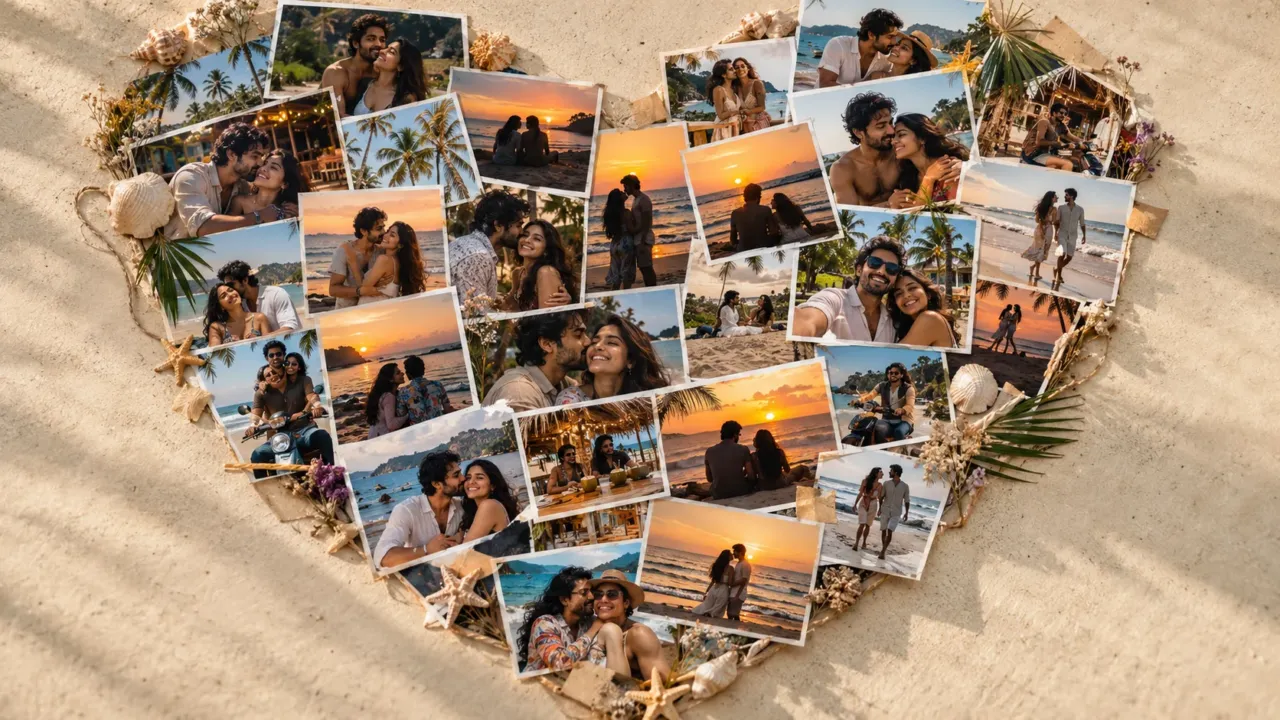
Use our uploaded couple photo with both faces exactly unchanged. Create a heart shaped photo collage made of many small photos of us at the beach, sunset walks and candid laughs, romantic scrapbook layout on a soft background, photorealistic, vertical 4:5.
Why Collage Posts Outperform Single Photos
A collage tells a whole story in one image, so people stop, zoom and save. For couples it packs many moments into a single post or DP.
These prompts repeat the face lock for every panel, so both of you stay consistent across the whole grid. For more free picks, see the Editing Prompt homepage.
What each part of these prompts does
- The grid layout. Panels arranged as a grid or strip make one photo look like a full shoot.
- Keep both faces unchanged. Locks both faces across every panel.
- Different poses per panel. Laughing, hugging, walking: variety makes a collage worth posting.
- A theme. Cafe day, beach trip or four seasons ties the panels together.
- No text, no watermark. Keeps the edit clean and ready to post.
- Indian couple. Keeps features and skin tones natural for both of you.
Which prompt should you pick?
- Most aesthetic: the polaroid cafe set.
- Most creative: the nine seasons grid.
- Most romantic: the heart collage.
If a face changes, add this line
Make sure both faces stay exactly the same. Paste it at the end of any prompt if the first result looks like someone else.
How to use these prompts in ChatGPT and Gemini
Open your AI tool
Use the ChatGPT or Gemini app or website, sign in and pick the image creation option.
Upload your couple photo
Add one sharp photo where the face is clearly visible, with decent light.
Paste the prompt
Paste the full prompt and send. If a face changes, add: make sure the face stays exactly the same.
Adjust and save
If it is close, ask for one change at a time. Then download the version you like.
Easy ways to change the look
Change one phrase at a time and compare. These swaps are starting points, and results vary by tool.
- More panels: ask for a 12-panel month-by-month grid.
- Travel theme: use your last trip: one city per panel.
- Festive grid: use festival outfits, one festival per panel.
- Black and white: ask for a full monochrome film grid.
- Phone wallpaper: ask for a vertical strip collage sized for your lockscreen.
Fix common problems with these prompts
Most problems come from a face drifting or a scene detail looking fake. Here is what to try first.
- A face changes in one panel. Repeat: same couple, both faces exactly the same in every panel.
- Panels look uneven. Add: equal sized panels, clean white borders.
- Poses repeat. Name a different pose for each panel in a follow-up.
- Colors differ per panel. Add: same warm color grade across all panels.
- Text or watermark appeared. Repeat: no text, no watermark, no logos.
- Grid looks crowded. Drop to four panels with bigger photos.
AI results differ every run, so it is worth running the same prompt twice before you change it.
Questions and answers
What is a photo collage AI prompt?
It is a copy-paste text that arranges your photo into a collage layout, like polaroids or a grid, while keeping both faces exactly unchanged in every panel.
How many panels can a collage have?
These prompts use four, five and nine panel layouts. You can change the panel count words in the prompt to make your own version.
Why does one panel look different?
Each panel is generated separately inside the image. Regenerate once or twice and the odd panel usually fixes itself.
Which layout is best for a DP?
The heart collage and polaroid set crop best into profile picture shapes.
Are these prompts free?
Yes. All Editing Prompt prompts are free to copy and use.
Recent posts
Ghostface AI Photo Prompt for Halloween (2026)
Halloween Girl AI Photo Prompts (2026)
Scary Horror AI Photo Prompts (2026)
Want more? Browse every free prompt on Editing Prompt.