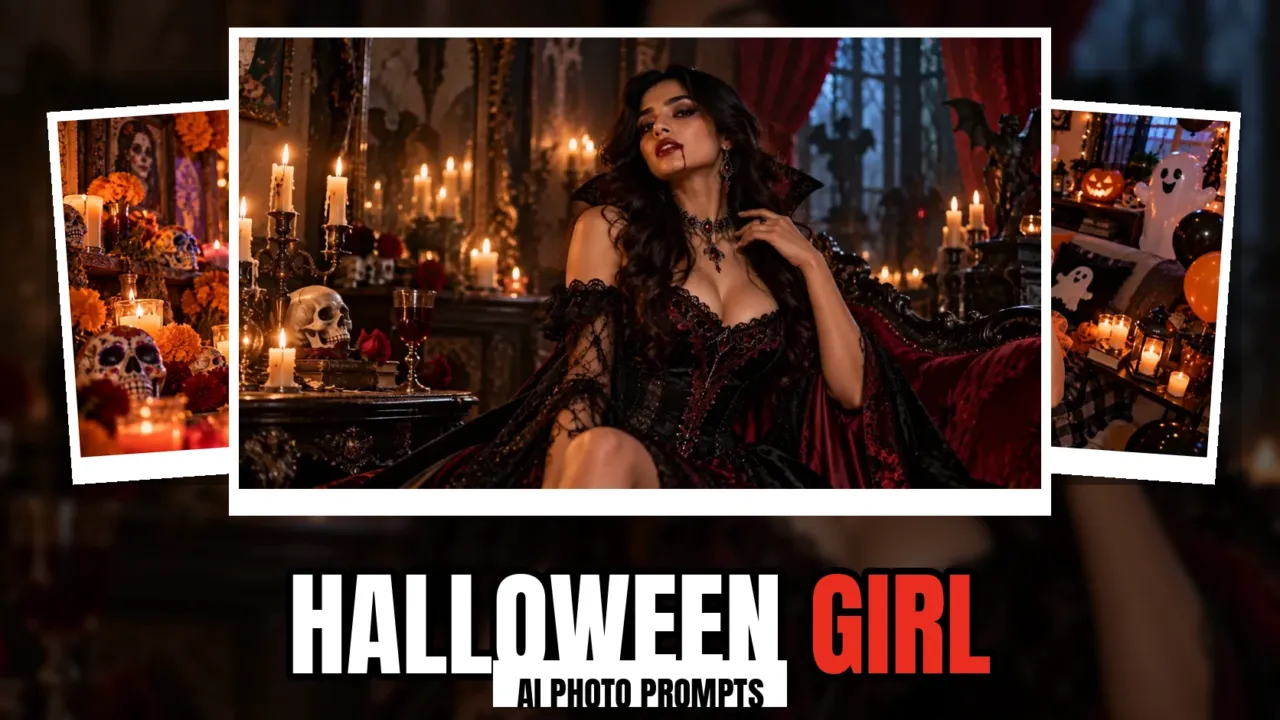
Halloween Girl AI Photo Prompts (2026)
Halloween Girl AI Photo Prompts (2026)
One selfie is all you need for a full Halloween glam shoot. Copy a prompt below, paste it in ChatGPT or Gemini with your photo, and keep your face exactly the same while you become a witch, a vampire or a dark angel.
Quick answer
A Halloween girl AI photo prompt is a short copy-paste text that tells ChatGPT or Gemini how to restyle your photo into a Halloween look, like an elegant witch, a glamorous vampire, sugar skull makeup or a dark angel. Pick a prompt below, upload one clear photo, and paste the full text to get a poster-ready Halloween edit in seconds.
Halloween girl AI photo prompt: 4 glam spooky looks
Four glam looks, four prompts. Tap Copy prompt, open ChatGPT or Gemini, upload your photo and paste.
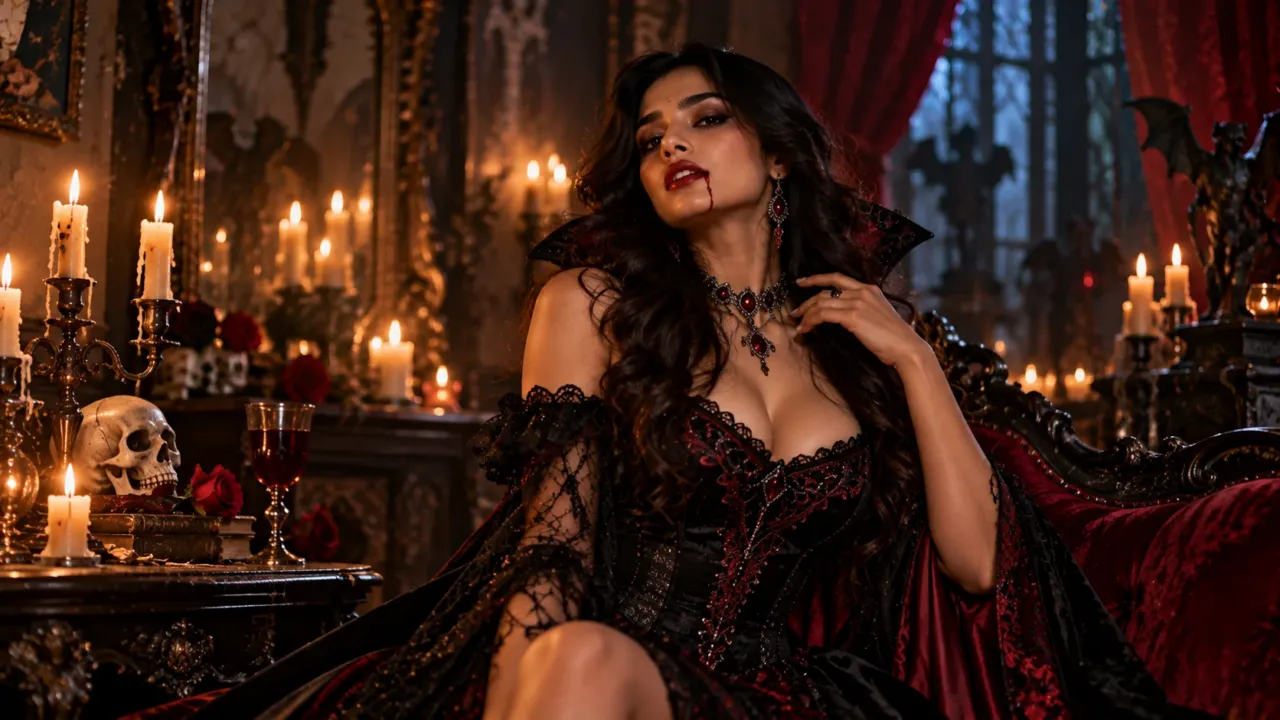
Glam vampire girl prompt
Restyle this portrait into a glamorous vampire Halloween look: keep my face exactly the same, dress me in an elegant black gothic gown with red lipstick and subtle vampire fangs, posing in a candlelit gothic room with tall mirrors. Cinematic, luxurious, slightly dangerous mood. Keep the face exactly unchanged, Indian woman, natural skin texture. No text, no watermark.
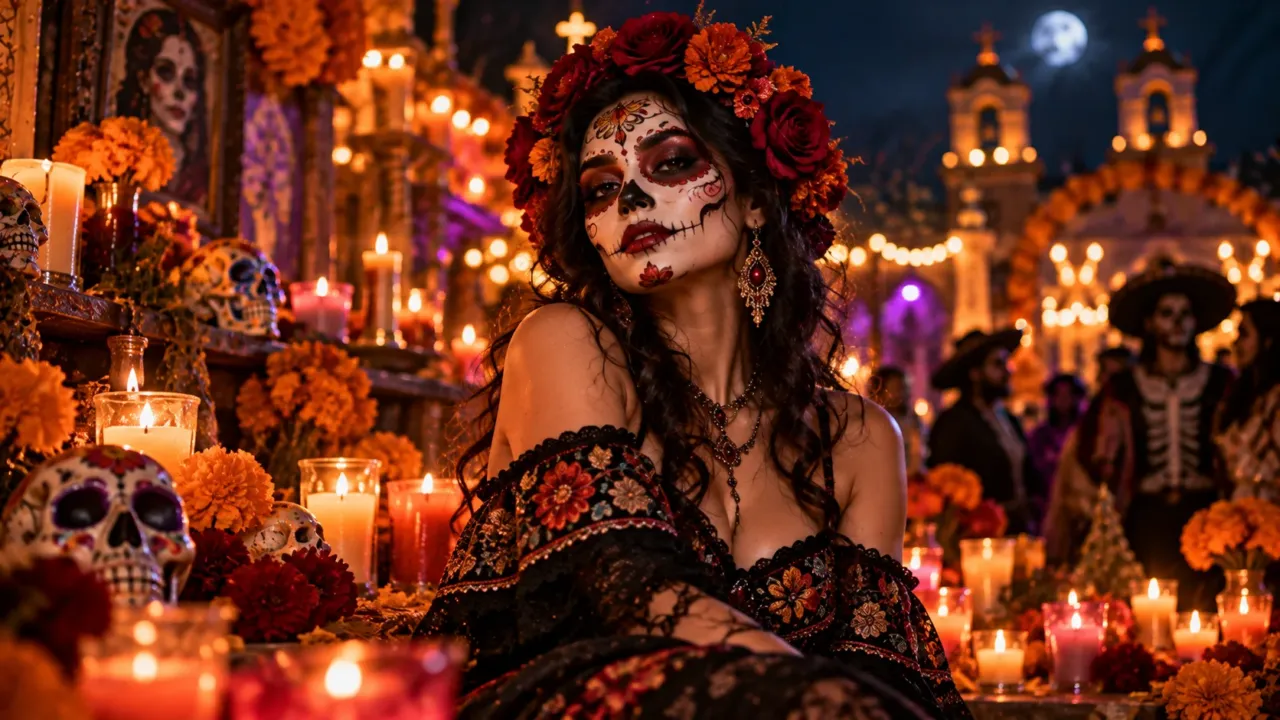
Sugar skull makeup prompt
Turn this photo into a beautiful sugar skull Halloween portrait: keep my face shape exactly the same, paint detailed white, black and colorful sugar skull makeup on my face, add a crown of orange marigold flowers, and place me among glowing candles at a night festival. Rich colors, cinematic light, festive and elegant. Indian woman, realistic makeup detail. No text, no watermark.
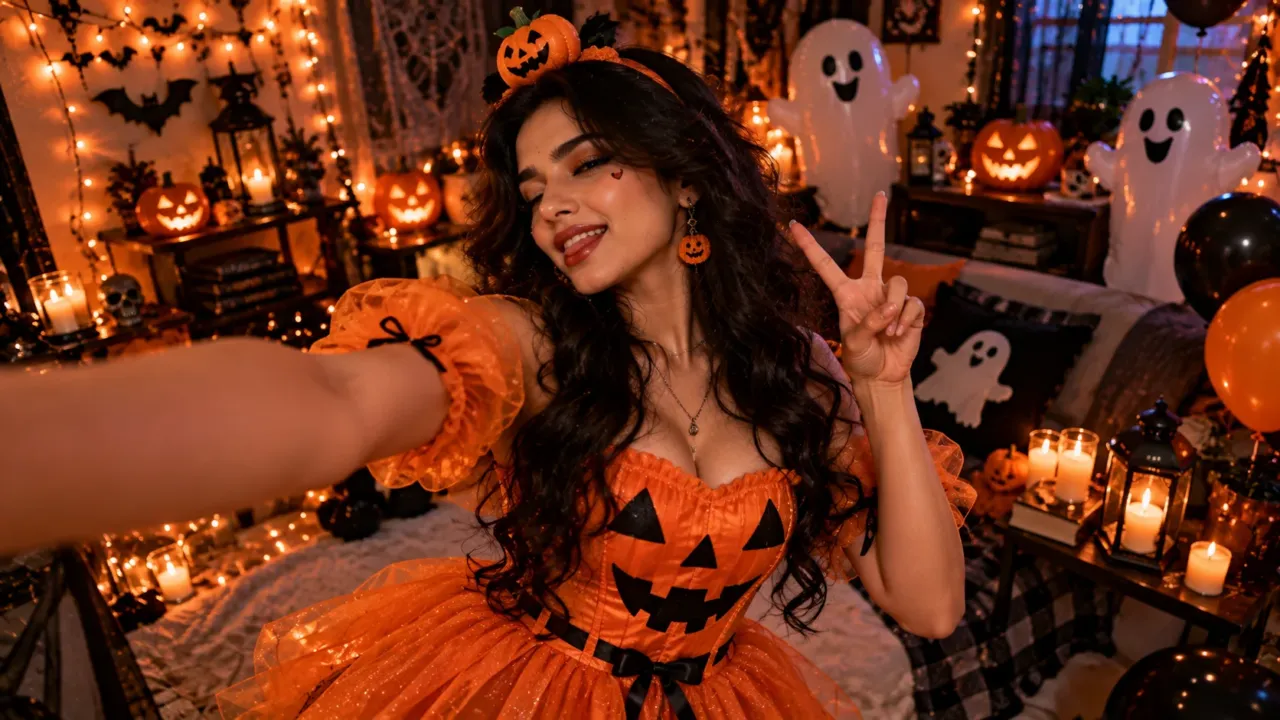
Cute pumpkin dress selfie prompt
Restyle this photo into a cute Halloween selfie: keep my face exactly the same, dress me in a pumpkin-orange Halloween dress with small black bat prints, in a cozy room decorated with ghost balloons, pumpkin cushions and warm fairy lights. Playful happy mood, bright and clean photography. Keep the face exactly unchanged, Indian woman, natural skin tones. No text, no watermark.
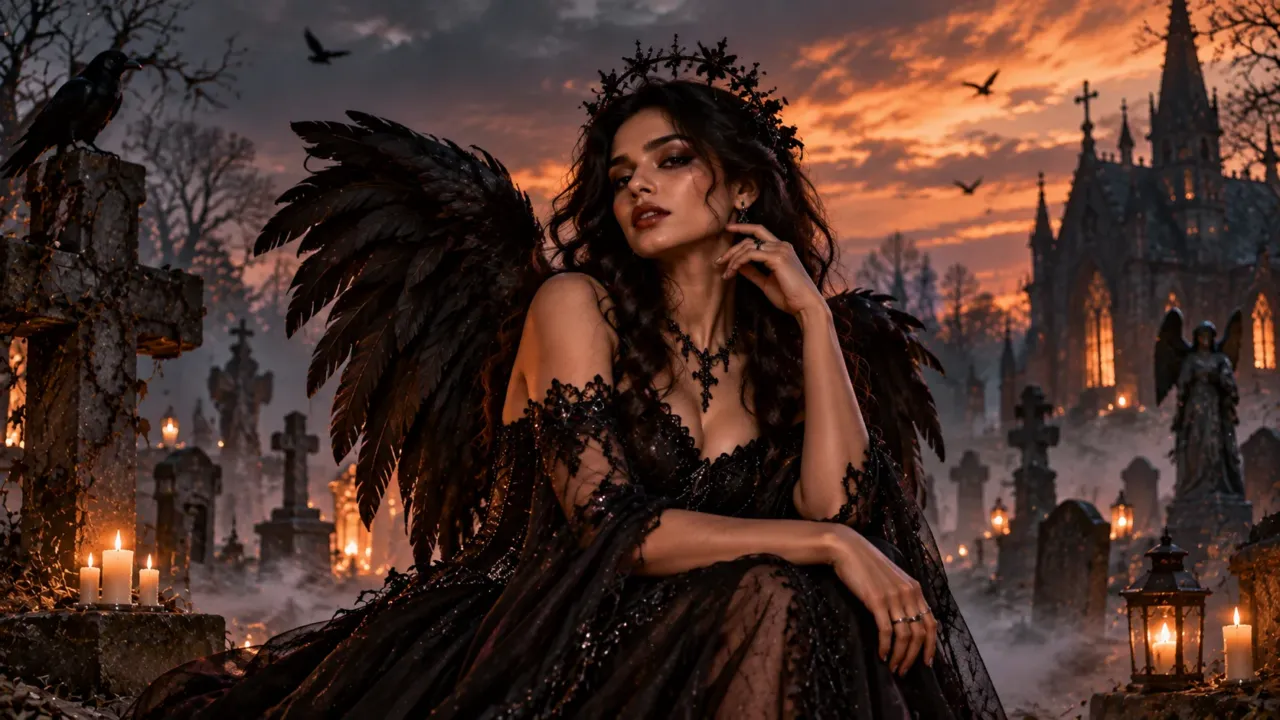
Dark angel graveyard prompt
Transform this photo into a dramatic dark angel scene: keep my face exactly the same, give me large black feather wings and an elegant dark gown, standing in a misty graveyard at dusk with a moody orange and grey sky. Cinematic, powerful, poster-quality Halloween look. Keep the face exactly unchanged, Indian woman. No text, no watermark.
Why are Halloween girl prompts trending?
Halloween glam edits are among the most posted AI photos every October. A single selfie becomes a full costume shoot: no costume shopping, no makeup skills, just one prompt that builds the outfit, the makeup and the set around your face.
The four prompts on this page cover the looks girls ask for most: glam vampire, sugar skull, cute pumpkin and dark angel. For more free picks, see the Editing Prompt homepage.
What each part of these prompts does
- The character. Witch, vampire, sugar skull or angel sets the whole identity of the edit.
- Keep the face unchanged. Locks your face so the glam look is still clearly you.
- The makeup detail. Naming the makeup, like red lips or sugar skull paint, makes it look real, not filtered.
- The set. Candlelit room, festival candles or graveyard mist completes the scene.
- No text, no watermark. Keeps the edit clean and ready to post.
- Indian woman. Keeps features and skin tones natural.
Which prompt should you pick?
- Most glamorous: the vampire look.
- Most colorful: the sugar skull portrait.
- Cutest post: the pumpkin dress selfie.
- Most dramatic: the dark angel.
If your face changes, add this line
Make sure the face stays exactly the same. Paste it at the end of any prompt if the first result looks like someone else.
How to use these prompts in ChatGPT and Gemini
Open your AI tool
Use the ChatGPT or Gemini app or website, sign in and pick the image creation option.
Upload your photo
Add one sharp selfie where your face is clearly visible, with decent light.
Paste the prompt
Paste the full prompt and send. If the face changes, add: make sure the face stays exactly the same.
Adjust and save
If it is close, ask for one change, such as darker mood or brighter makeup. Then download the version you like.
Easy ways to change the look
Change one phrase at a time and compare. These swaps are starting points, and results vary by tool.
- Scarier: add cracked porcelain doll makeup to any look.
- Softer: change graveyard mist to a pumpkin patch with fairy lights.
- Costume swap: change dark angel to ghost bride with a white veil.
- Hair: add long wavy black hair with a red ribbon for a classic horror heroine look.
- Duo post: use the same prompt for you and a friend for matching Halloween posts.
Fix common problems with Halloween girl prompts
Most problems come from a face drifting or makeup looking painted on. Here is what to try first.
- Your face looks different. Use one sharp, front-facing selfie and add: make sure the face stays exactly the same.
- Makeup looks fake. Add: realistic makeup, blended edges, natural skin texture under the paint.
- Wings or props look wrong. Add: large detailed feather wings attached naturally at the back.
- The scene looks too dark. Add: soft light on the face, face clearly visible.
- Text or watermark appeared. Repeat: no text, no watermark, no logos.
- Too scary. Add: cute spooky, soft Halloween party mood.
AI results differ every run, so it is worth running the same prompt twice before you change it.
Halloween girl prompt questions
What is a Halloween girl AI photo prompt?
It is a short copy-paste text that tells ChatGPT or Gemini how to restyle your photo into a Halloween character look with costume, makeup and a spooky set. The prompts on this page keep your face unchanged and work with one uploaded photo.
Do these prompts work in both ChatGPT and Gemini?
Yes. The wording is plain and tool-neutral. If one tool changes your face or misses the glam mood, run the same prompt in the other and compare.
How do I keep my face the same?
Upload one sharp selfie where your face is clearly visible, and keep the line keep the face exactly unchanged in the prompt. The face-lock line on this page adds extra strength.
Can I use these prompts with a friend photo?
Yes. Upload a photo of both of you and change the costume lines to name a look for each person, or run the same prompt separately and post a matching pair.
Is it free to use these prompts?
The prompts are free to copy, with no sign-up. ChatGPT and Gemini both offer some free image access, but limits can change, so check the app. Only edit photos of people who agree to it.
When should I post a Halloween girl edit?
Halloween is on October 31, and glam Halloween edits peak in the last two weeks of October, so posting early catches the wave.
Recent posts
Ghostface AI Photo Prompt for Halloween (2026)
Garba Dance AI Photo Prompt for Girl (2026)
Durga Puja AI Photo Prompt for Girls (2026)
Want more? Browse every free prompt on Editing Prompt.