Ghostface AI Photo Prompt for Halloween (2026)
Turn any photo into a spooky Ghost Face edit for the viral Halloween trend. Copy a prompt below, paste it in ChatGPT or Gemini with your photo, and keep your face exactly the same while Ghostface lurks behind you.
Quick answer
A Ghostface AI photo prompt is a short copy-paste text that tells ChatGPT or Gemini how to add the Ghost Face character from Scream into your photo, as a looming figure, a reflection, or a shadow in the background. Pick a prompt below, upload one clear photo, and paste the full text to get a viral Halloween edit in seconds.
Ghostface AI photo prompt: 4 spooky looks
Four viral looks, four prompts. Tap Copy prompt, open ChatGPT or Gemini, upload your photo and paste.
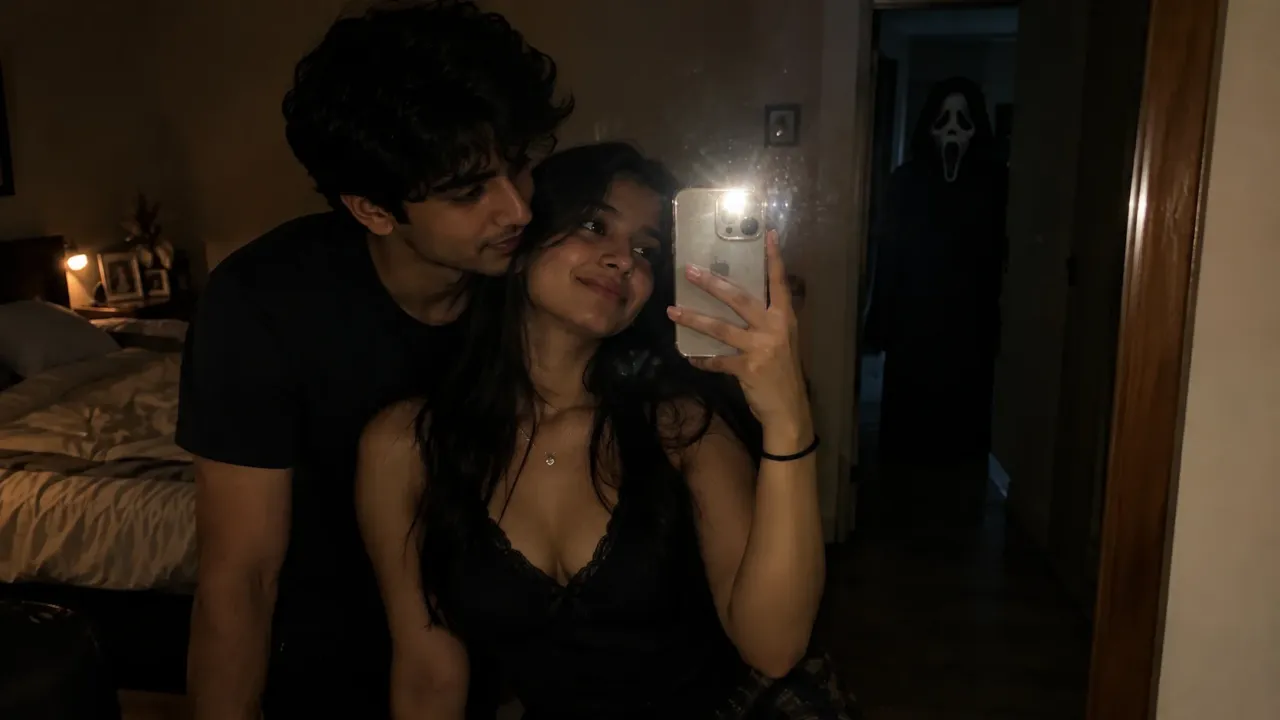
Couple mirror selfie Ghostface prompt
Turn this photo into a spooky Halloween mirror selfie: keep our faces and pose exactly the same, but place us in a dim hallway at night with a Ghost Face mask figure looming blurred in the dark hallway behind us. Phone flash lighting on our faces, cinematic horror mood, subtle film grain. Keep both faces exactly unchanged, Indian couple. Scary but clean, no text, no watermark.
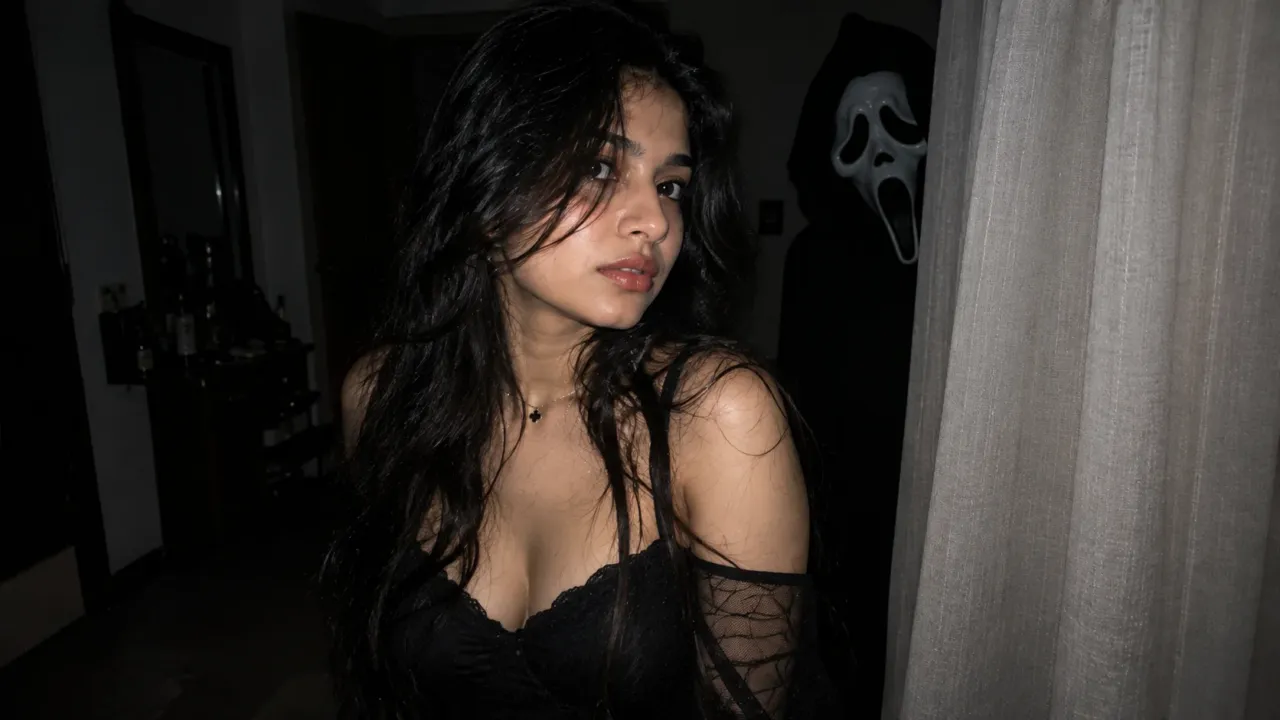
Solo phone-flash Ghostface prompt
Restyle this portrait into a spooky phone-flash Halloween photo: keep my face exactly the same, night setting with harsh phone flash shadows, and a Ghost Face mask figure half-hidden behind a curtain in the background, slightly out of focus. Dark moody tones, candid flash aesthetic like a late-night snap. Keep the face exactly unchanged, Indian woman, natural skin tones. Creepy viral look, no text, no watermark.
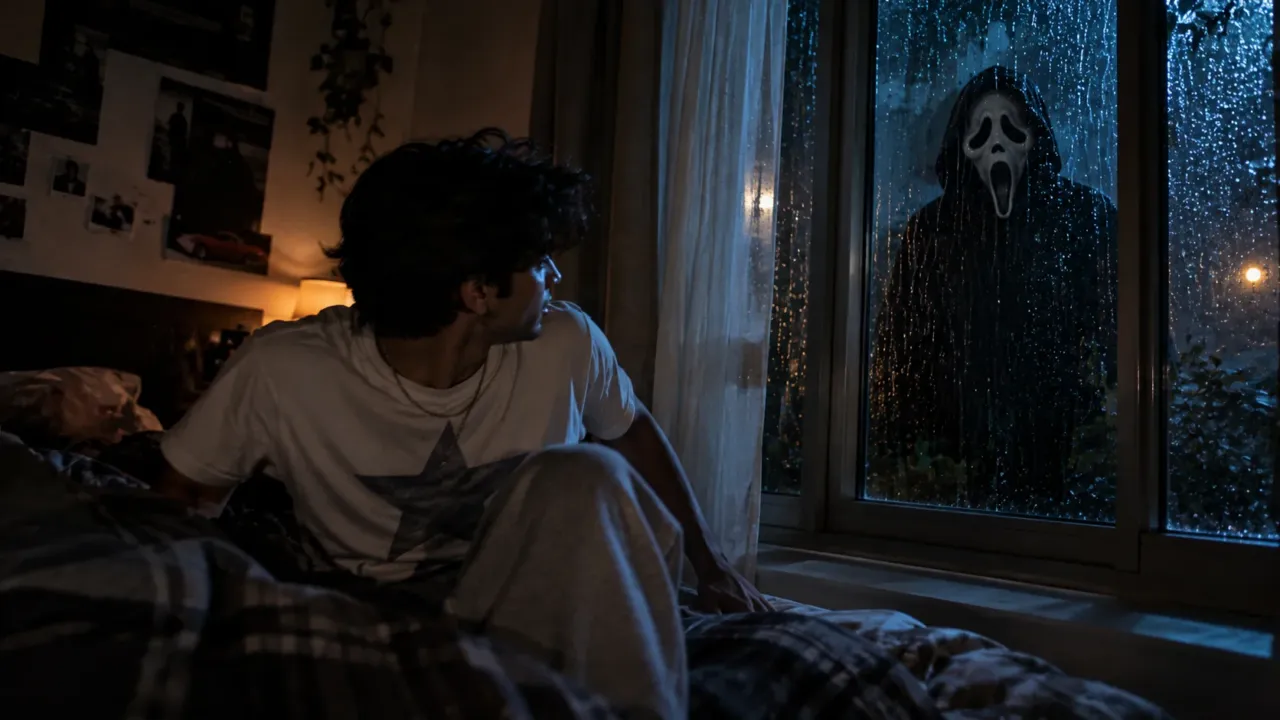
Y2K bedroom Ghostface window prompt
Transform this photo into a Y2K-style bedroom night scene: keep the person exactly the same, sitting on a bed in a dim room with posters and soft blue night tones, while a Ghost Face mask figure stands outside the rain-streaked window staring in. Moody cinematic horror lighting, rain drops on glass, film-still quality. Keep the face exactly unchanged, Indian man. Spooky Halloween vibe, no text, no watermark.
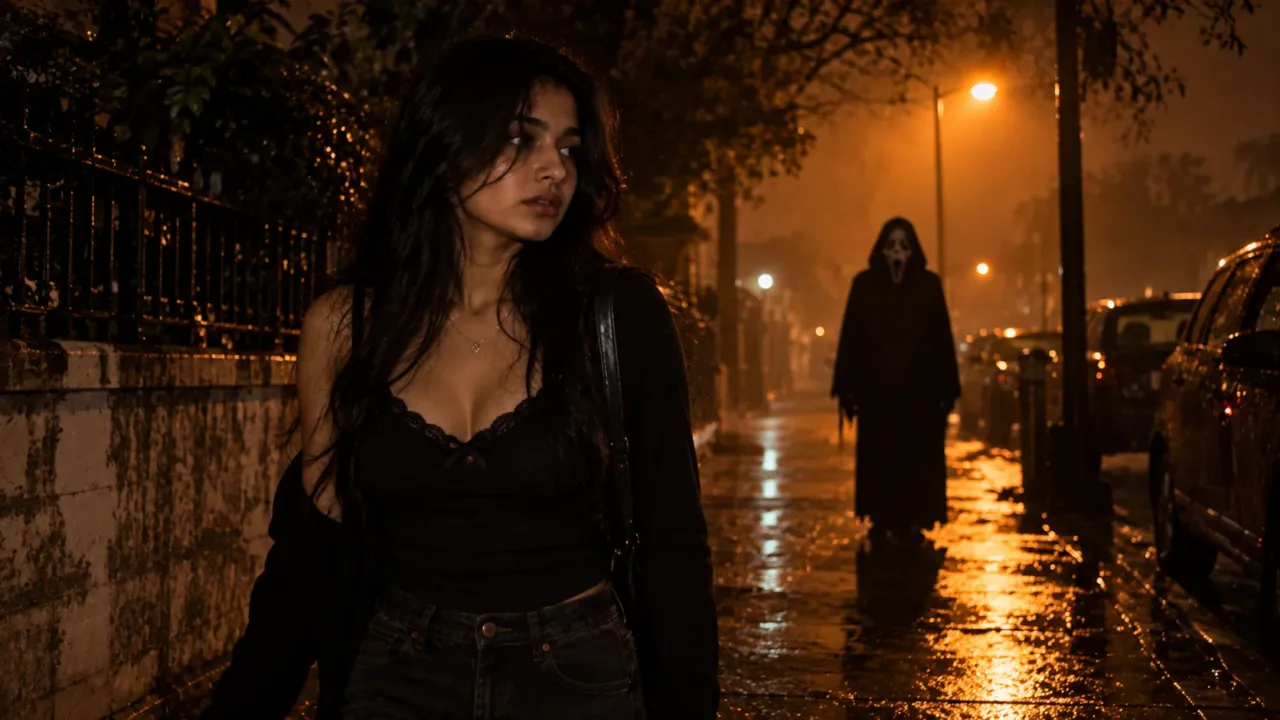
Cinematic night street Ghostface prompt
Turn this photo into a cinematic horror movie still: keep the person exactly the same, walking on a foggy night street, with a Ghost Face mask figure standing motionless across the road under a flickering streetlight. Dramatic fog, deep shadows, teal and orange horror color grade, film-still quality. Keep the face exactly unchanged, Indian woman. Chilling Halloween look, no text, no watermark.
What is the Ghostface AI photo trend?
It is the viral Halloween edit where the Ghost Face character from Scream appears in your photo. People upload a normal selfie or couple picture to ChatGPT or Gemini, paste a Ghostface prompt, and get a spooky scene with the masked figure lurking in the background.
The trend blew up because it is simple and shareable: one photo, one prompt, one scare. The four prompts on this page cover the most viral versions, a mirror selfie scare, a flash portrait, a window fright, and a street horror still. For more free picks, see the Editing Prompt homepage.
What each part of these prompts does
- The scare setup. Places Ghost Face in a hallway, behind a curtain, at a window, or across the street.
- Keep the face unchanged. Locks your face so you stay recognisable while the scene turns spooky.
- The light. Phone flash, night tones, or flickering streetlight decides how scary it feels.
- The mood words. Cinematic horror, film grain, and fog give the AI the right atmosphere.
- No text, no watermark. Keeps the edit clean and ready to post.
- Indian faces. Keeps features and skin tones natural.
Which prompt should you pick?
- Couples: the mirror selfie scare.
- Solo dramatic post: the phone-flash portrait.
- Creepiest result: the window fright or the street horror still.
If a face changes, add this line
Make sure the face stays exactly the same. Paste it at the end of any prompt if the first result looks like someone else.
How to use these prompts in ChatGPT and Gemini
Open your AI tool
Use the ChatGPT or Gemini app or website, sign in and pick the image creation option.
Upload your photo
Add one sharp photo where your face is clearly visible, with decent light.
Paste the prompt
Paste the full prompt and send. If the face changes, add: make sure the face stays exactly the same.
Adjust and save
If it is close, ask for one change, such as darker fog or a closer Ghost Face. Then download the version you like.
Easy ways to change the look
Change one phrase at a time and compare. These swaps are starting points, and results vary by tool.
- Scarier: change looming blurred to close behind shoulder, staring at camera.
- Funnier: add the Ghost Face waving awkwardly instead of lurking.
- Setting: swap the hallway for a staircase, an elevator, or a parking garage.
- Light: change phone flash to candlelight for a classic horror feel.
- Group photo: add one masked figure per person for a full squad scare.
Fix common problems with Ghostface prompts
Most problems come from a face drifting or the scare looking silly. Here is what to try first.
- A face looks different. Use one sharp, front-facing photo and add: make sure the face stays exactly the same.
- Ghost Face looks cartoonish. Add: photorealistic horror, subtle and realistic, not a costume party.
- The scene looks too bright. Add: dark night setting, deep shadows, low light.
- It looks blurry overall. Add: sharp focus on the person, background slightly soft.
- Text or watermark appeared. Repeat: no text, no watermark, no logos.
- Too scary for kids. Add: playful spooky, family-friendly Halloween fun.
AI results differ every run, so it is worth running the same prompt twice before you change it.
Ghostface prompt questions
What is a Ghostface AI photo prompt?
It is a short copy-paste text that tells ChatGPT or Gemini how to add the Ghost Face character from Scream into your photo, as a looming figure or shadow in the background. The prompts on this page keep your face unchanged and work with one uploaded photo.
Do these prompts work in both ChatGPT and Gemini?
Yes. The wording is plain and tool-neutral. If one tool changes a face or misses the spooky mood, run the same prompt in the other and compare.
How do I keep my face the same?
Upload one sharp photo where your face is clearly visible, and keep the line keep the face exactly unchanged in the prompt. The face-lock line on this page adds make sure the face stays exactly the same for stronger results.
Can I use these for a couple photo?
Yes. The mirror selfie prompt is made for couples. Upload one clear couple photo and both faces stay unchanged while Ghost Face lurks behind you.
Is it free to use these prompts?
The prompts are free to copy, with no sign-up. ChatGPT and Gemini both offer some free image access, but limits can change, so check the app. Only edit photos of people who agree to it.
When should I post a Halloween edit?
The Ghost Face trend peaks in the two to three weeks before Halloween on October 31, so posting early in October catches the wave.
Recent posts
Couples Prompt for AI Photo Editing
Gemini Couple Romantic Prompt Copy Paste
Prompt for Couple Photo
Want more? Browse every free prompt on Editing Prompt.