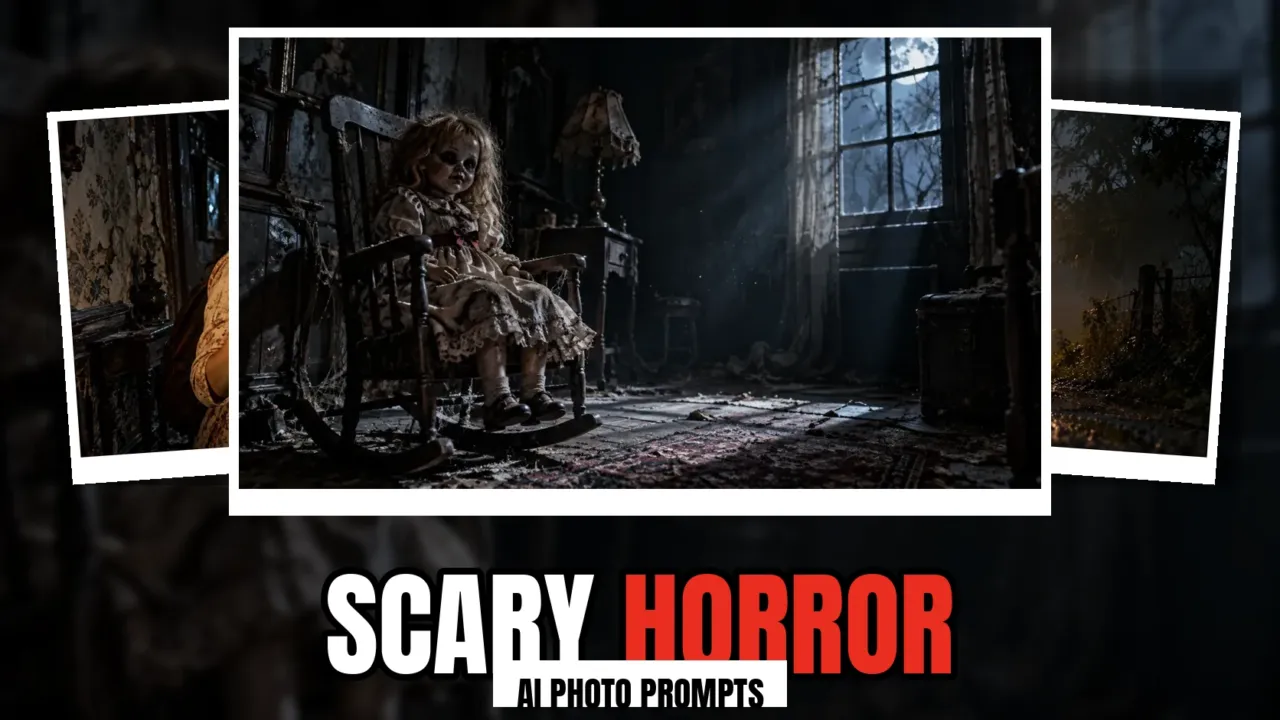
Scary Horror AI Photo Prompts (2026)
Scary Horror AI Photo Prompts (2026)
For the ones who want real chills, not cute costumes. Copy a prompt below, paste it in ChatGPT or Gemini with your photo, and step into a haunted house scene, a ghost story or a nightmare mirror moment.
Quick answer
A scary horror AI photo prompt is a short copy-paste text that tells ChatGPT or Gemini how to place you, or a scene from your photo, inside a realistic horror setting, like a haunted corridor, a foggy road with a ghostly figure, or a haunted mirror. Pick a prompt below, upload one clear photo, and paste the full text to get a chilling horror edit in seconds.
Scary horror AI photo prompt: 4 chilling scenes
Four chilling scenes, four prompts. Tap Copy prompt, open ChatGPT or Gemini, upload your photo and paste.
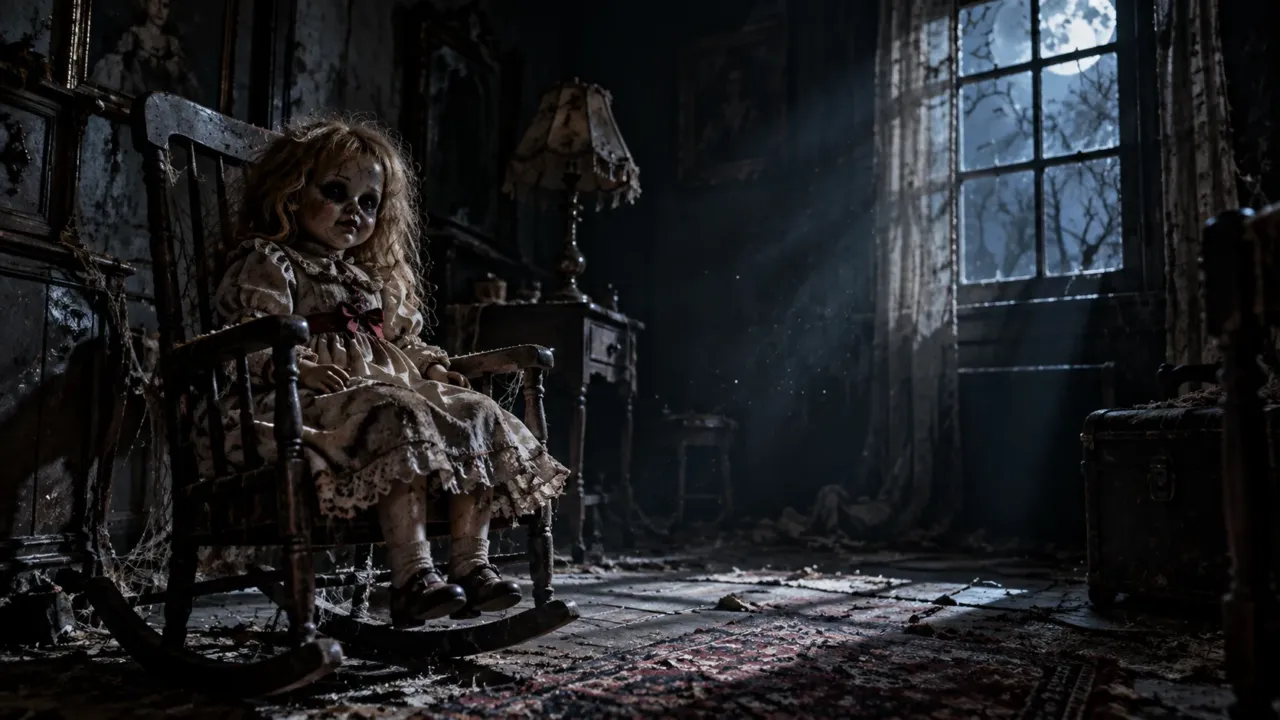
Haunted doll room prompt
Turn this photo into a chilling haunted room scene: a vintage porcelain doll sitting on an old rocking chair in a dark dusty room, one shaft of cold moonlight falling across it through a broken window, dust floating in the light. Deep shadows, silent horror movie mood, photorealistic detail. No people smiling, no text, no watermark.
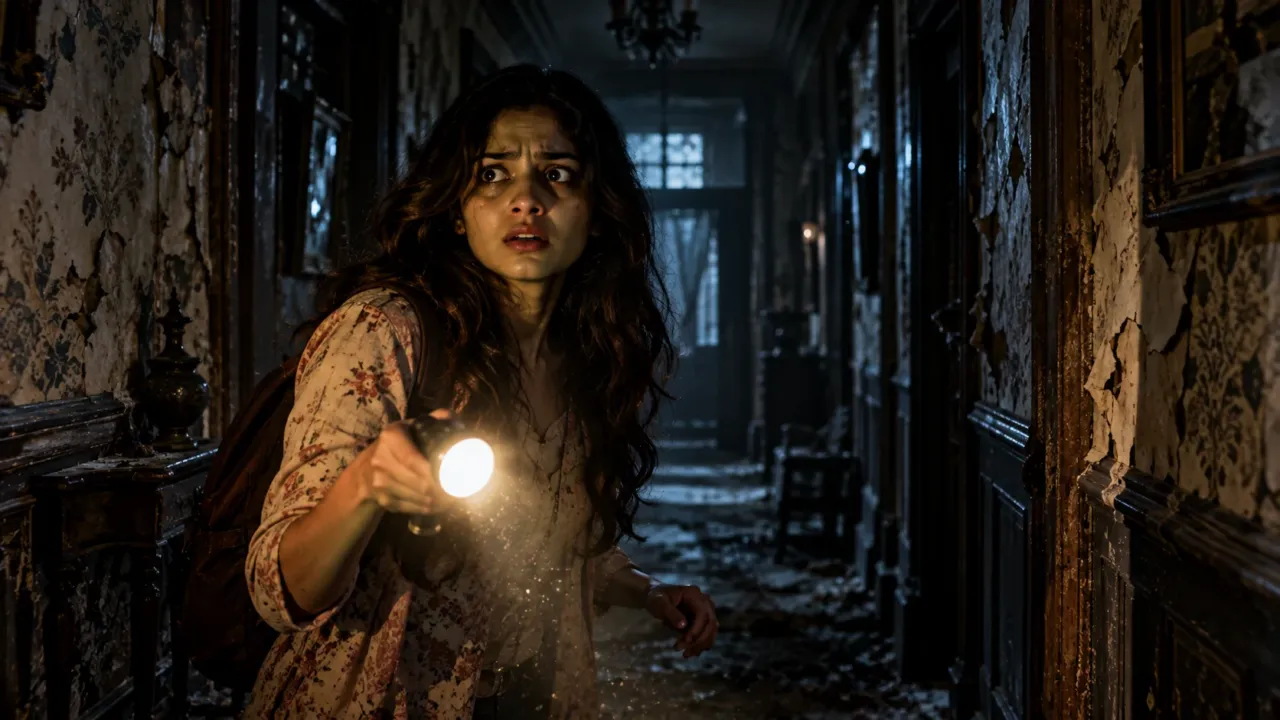
Haunted corridor flashlight prompt
Transform this photo into a terrifying haunted house scene: keep the person exactly the same, holding a weak flashlight in a long dark corridor with peeling wallpaper and old portraits, their scared face lit from below by the torch beam. Thick darkness beyond the light, cinematic Indian horror movie mood. Keep the face exactly unchanged. No text, no watermark.
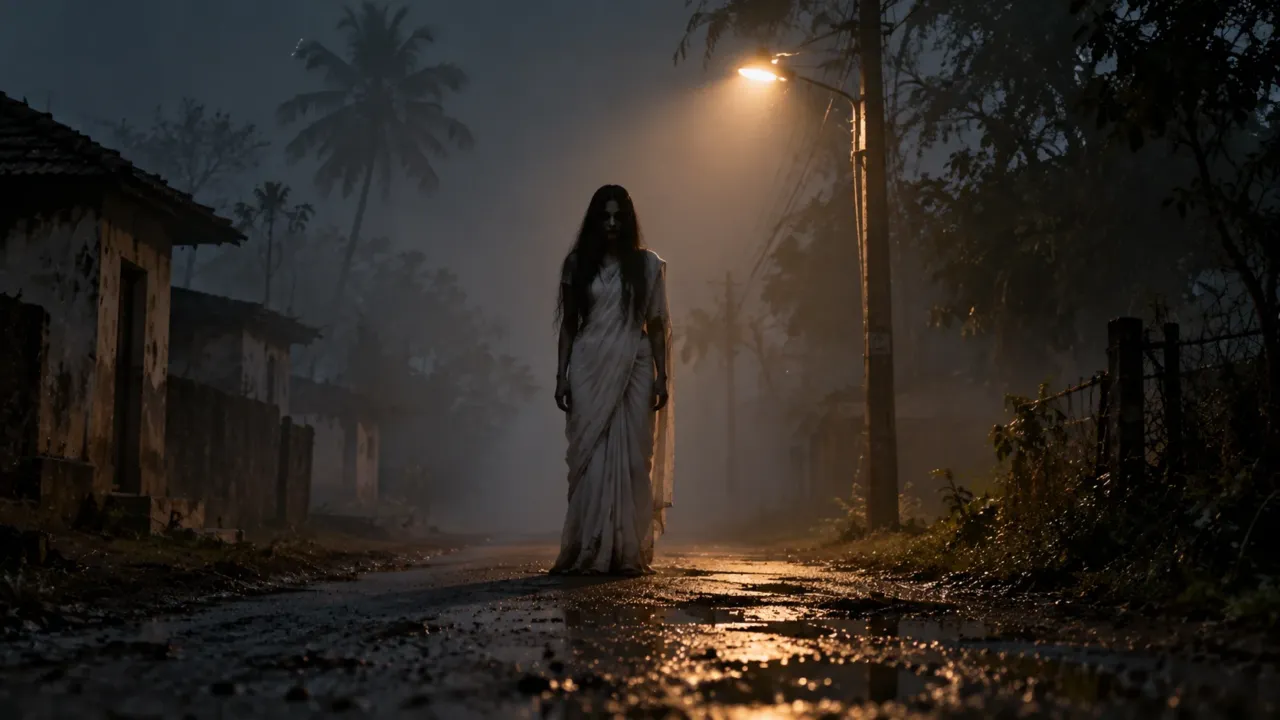
White saree road ghost prompt
Turn this photo into a classic Indian horror scene: a ghostly woman in a white saree with long loose black hair standing silently at the far end of a dark village road at night, thick fog around her feet, one weak streetlight flickering. Chilling stillness, photorealistic, cinematic horror grade. Face shadowed and unclear. No text, no watermark.
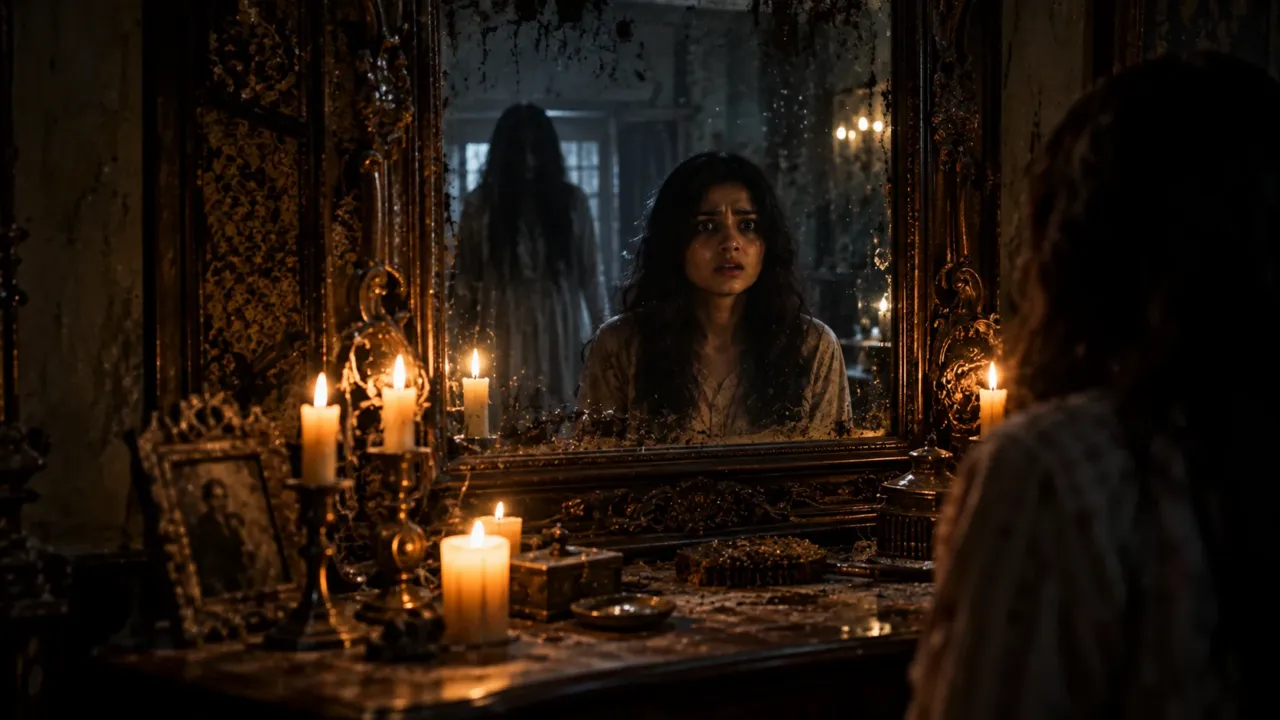
Haunted mirror reflection prompt
Restyle this photo into a nightmare mirror scene: an old ornate mirror in a dark candlelit room, and inside the reflection a tall shadowy figure standing where nobody stands in the real room. Flickering candlelight, warped old glass, deep dread mood, photorealistic horror detail. No text, no watermark.
Why are horror AI photo prompts trending?
Horror edits are the most saved and reshared Halloween posts every year. They work like movie stills: one strong scene, one scare, and people send them to friends just to watch the reaction.
The four prompts on this page cover the scenes horror fans ask for most: a creepy doll, a haunted corridor, a road ghost and a haunted mirror. For more free picks, see the Editing Prompt homepage.
What each part of these prompts does
- The scare object. A doll, a corridor, a distant figure or a mirror gives the fear one clear focus.
- The light source. Moonlight, a flashlight or candles decide how much stays hidden.
- What stays unseen. Shadowed faces and darkness beyond the light make it scarier than gore.
- The mood words. Chilling stillness, dread and silence guide the AI better than the word scary alone.
- No text, no watermark. Keeps the edit clean and ready to post.
- Photorealistic detail. Stops the scene looking like a cartoon.
Which prompt should you pick?
- Quiet dread: the haunted doll room.
- You in the scene: the corridor flashlight.
- Classic desi horror: the white saree road ghost.
- Clever scare: the haunted mirror.
If your face changes, add this line
Make sure the face stays exactly the same. Paste it at the end of the corridor prompt if the first result changes your face.
How to use these prompts in ChatGPT and Gemini
Open your AI tool
Use the ChatGPT or Gemini app or website, sign in and pick the image creation option.
Upload your photo
For person scenes, add one sharp photo. For object scenes like the doll or mirror, any room photo works.
Paste the prompt
Paste the full prompt and send. If a face changes, add: make sure the face stays exactly the same.
Adjust and save
If it is close, ask for one change, such as thicker fog or a dimmer light. Then download the version you like.
Easy ways to change the look
Change one phrase at a time and compare. These swaps are starting points, and results vary by tool.
- Scarier: move the ghost figure closer and lower the light.
- Setting swap: change the corridor to an old hospital ward or a deserted school.
- Time: change night to a grey dawn for a quieter, sadder horror.
- Local flavor: change the village road to an old haveli courtyard with a peepal tree.
- Less intense: add soft moonlight and a calm mood for a mild spooky post.
Fix common problems with horror prompts
Most problems come from scenes looking cartoonish or too bright to be scary. Here is what to try first.
- It looks like a cartoon. Add: photorealistic, real camera photo, natural textures.
- Too bright to scare. Add: deep shadows, most of the frame in darkness, one weak light source.
- The ghost looks funny. Add: distant, still, face shadowed and unclear, no smiling.
- Your face changed. Use one sharp photo and add: make sure the face stays exactly the same.
- Text or watermark appeared. Repeat: no text, no watermark, no logos.
- Too graphic. Add: no gore, no blood, fear from atmosphere only.
AI results differ every run, so it is worth running the same prompt twice before you change it.
Horror prompt questions
What is a scary horror AI photo prompt?
It is a short copy-paste text that tells ChatGPT or Gemini how to build a realistic horror scene from your photo, with a scare focus, weak light and heavy shadows. Some prompts on this page place you in the scene, others build a pure scene like the doll room.
Do these prompts work in both ChatGPT and Gemini?
Yes. The wording is plain and tool-neutral. If one tool makes the scene too bright or cartoonish, run the same prompt in the other and compare.
How do I make a horror edit scarier?
Lower the light, move the figure closer, and keep its face unclear. Atmosphere scares more than detail, so words like stillness, silence and dread help a lot.
Can I use my own photo in the horror scenes?
Yes. The corridor prompt is built for your photo and keeps your face unchanged. The doll, road ghost and mirror prompts work with almost any photo as a base.
Is it free to use these prompts?
The prompts are free to copy, with no sign-up. ChatGPT and Gemini both offer some free image access, but limits can change, so check the app. Only edit photos of people who agree to it.
When should I post a horror edit?
Halloween is on October 31, and horror edits peak in the last ten days of October, so posting in that window catches the wave.
Recent posts
Ghostface AI Photo Prompt for Halloween (2026)
Trending Kali Mata AI Video Tutorial (2026)
Garba Dance AI Photo Prompt for Girl (2026)
Want more? Browse every free prompt on Editing Prompt.