Girl Chibi AI Photo Editing Prompt (2026)
Keep your photo and surround it with mini 3D chibi versions of you, white sticker doodles and cute handwriting in soft pastel colors. Copy the prompt, paste it in ChatGPT or Gemini with your photo, and you are done.
Quick answer
A girl chibi AI photo editing prompt is a short text that asks an AI tool such as ChatGPT or Gemini to keep one uploaded photo and add several mini 3D chibi copies of the person around it, with white sticker outlines, hand-drawn doodles and short handwritten words. Copy the prompt below, upload one sharp photo, and keep the line that says to maintain the original facial features.
Girl chibi AI photo editing prompt: 2 results
One prompt, two results. Tap Copy prompt on any card, open ChatGPT or Gemini, upload your photo and paste.
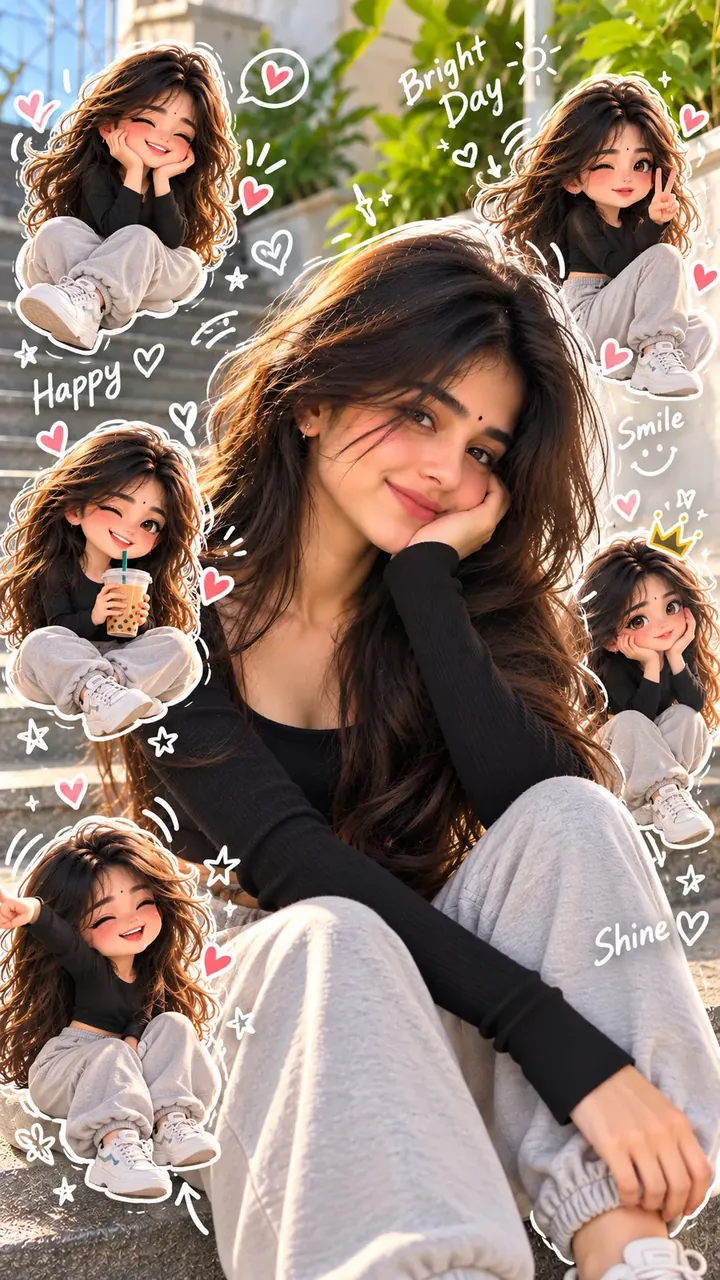
Aesthetic chibi girl photo edit
Use a real face as the reference photo. Keep the background the same as in the photo. The lighting is warm, soft, and clean, with subtle shadows. Around the image, add several mini 3D chibi versions of the character while maintaining the original facial features. Expressions: jumping cheerfully, waving, sitting relaxed while holding a drink, cute and playful poses. Add hand-drawn white doodle elements: an outline around the main body, stars, hearts, sparkle motion lines, and small cute icons. Add aesthetic handwriting such as “shine,” “bright day,” “happy,” and “smile,” in a casual doodle font. Overall style: clean and aesthetic composition, white sticker outline, soft pastel color tone, high detail, glossy 3D chibi look, cute Korean style, Instagrammable. Vertical 4:5.
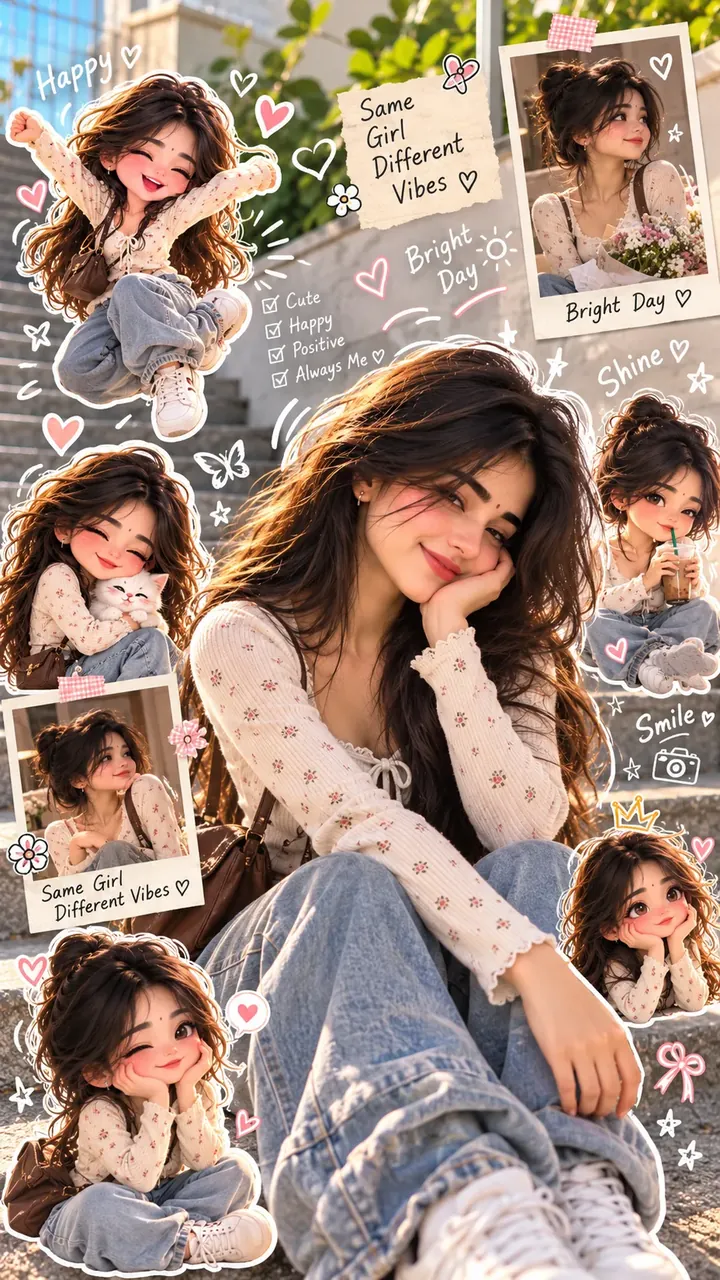
Cute girl chibi doodle edit
Use a real face as the reference photo. Keep the background the same as in the photo. The lighting is warm, soft, and clean, with subtle shadows. Around the image, add several mini 3D chibi versions of the character while maintaining the original facial features. Expressions: jumping cheerfully, waving, sitting relaxed while holding a drink, cute and playful poses. Add hand-drawn white doodle elements: an outline around the main body, stars, hearts, sparkle motion lines, and small cute icons. Add aesthetic handwriting such as “shine,” “bright day,” “happy,” and “smile,” in a casual doodle font. Overall style: clean and aesthetic composition, white sticker outline, soft pastel color tone, high detail, glossy 3D chibi look, cute Korean style, Instagrammable. Vertical 4:5.
What is a girl chibi AI photo editing prompt?
It is a written instruction that tells an AI image tool to keep your real photo and add small, glossy 3D chibi versions of you around it. The chibis copy your face, jump, wave and hold drinks, while hand-drawn doodles and words fill the space like a sticker sheet.
The look comes from two ideas combined: a real photo in the middle and playful cartoon extras around it. That mix is why it suits Instagram posts and profile pictures, since it feels personal and decorated at the same time. For more free picks, see the Editing Prompt homepage.
What each part of the prompt does
- Real face as the reference. Ties the result to your photo, so the chibis are you and not a stranger.
- Keep the background the same. Stops the tool from replacing your original scene.
- Mini 3D chibi versions. Adds the small characters, and the facial features line keeps them recognizable.
- Expressions list. Jumping, waving and holding a drink give each chibi a different pose.
- Doodle elements. A white outline, stars, hearts and sparkle lines create the sticker look.
- Handwriting words. Shine, bright day, happy and smile add a casual caption feel.
- Style words. Pastel tone, glossy 3D, cute Korean style and vertical 4:5 set the final mood and shape.
Where to use the result
- Instagram feed post: the vertical 4:5 shape fits the feed without cropping.
- Profile picture: crop to the main photo and one or two chibis.
- Birthday or friendship post: change the handwritten words to a name or a short wish.
If the chibis do not look like you, add this line
Same face, hairstyle, hair color and outfit on every chibi, matching the original photo. Repeat it at the end of the prompt if the first result drifts.
How to use this prompt in ChatGPT and Gemini
Open your AI tool
Use the ChatGPT or Gemini app or website, sign in and pick the image creation option.
Upload your photo
Add one sharp, front-facing photo with a clean background and good light.
Paste the prompt
Paste the full prompt and send. If the chibis do not look like you, repeat the facial features line.
Adjust and save
If it is close, ask for one change, such as fewer chibis or softer pastel colors. Then download the version you like.
Easy ways to change the look
Change one phrase at a time and compare. These swaps are starting points, and results vary by tool.
- Handwritten words: replace shine, bright day, happy and smile with your name or a short wish.
- Number of chibis: ask for exactly three or four mini chibi versions for a cleaner layout.
- Colors: change soft pastel to baby blue, lavender or warm peach tones.
- Poses: swap in dancing, taking a selfie or hugging a heart pillow.
- Format: change vertical 4:5 to vertical 9:16 for a Story.
Fix common problems with chibi prompts
Most problems come from a crowded layout or from the chibis drifting away from your face. Here is what to try first.
- The chibis do not look like me. Use a sharper photo and repeat the facial features line.
- The picture is too crowded. Ask for four mini chibis and fewer doodles.
- The handwriting is misspelled. Use one or two short words, or add text later in a phone app.
- The white outline is missing. Repeat: thick white sticker outline around the main figure and every chibi.
- The background changed. Repeat: keep the original background exactly the same.
- The 3D look is too plastic. Add: soft glossy finish, natural proportions, not a toy look.
AI results differ every run, so it is worth running the same prompt twice before you change it.
Girl chibi prompt questions
What is a girl chibi AI photo editing prompt?
It is a short written instruction that asks an AI image tool to keep your photo and add several small 3D chibi versions of you around it, with white sticker outlines, doodles and handwritten words. The prompt on this page keeps your face and background from the original photo.
Do I need to upload my own photo?
Yes. The prompt starts with use a real face as the reference photo, so upload one sharp, front-facing photo first. Without a photo, the tool will invent a face for the chibi characters.
How do I keep the chibi faces looking like me?
Use one sharp, well-lit photo and keep the line while maintaining the original facial features. If the mini versions drift, add: same hairstyle, hair color and outfit on every chibi.
Can I change the handwritten words?
Yes. Replace shine, bright day, happy and smile with your own short words, such as your name or a short wish. Keep them to one or two simple words each, because AI tools often misspell longer text.
Why is the handwriting misspelled?
Image tools find small handwritten text hard to draw. Use fewer, shorter words, ask for large clear lettering, or remove the text from the prompt and add words later in a phone editing app.
How many mini chibi versions should I ask for?
The prompt asks for several, which usually gives three to five. For a cleaner result, say exactly how many, such as four mini chibi versions, so the picture does not get crowded.
Which AI tool works best for this prompt, ChatGPT or Gemini?
Both can follow the same text. Results differ between them, so if one gives chibis that look too different from you or a crowded layout, run the same prompt in the other and compare.
Is it free, and is it safe to upload my photo?
The prompt is free to copy, with no sign-up. ChatGPT and Gemini both offer some free image access, but limits can change, so check the app. Only upload photos you are comfortable sharing, and check the tool’s privacy settings first.
Recent posts
Polaroid Couple Photo Editing Prompt
Crayon Shin-Chan AI Photo Editing Prompt

Romantic Couple Photo Editing Prompt
Want more? Browse every free prompt on Editing Prompt.