Professional Headshot AI Photo Prompt: 4 Corporate Looks (2026)
A strong headshot opens doors before you say a word. Copy a prompt below, paste it in ChatGPT or Gemini with one clear photo, and get office, outdoor and studio portraits while your face stays exactly the same.
Quick answer
These 4 headshot prompts turn a normal photo into CV ready portraits: a blazer look with a blurred office, a formal shirt and tie office shot, an outdoor entrepreneur portrait, and a dark studio executive look. Keep your face exactly unchanged.
Professional Headshot AI Photo Prompt: 4 looks to copy and paste
Four looks, four prompts. Tap Copy prompt, open ChatGPT or Gemini, upload your photo and paste.
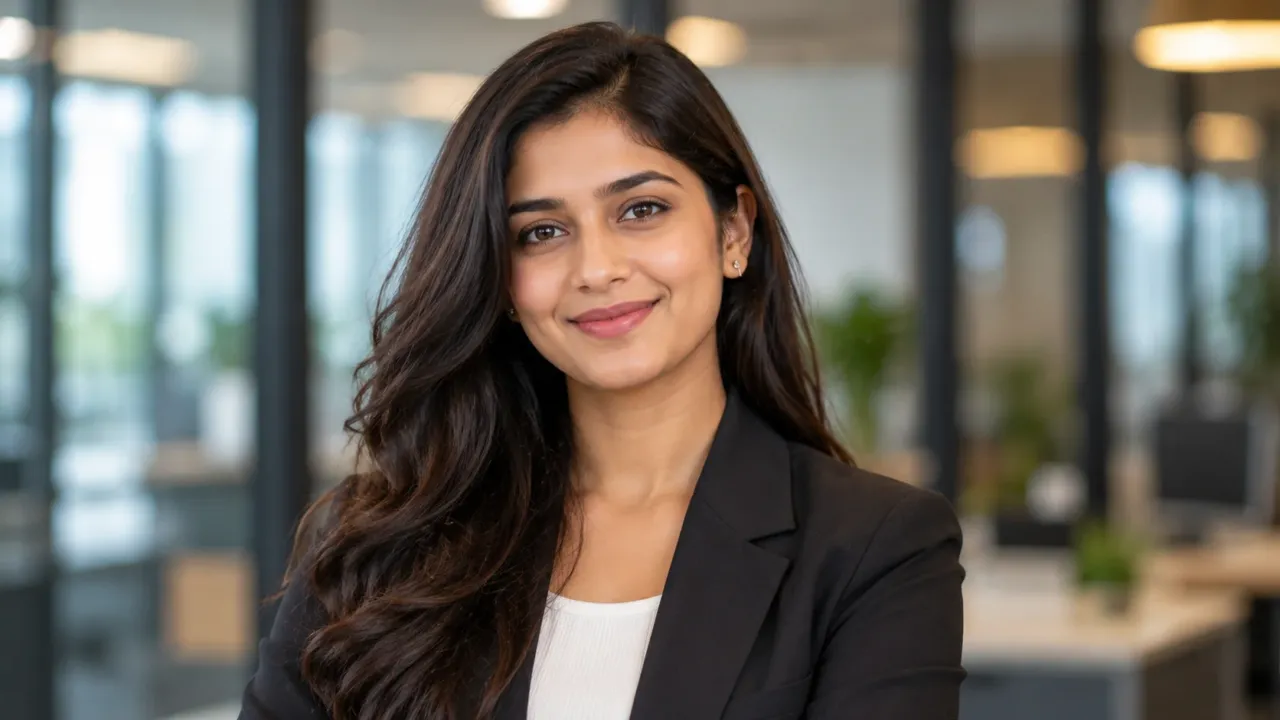
Blazer Office Portrait prompt
Use my uploaded photo and keep my face, skin tone, and features exactly unchanged. Create a professional headshot of me wearing a formal blazer, office background softly blurred, confident natural smile, clean studio quality lighting, LinkedIn profile style, photorealistic, vertical 4:5.

Shirt and Tie Corporate prompt
Keep my face from my uploaded photo exactly the same. Dress me in a crisp white shirt and tie inside a modern office with glass walls, professional headshot framing from the chest up, bright even light, corporate website style, photorealistic, vertical 4:5.
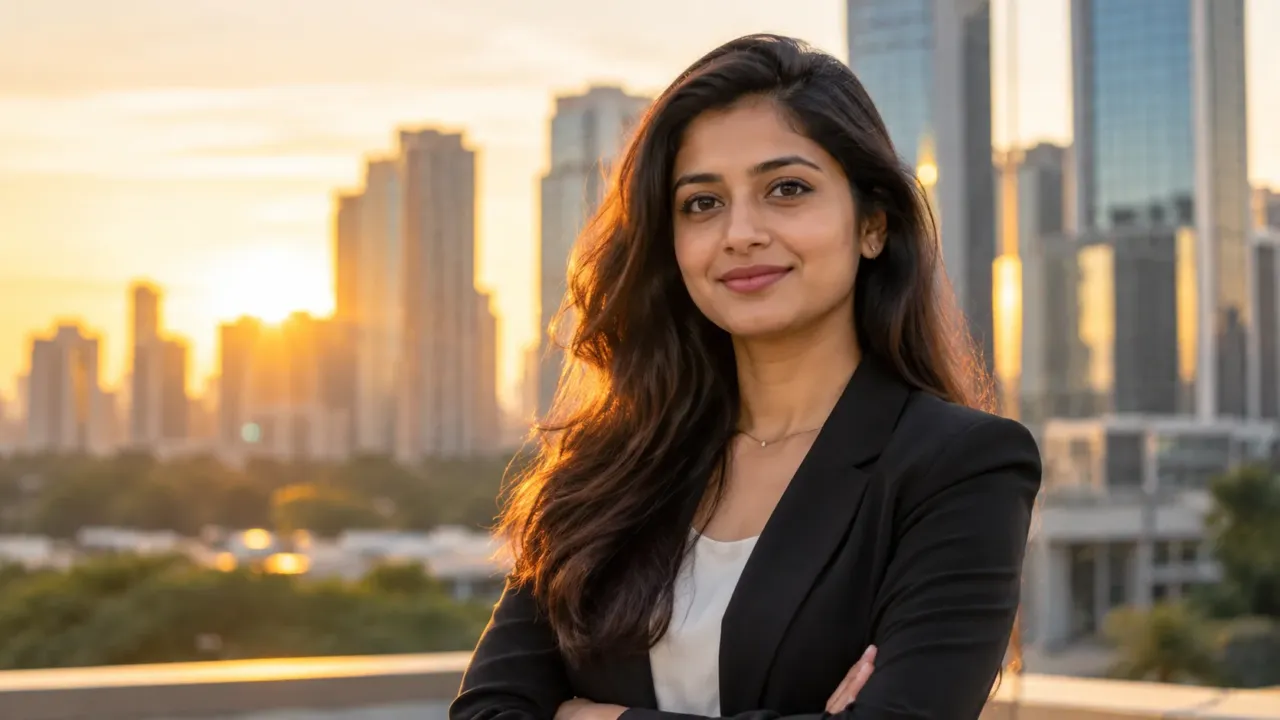
Outdoor Entrepreneur prompt
Preserve my exact face from the uploaded photo. Create an outdoor professional headshot of me in smart business clothing in front of a city office building at golden hour, sharp focus on my face, confident entrepreneur mood, photorealistic, vertical 4:5.
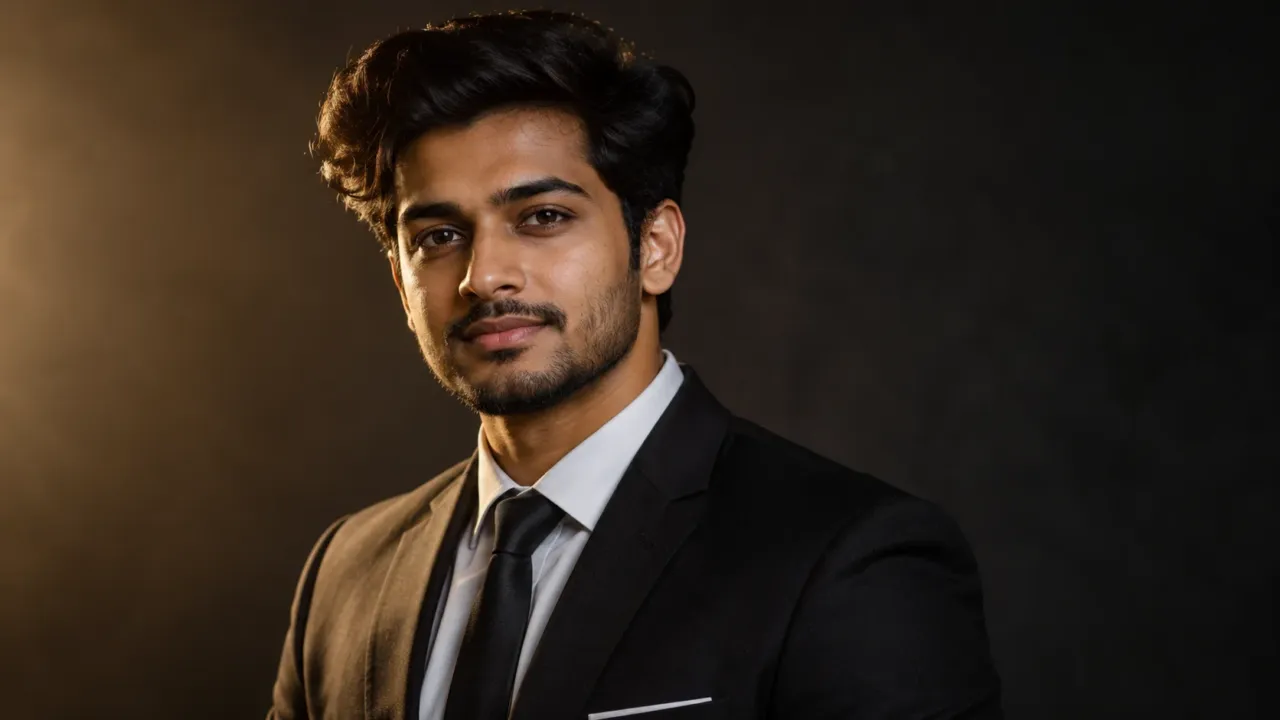
Dark Studio Executive prompt
Use my uploaded photo and keep my face exactly unchanged. Create an executive studio headshot of me in a black suit against a dark background, dramatic soft side light, premium magazine portrait quality, serious confident expression, photorealistic, vertical 4:5.
Why a Good Headshot Changes Everything
Recruiters and clients judge a profile in seconds. A clean headshot with a locked real face gives you a studio result without a studio visit.
These prompts change only clothes, background and light. Your face, the part that matters, stays exactly yours. For more free picks, see the Editing Prompt homepage.
What each part of these prompts does
- The outfit. A blazer, formal shirt or suit instantly signals professional.
- Keep the face unchanged. Locks your face so the headshot is truly you, just sharper.
- The background. A blurred office or clean studio backdrop keeps focus on you.
- Confident expression. A calm smile and direct eye contact build trust.
- No text, no watermark. Keeps the photo usable on any profile.
- Natural skin. Keeps your features and skin texture real, never plastic.
Which prompt should you pick?
- Best for LinkedIn: the classic office headshot.
- Best for founders: the outdoor tower shot.
- Most premium: the dark studio executive.
If a face changes, add this line
Make sure the face stays exactly the same. Paste it at the end of any prompt if the first result looks like someone else.
How to use these prompts in ChatGPT and Gemini
Open your AI tool
Use the ChatGPT or Gemini app or website, sign in and pick the image creation option.
Upload your photo
Add one sharp photo where the face is clearly visible, with decent light.
Paste the prompt
Paste the full prompt and send. If a face changes, add: make sure the face stays exactly the same.
Adjust and save
If it is close, ask for one change at a time. Then download the version you like.
Easy ways to change the look
Change one phrase at a time and compare. These swaps are starting points, and results vary by tool.
- Industry look: swap the blazer for your field’s dress, like a chef coat or doctor coat.
- Team set: run the same style for your whole team for matching company profiles.
- Background swap: use your city skyline or your office building.
- Casual Friday: ask for a smart casual version without the blazer.
- Season update: redo the headshot every year to keep profiles current.
Fix common problems with these prompts
Most problems come from a face drifting or a scene detail looking fake. Here is what to try first.
- Your face looks different. Use one sharp, front-facing photo in good light and add: make sure the face stays exactly the same.
- Skin looks plastic. Add: natural skin texture, visible pores, realistic photo.
- Suit looks painted on. Add: realistic fabric, natural folds, proper fit.
- Background distracts. Add: softly blurred background, focus on the face.
- Text or watermark appeared. Repeat: no text, no watermark, no logos.
- Too serious. Add a gentle confident smile.
AI results differ every run, so it is worth running the same prompt twice before you change it.
Questions and answers
What is a professional headshot AI prompt?
It is a copy-paste text that turns your photo into a clean corporate style portrait with formal clothes and a professional background, while keeping your face exactly unchanged.
Can I use these for LinkedIn and my CV?
Yes. That is exactly what they are made for. Use the same final image on both for a consistent professional identity.
Will it still look like me?
Yes, every prompt locks your face first. If a run changes your face, generate again and add ‘same face, only change clothes and background’.
What photo should I upload?
A clear front facing photo with even light and no sunglasses gives the best headshots.
Are these prompts free?
Yes. Every prompt on Editing Prompt is free to copy and use.
Recent posts
Halloween Couple AI Photo Prompts (2026)
Halloween Boy AI Photo Prompts (2026)
Ghostface AI Photo Prompt for Halloween (2026)
Want more? Browse every free prompt on Editing Prompt.