Floating Music Player AI Photo Prompt (2026)
Turn your photo into a viral Instagram-style edit with floating music players, story UI overlays and a London scrapbook collage. Copy a prompt, paste it in ChatGPT or Gemini with your photo, and you are done.
Quick answer
What is the floating music player AI photo trend? It is a viral edit where an AI tool places your photo inside Instagram-style frames: floating Apple Music players, a slide-to-answer call screen, story UI overlays and a scrapbook collage. Copy one of the 4 prompts below, upload a clear photo to ChatGPT or Gemini, and keep the line that says do not change the face.
Floating music player AI photo prompt: 4 looks
Four looks, four prompts. Tap Copy prompt, open ChatGPT or Gemini, upload your photo and paste.

Floating music players around you
Edit this photo into a trendy Instagram-style AI edit. Surround the person with floating Apple Music style player cards showing song titles, with a soft neon glow. Keep the person’s face, pose and outfit exactly the same. Add a blurred city night background with bokeh lights. Make it look like a viral social media edit, sharp and aesthetic.
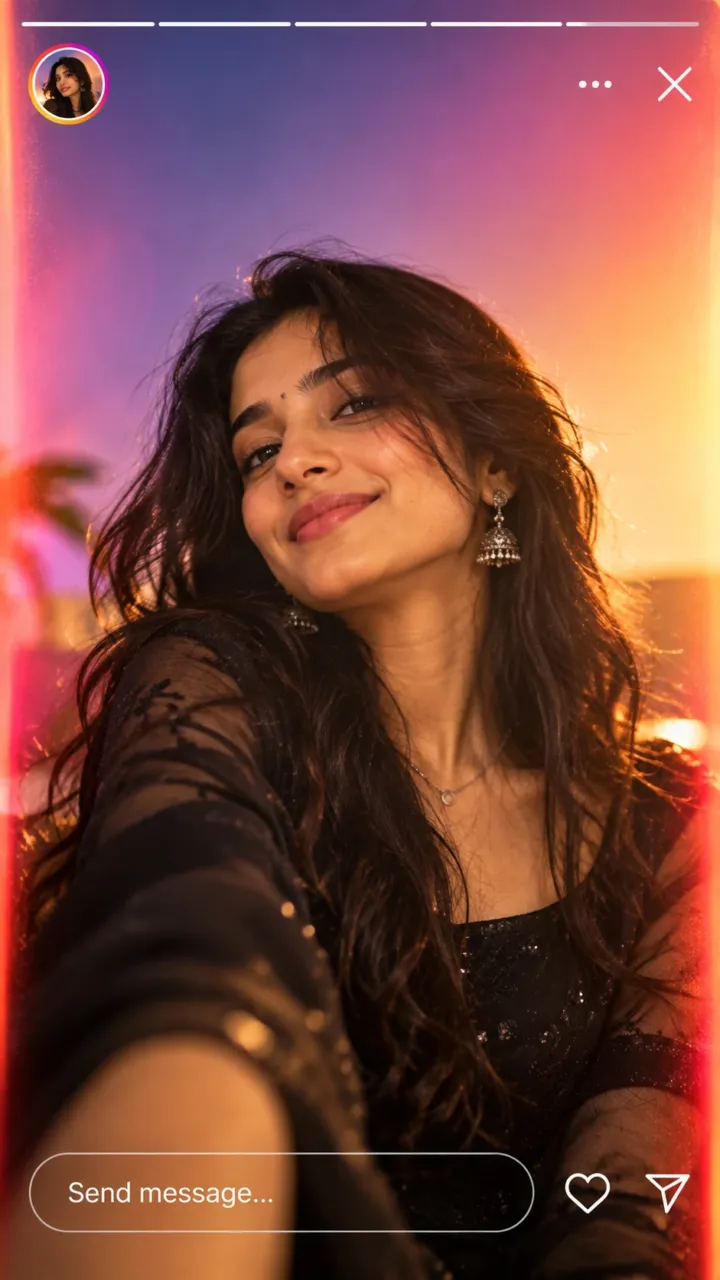
Instagram story UI overlay
Turn this photo into an Instagram story style edit. Place the person in the center with an Instagram story UI overlay: profile ring, reply bar and sticker style elements at the edges. Do not change the person’s face. Background: aesthetic gradient with soft light leaks. Clean, modern, made for sharing.
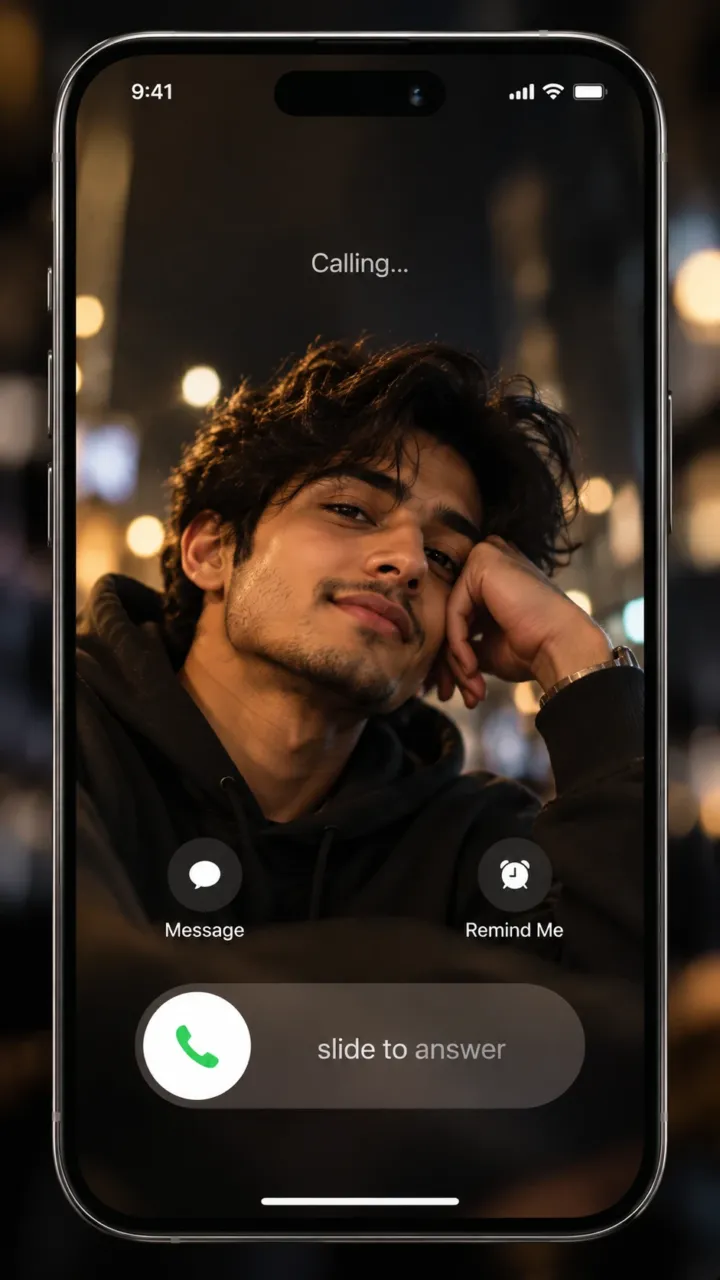
Slide to answer call screen
Create a phone call screen style edit from this photo. Frame the person inside a smartphone slide to answer call screen, with the contact name at the top and the green slide bar at the bottom. Keep the face exactly the same. Dark blurred background so the phone screen pops. Fun, viral style edit.
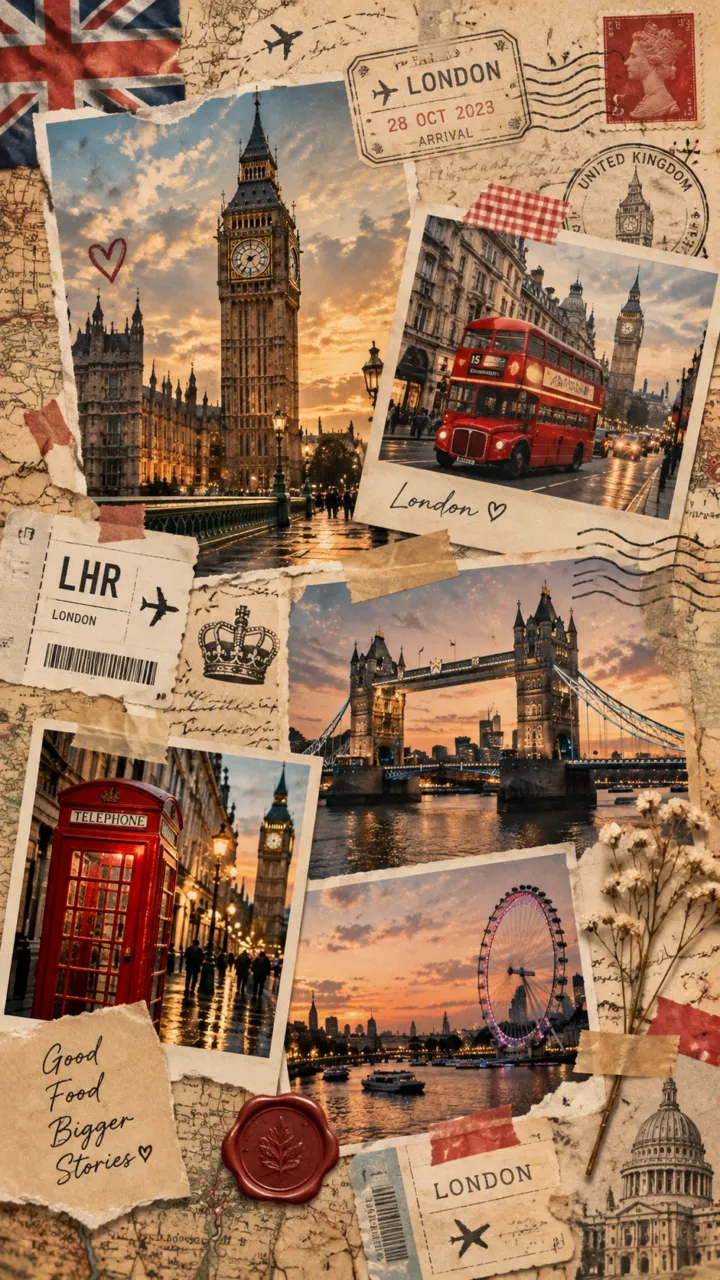
London scrapbook collage
Make a vintage scrapbook collage edit with this photo. Place the person among torn paper photos of London: Big Ben, Tower Bridge, a red bus, plus passport stamps and washi tape details. Do not change the person’s face. Warm, nostalgic tones, like a travel memory page.
What is a floating music player AI photo prompt?
It is a written instruction that tells an AI image tool to restyle your photo as a viral social media edit. Instead of a plain portrait, the prompt asks for floating music player cards, Instagram UI frames or a scrapbook collage around you.
This trend blew up on Instagram reels, where creators type short prompts and get aesthetic, share-ready edits in seconds. The key is keeping your face unchanged while the AI builds the trendy frame around you. For more free picks, see the Editing Prompt homepage.
What each part of these prompts does
- Floating music player cards. Adds the Apple Music style overlays that made the trend viral.
- Instagram UI overlay. Story rings, reply bars and stickers make it look native to the app.
- Do not change the face. Keeps you recognisable, the most important line in every prompt.
- City night or gradient background. Bokeh and light leaks give the aesthetic glow.
- Scrapbook details. Torn paper, stamps and tape sell the travel memory look.
Which prompt should you pick?
- For a music vibe post: the floating music players look.
- For stories: the Instagram story UI overlay.
- For something funny: the slide to answer call screen.
- For travel memories: the London scrapbook collage.
If a face changes, add this line
Make sure the face stays exactly the same. Paste it at the end of any prompt if the first result looks like someone else.
How to use these prompts in ChatGPT and Gemini
Open your AI tool
Use the ChatGPT or Gemini app or website, sign in and pick the image creation option.
Upload your photo
Add one sharp photo where faces are clearly visible, with good light.
Paste the prompt
Paste the full prompt and send. If a face changes, add: make sure the faces stay exactly the same.
Adjust and save
If it is close, ask for one change, then download the version you like.
Easy ways to change the look
Change one phrase at a time and compare. These swaps are starting points, and results vary by tool.
- Songs: name the tracks on the player cards, such as your favourite song titles.
- City: replace London with Paris, Tokyo or your own city in the collage.
- Colors: ask for pastel tones instead of neon for a softer feed.
- UI style: swap Instagram for a Spotify or YouTube style frame.
- Mood: add rain, sunset or snow to the background for seasonal posts.
Fix common problems with music player prompts
Most problems come from a changed face or cluttered frames. Here is what to try first.
- The face looks different. Use one sharp, front-facing photo and add: make sure the face stays exactly the same.
- Too many overlays. Repeat: keep the UI elements at the edges, person clear in the center.
- Text looks wrong. Ask for simple song titles, or remove text: no readable text on the cards.
- Background is messy. Repeat: clean blurred background, soft bokeh only.
- Colors look off. Name the palette: neon blue and pink glow, dark background.
AI results differ every run, so it is worth running the same prompt twice before you change it.
Floating music player prompt questions
What is the floating music player AI photo trend?
It is a viral Instagram edit where AI places your photo inside floating music player cards, story UI overlays or a scrapbook collage. Creators type a short prompt into ChatGPT or Gemini and get a share-ready aesthetic edit.
Which app makes these edits?
ChatGPT and Gemini both work. Upload your photo, paste the prompt, and the tool builds the frame around you. Results differ between tools, so try both.
Do I need to pay?
The prompts are free to copy, with no sign-up. ChatGPT and Gemini offer some free image access, but limits can change, so check the app.
How do I keep my face the same?
Use a sharp, front-facing photo and keep the line do not change the face in the prompt. You can also add: make sure the face stays exactly the same, at the end.
Can I choose the songs on the cards?
Yes. Name the song titles in the prompt, and the AI will render them on the floating player cards.
Why does the text look garbled?
AI tools sometimes mess up small text. Ask for simple titles, or add: no readable text on the cards, for a cleaner look.
Can I use this for a couple photo?
Yes. Upload a clear photo of both people and add: do not change either face. The frames work the same around two people.
Is it okay to post these publicly?
Yes, it is your photo and your edit. Only use photos of people who agree to be edited and shared.
Recent posts
Spider Background AI Photo Prompt

Flower Background AI Photo Effect Prompt

Couple Diwali Celebration AI Photo Prompt
Want more? Browse every free prompt on Editing Prompt.