Birthday Photo Editing Prompt (2026)
Make your birthday photos pop with cake, balloons and party magic. Copy a prompt, paste it in ChatGPT or Gemini with your photo, and you are done.
Quick answer
What is a birthday photo editing prompt? It is a celebration prompt that asks an AI tool to restyle your photo with birthday elements: cakes, balloons, confetti and party lights. Copy one of the 3 prompts below, upload a clear photo to ChatGPT or Gemini, and keep the line that says do not change the face.
Birthday photo editing prompt: 3 looks
Three looks, three prompts. Tap Copy prompt, open ChatGPT or Gemini, upload your photo and paste.
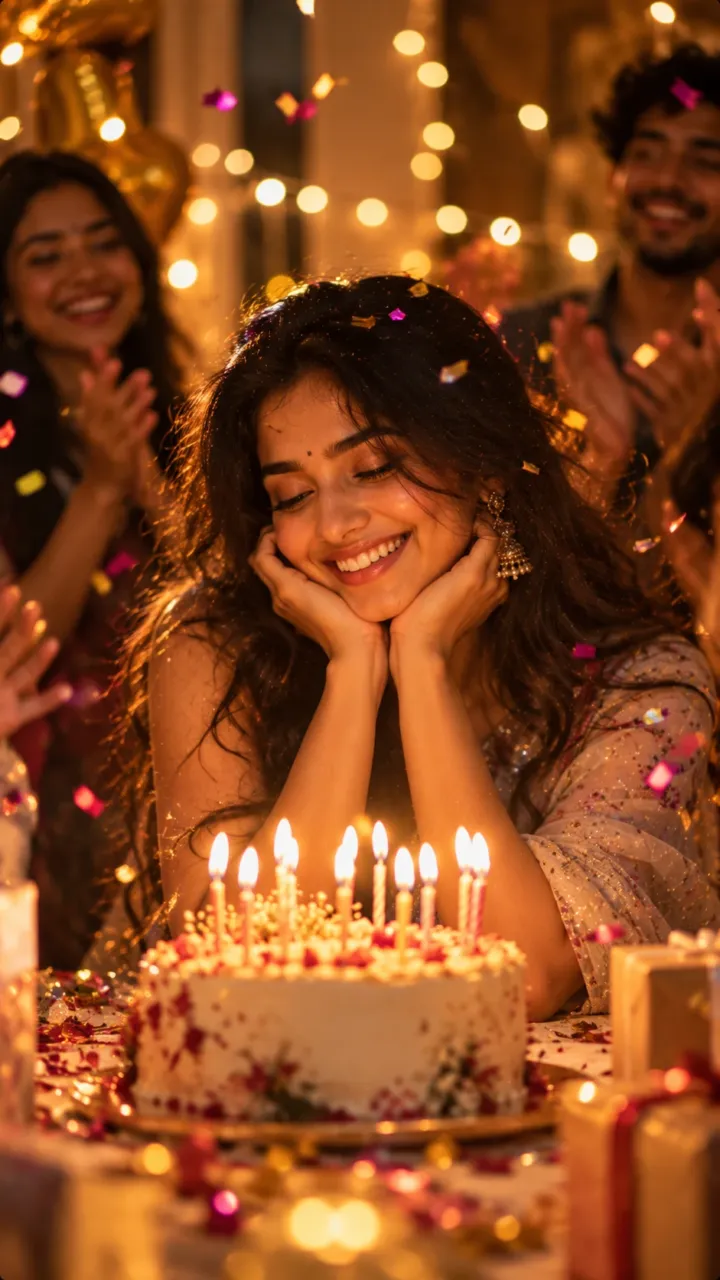
Birthday cake celebration
Create a birthday celebration photo from this picture. Add a beautiful birthday cake with lit candles in front, warm party glow, confetti in the air. Keep the face exactly the same. Joyful, festive, high detail.
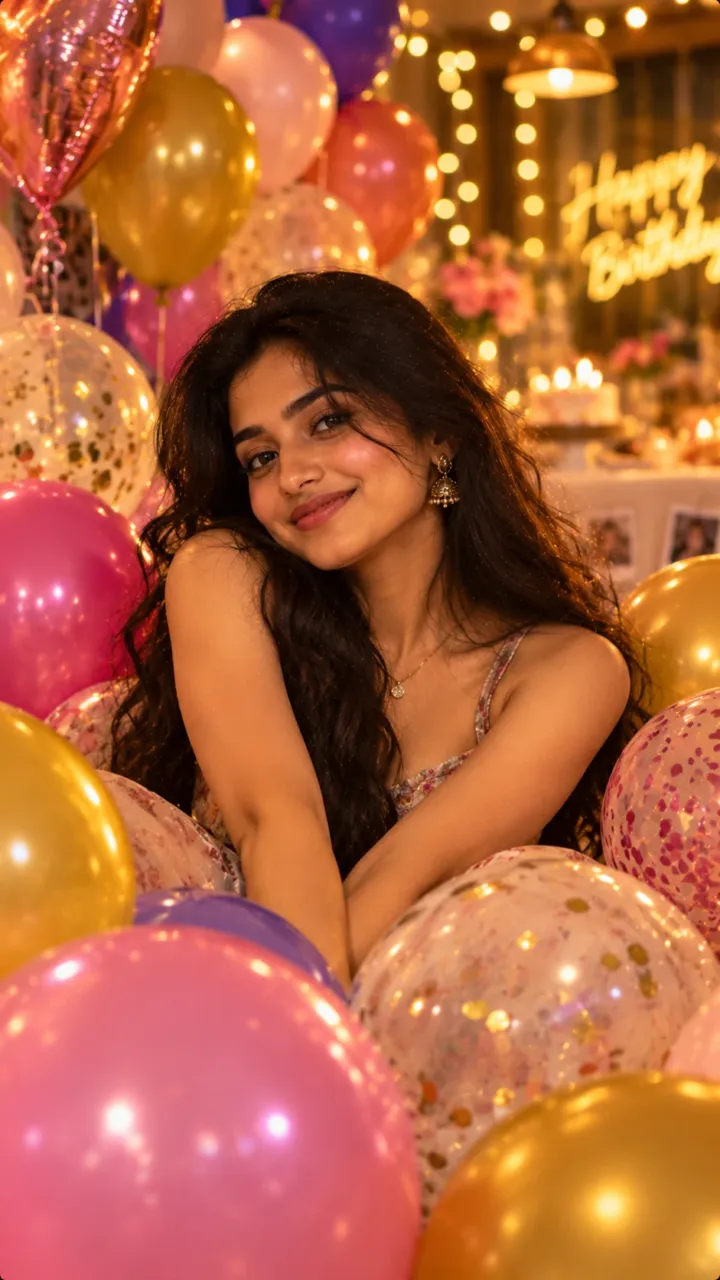
Balloon party portrait
Edit this photo into a balloon party portrait. Surround the person with colorful birthday balloons, soft bokeh party lights behind. Do not change the face. Cheerful, bright, sharp.
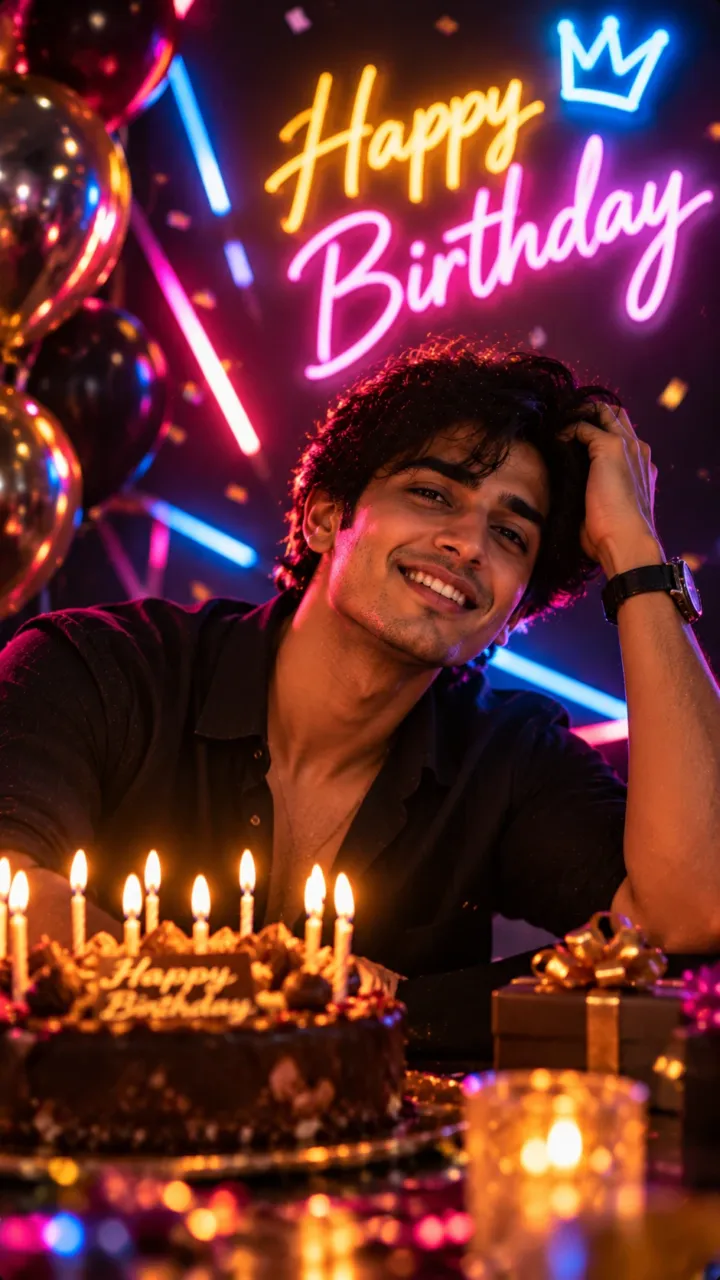
Neon birthday night
Make a neon birthday night edit of this photo. Dark background with neon happy birthday glow text, colorful light streaks, party vibe. Keep the face unchanged. Bold, modern, detailed.
What is a birthday photo editing prompt?
It is a written instruction that tells an AI image tool to give your photo a birthday party makeover. Cake, balloons and confetti turn any photo into a celebration.
Birthday posts get tons of love, and a standout edit makes yours memorable. For more free picks, see the Editing Prompt homepage.
What each part of these prompts does
- Birthday cake. Lit candles are the instant birthday signal.
- Cake: the birthday cake celebration.
- For color: the balloon party portrait.
- For style: the neon birthday night.
If a face changes, add this line
Make sure the face stays exactly the same. Paste it at the end of any prompt if the first result looks like someone else.
How to use these prompts in ChatGPT and Gemini
Open your AI tool
Use the ChatGPT or Gemini app or website, sign in and pick the image creation option.
Upload your photo
Add one sharp photo where faces are clearly visible, with good light.
Paste the prompt
Paste the full prompt and send. If a face changes, add: make sure the faces stay exactly the same.
Adjust and save
If it is close, ask for one change, then download the version you like.
Easy ways to change the look
Change one phrase at a time and compare. These swaps are starting points, and results vary by tool.
- Age: add number balloons or a cake topper with the age.
- Theme: try pastel, gold and black, or superhero party.
- Setting: home party, rooftop night or beach birthday.
- Details: add gifts, party hats or streamers.
- Mood: blowing candles for the wish moment.
Fix common problems with birthday prompts
Most problems come from clutter or changed faces. Here is what to try first.
- Face looks different. Use a sharp photo and add: do not change the face.
- Too cluttered. Repeat: clean composition, person as the focus.
- Cake looks odd. Describe it simply: a round birthday cake with candles.
- Text looks wrong. Ask for: simple happy birthday text, or no text.
- Colors clash. Name a palette: gold and white, or pastel tones.
AI results differ every run, so it is worth running the same prompt twice before you change it.
Birthday photo editing prompt questions
What is a birthday photo editing prompt?
It is a celebration prompt that adds birthday elements like cake, balloons and confetti to your photo using an AI image tool.
Which tool should I use?
ChatGPT and Gemini both work. Upload a clear photo and paste the prompt.
Is it free?
The prompts are free to copy, with no sign-up. Both apps offer some free image access, though limits can change.
How do I keep my face the same?
Upload a sharp photo and keep the line do not change the face in the prompt.
Can I add the age?
Yes. Ask for number balloons or a cake topper showing the age.
Can I do a couple birthday?
Yes. Upload a couple photo and add: do not change either face.
Why is the text garbled?
AI struggles with text. Ask for simple wording or no text at all.
Good for kids birthdays?
Yes. Use bright colors and fun themes for kids.
Recent posts
New Trending AI Photo Prompt

Couple Diwali Celebration AI Photo Prompt
Spider Background AI Photo Prompt
Want more? Browse every free prompt on Editing Prompt.