Anniversary Couple AI Photo Prompt (2026)
Mark the big day with a photo that feels special: candlelight dinner romance, a golden hour embrace, or a celebration toast, all while both faces stay exactly the same. Copy a prompt, paste it in ChatGPT or Gemini with your photo, and get an anniversary edit in seconds.
Quick answer
An anniversary couple AI photo prompt is a short instruction that asks an AI tool such as ChatGPT or Gemini to restyle a photo of two people with a romantic anniversary look, like a candlelight dinner, a golden hour embrace or a festive toast. Upload one clear couple photo, paste one of the prompts below, and keep the line that says not to change the faces.
Anniversary couple AI photo prompt: 3 looks
Three celebration looks, three prompts. Tap Copy prompt, open ChatGPT or Gemini, upload your photo and paste.
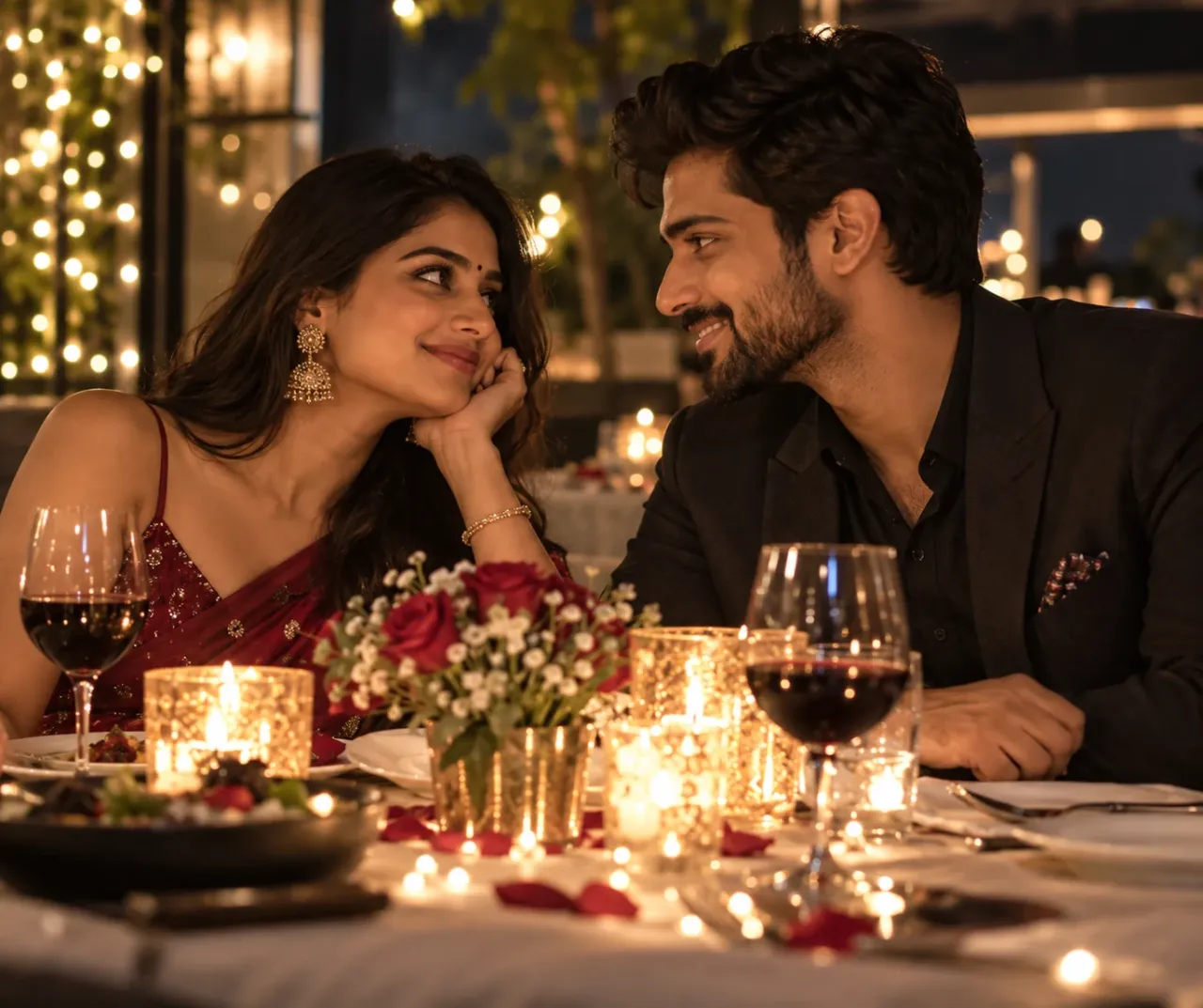
Candlelight dinner anniversary edit
Turn this couple photo into a romantic candlelight dinner scene: a cosy restaurant table, soft warm candle glow on their faces, elegant evening outfits, and a softly blurred background of fairy lights. Keep both faces exactly the same, do not change their identity.
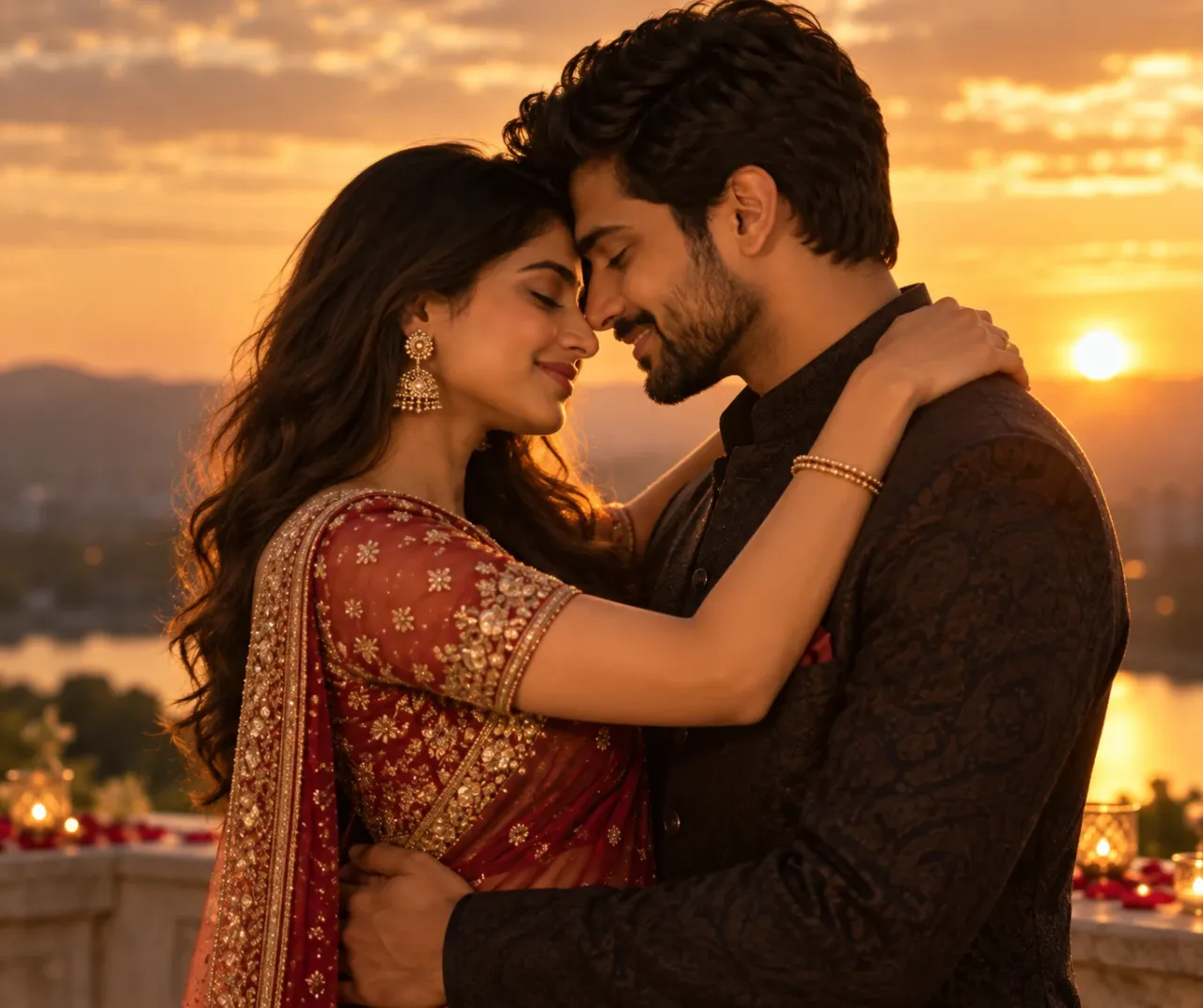
Golden hour anniversary embrace
Restyle this couple photo as a golden hour anniversary portrait: warm sunset light on their faces, the couple embracing with foreheads touching, elegant festive outfits, and a soft glowing sky behind them. Do not change the faces, keep them identical to the original photo.
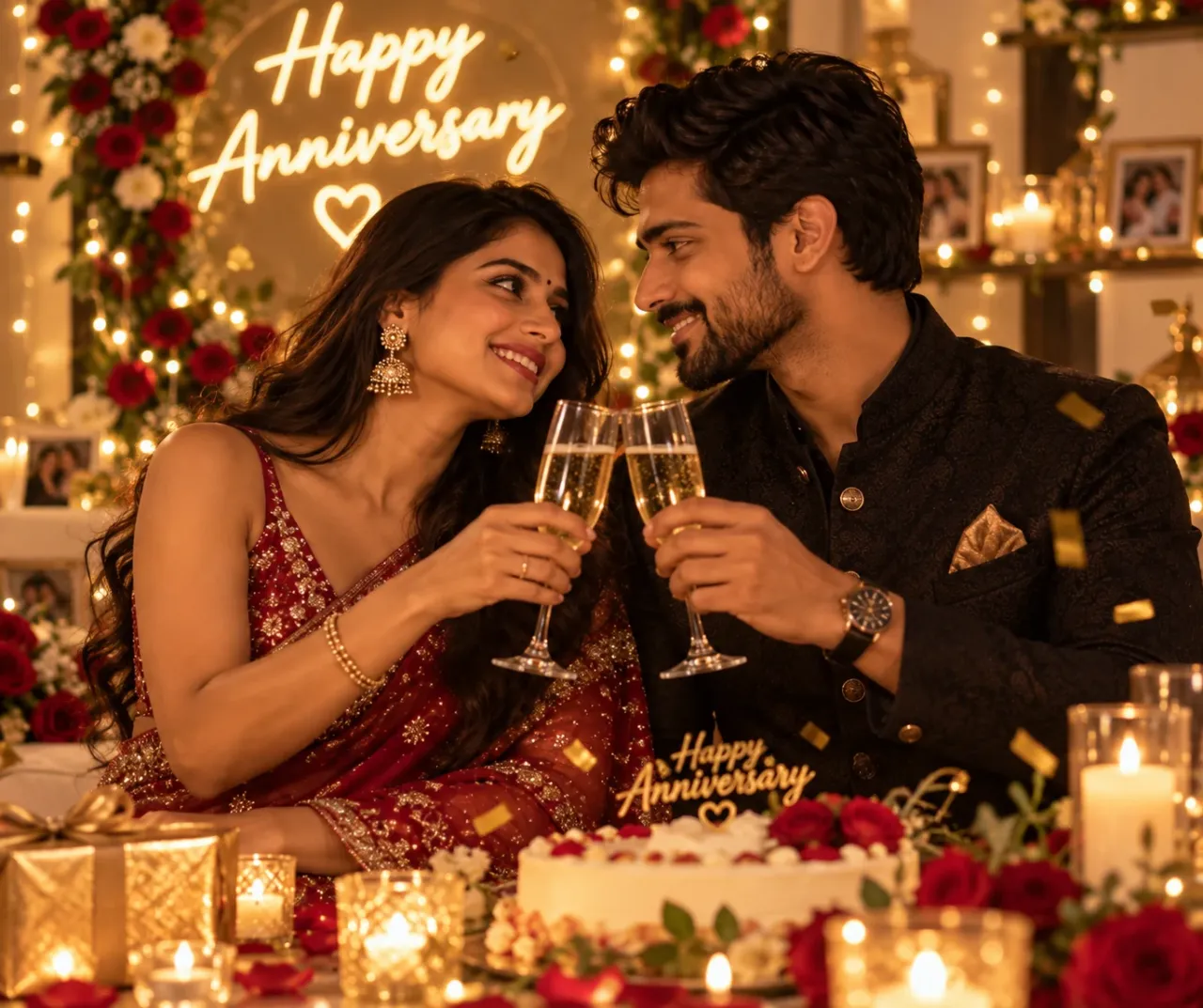
Anniversary celebration toast photo
Convert this couple photo into a joyful anniversary celebration: the couple raising glasses in a toast, warm party lights, soft confetti in the air, and festive outfits with a touch of gold. Keep both faces unchanged and recognisable from the original photo.
What is an anniversary couple AI photo prompt?
It is a written instruction that tells an AI image tool how to turn an ordinary couple photo into an anniversary-worthy picture. Instead of asking for a normal portrait, the prompt asks for romantic light, celebration details and elegant styling.
These prompts are perfect when you want to post on your anniversary but only have an everyday selfie. Each one keeps both faces locked so the couple stays recognisable while the whole mood becomes festive. For more free picks, see the Editing Prompt homepage.
What each part of these prompts does
- Candlelight glow. Soft warm light on the faces creates instant romance.
- Golden hour light. Sunset warmth gives a dreamy, timeless feel.
- Celebration details. Toast glasses, confetti and gold accents say anniversary without words.
- Elegant outfits. Evening and festive wear lift an ordinary photo into a special occasion.
- Do not change the faces. Keeps both people recognisable, repeated as a stronger lock in every prompt.
Which prompt should you pick?
- Quiet romantic post: the candlelight dinner.
- Dreamy and emotional: the golden hour embrace.
- Party and family share: the celebration toast.
If a face changes, add this line
Make sure the faces stay exactly the same. Paste it at the end of any prompt if the first result looks like someone else.
How to use these prompts in ChatGPT and Gemini
Open your AI tool
Use the ChatGPT or Gemini app or website, sign in and pick the image creation option.
Upload your photo
Add one sharp photo where both faces are clearly visible, with good light.
Paste the prompt
Paste the full prompt and send. If a face changes, add: make sure the faces stay exactly the same.
Pick the mood
Ask for one change at a time, such as a stronger candle glow, warmer sunset or more confetti.
Save and share
Download the version you like. The candlelight edit works beautifully as an anniversary post.
Easy ways to change the look
Change one phrase at a time and compare. These swaps are starting points, and results vary by tool.
- Setting: try a beach sunset, a rooftop dinner or a decorated home balcony.
- Outfits: name them, such as a black suit and a red saree for a classic look.
- Flowers: add a bouquet of red roses in the foreground for extra romance.
- Year number: add a glowing anniversary year, like a golden 25, in the background.
- Mood: swap the pose to a slow dance, a forehead kiss or a close hug.
Fix common problems with anniversary prompts
Most problems come from the celebration feeling too weak or a face drifting. Here is what to try first.
- It looks like a normal photo. Add: dramatic warm lighting, shallow depth of field, festive atmosphere.
- A face looks different. Use one sharp, front-facing photo and add: make sure the faces stay exactly the same.
- The candles look fake. Repeat: soft realistic candle glow, natural warm light on skin.
- Too dark overall. Add: balanced warm lighting, faces clearly lit.
- Confetti looks messy. Repeat: light soft confetti, mostly blurred in the background.
AI results differ every run, so it is worth running the same prompt twice before you change it.
Anniversary couple prompt questions
What is an anniversary couple AI photo prompt?
It is a short written instruction that asks an AI image tool to turn a photo of two people into an anniversary-style picture, like a candlelight dinner, a golden hour embrace or a festive toast. The prompts on this page also keep both faces unchanged.
Can I use our wedding photo for this?
Yes. A wedding or engagement photo works very well, since the faces are already clear and the outfits are festive. Just paste the prompt with the photo.
Which look is best for a 25th anniversary post?
The golden hour embrace feels timeless and emotional, and you can add a glowing golden 25 in the background to mark the milestone.
Will our faces stay the same?
Yes. Every prompt on this page says to keep both faces exactly the same. Use a sharp, front-facing photo so the AI has clear faces to copy.
ChatGPT or Gemini, which is better for romantic edits?
Both can follow the same text. Results differ between them, so if one makes the picture too dark or changes a face, run the same prompt in the other and compare.
Is it free, and is it okay to edit a partner’s photo?
The prompts are free to copy, with no sign-up. ChatGPT and Gemini both offer some free image access, but limits can change, so check the app. Only edit photos of people who agree to it, and check the tool’s privacy settings before uploading.
Recent posts
Trending AI Photo Prompt 2026
New Trending Photo Editing Prompt 2026
Google Gemini Couple Photo Prompt
Want more? Browse every free prompt on Editing Prompt.