AI Couple Photo Prompts 2026 – Cinematic Romantic Edits
Turn your couple photo into a cinematic romantic edit with AI: fairytale forests, Cappadocia sunrises and starry night camps, while both your faces stay exactly the same. Copy a prompt, paste it in ChatGPT or Gemini with your photo, and you are done.
Quick answer
An AI couple photo prompt is a short text that asks an AI image tool such as ChatGPT or Gemini to place a couple into a romantic cinematic scene — new place, outfits and light — while keeping both exact faces, skin tones and features from the uploaded photo. Pick a prompt below, upload one sharp couple photo, and keep the line that says your identities must not change.
AI couple photo prompt: 3 results
Tap Copy prompt, open ChatGPT or Gemini, upload your couple photo and paste.
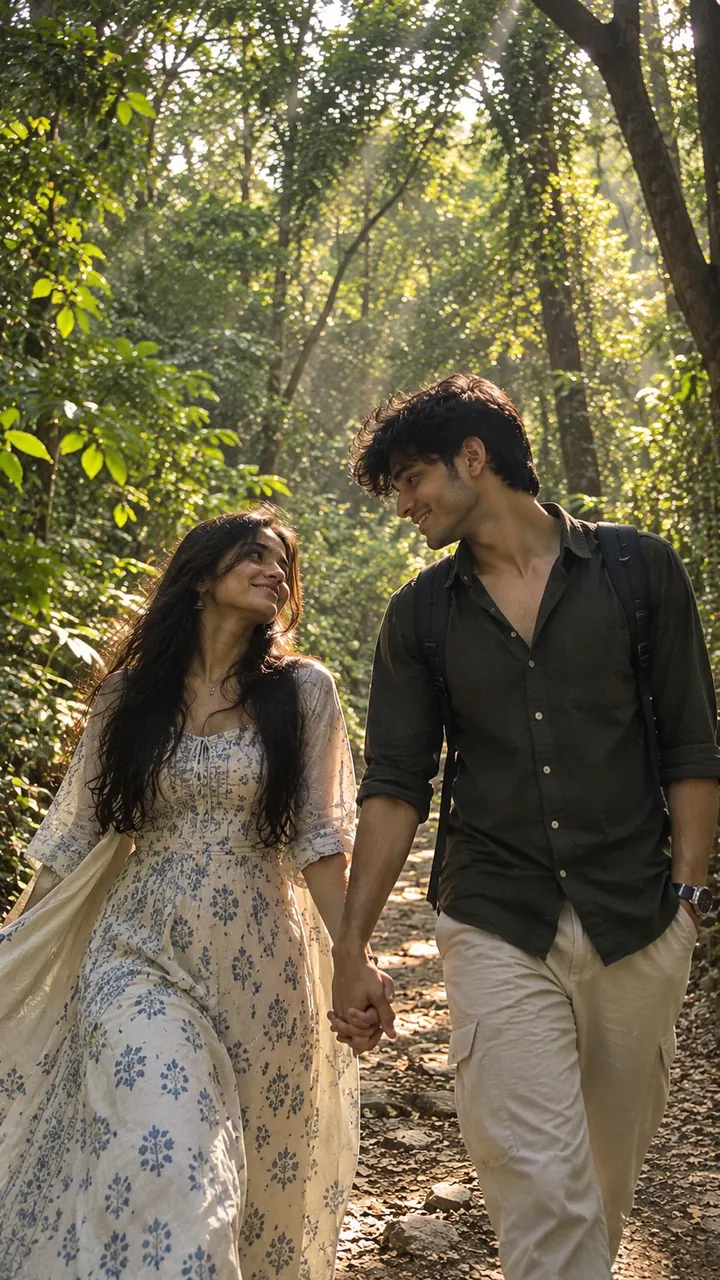
Fairytale forest walk
Reference my uploaded photo for our exact faces, skin tones, and features. Nothing about our identities should change. Walk us hand in hand through a sunlit fairytale forest, golden god rays streaming through tall trees, soft mist floating around us. Wonder-filled natural expressions, dreamy cinematic photography.
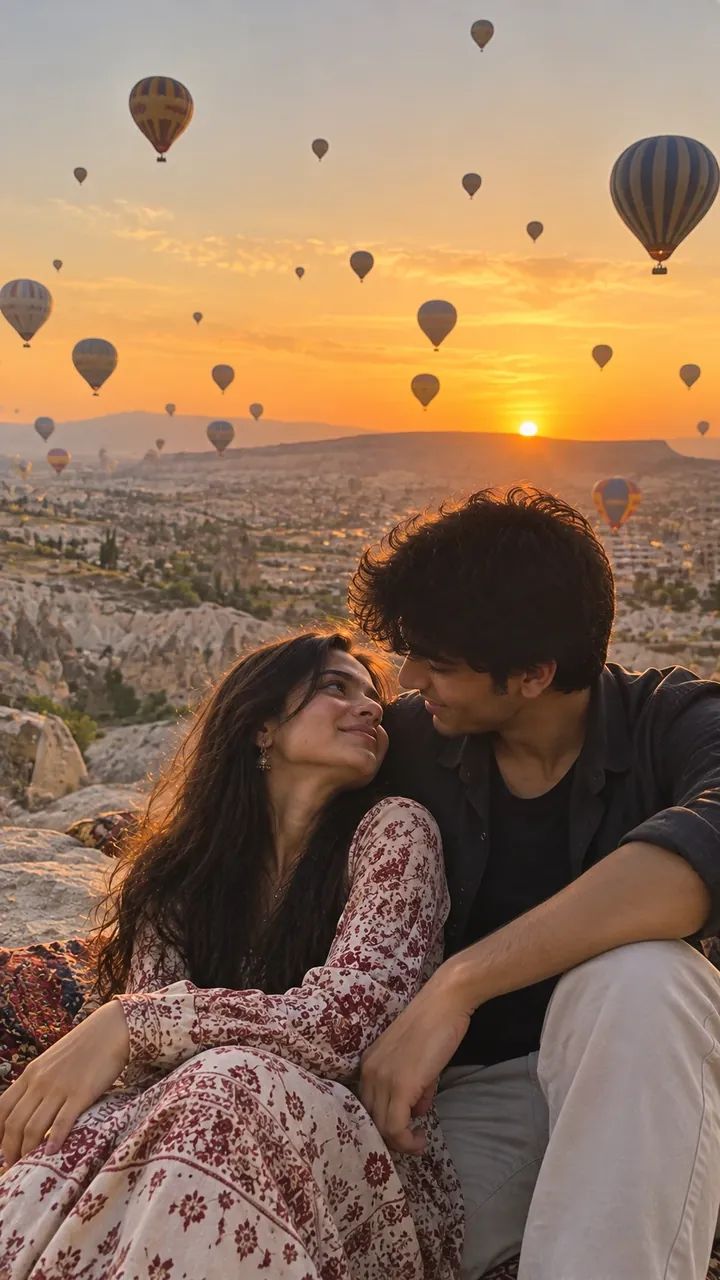
Cappadocia sunrise
Reference my uploaded photo for our exact faces, skin tones, and features. Nothing about our identities should change. Place us on a Cappadocia viewpoint at sunrise, colorful hot air balloons rising over the rocky valley behind us, warm golden light on our faces. Joyful amazed expressions, epic cinematic travel portrait.
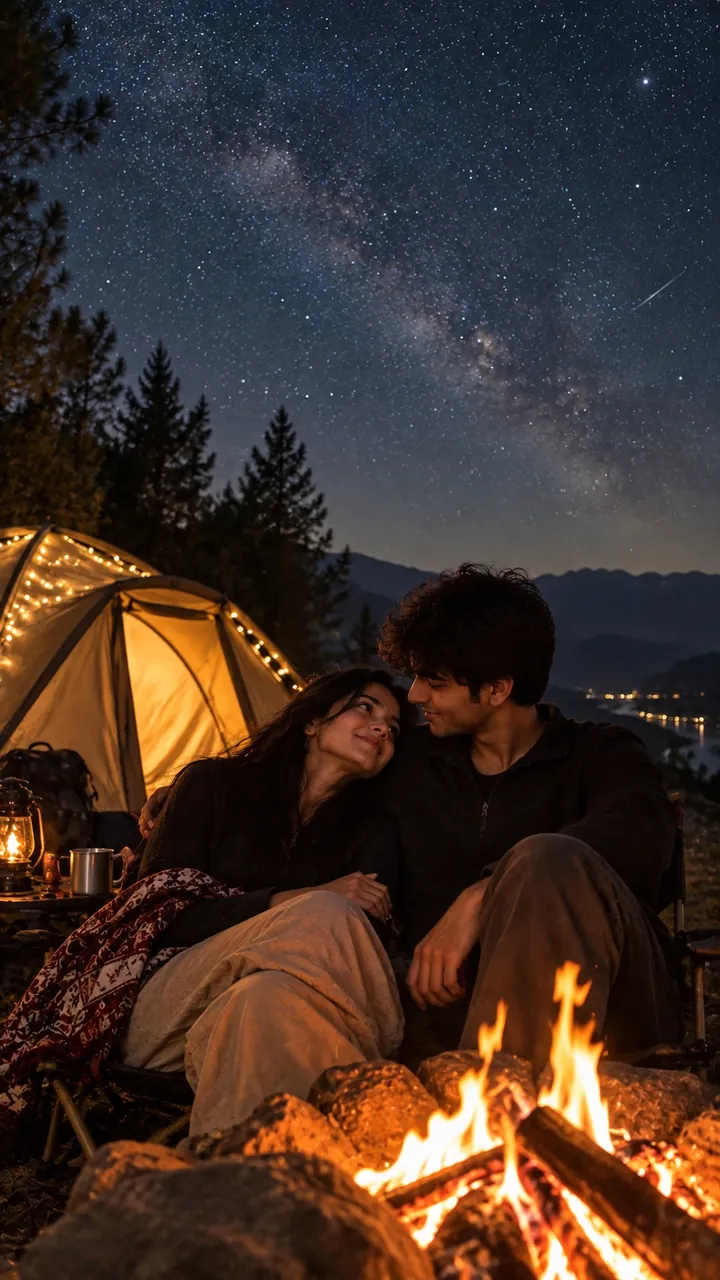
Starry night camp
Reference my uploaded photo for our exact faces, skin tones, and features. Nothing about our identities should change. Seat us outside a glowing tent under a vast starry milky way sky, warm campfire light flickering on our faces, dark mountain silhouette behind. Peaceful intimate mood, cinematic night photography.
What is an AI couple photo prompt?
It is a written instruction that tells an AI image tool to turn a normal couple photo into a romantic cinematic scene, without changing who the two people are. The tool keeps both faces and rebuilds everything else: the place, the outfits and the light.
AI couple edits are trending for anniversaries, pre-wedding shoots on a budget and aesthetic couple DPs. A good prompt reads like a film still description, which is why the prompts below name the light, the place and the mood in plain words. For more free picks, see the Editing Prompt homepage.
What each part of the prompt does
- Reference my uploaded photo. Tells the AI to start from your real faces instead of inventing a couple.
- Nothing about our identities should change. The face lock for two people. It keeps both skin tones and features steady.
- Scene line (forest, balloons, stars). Names the place and mood so the AI does not guess a random background.
- Light words (god rays, golden, campfire). Set the glow and color mood of the final photo.
- Outfit hints. Describe what each person wears so the styling fits the scene.
- Expression line. Gives both faces a real mood instead of stiff poses.
- Cinematic photography words. Control framing and finish, from dreamy close portraits to epic wide scenes.
Where to use the result
- WhatsApp status or DP: a cinematic couple portrait that looks shot on location.
- Instagram post or Story: works well for anniversaries, travel memories and couple trends.
- Pre-wedding style album: generate several scenes in one sitting for a varied set.
Want a different look? Swap one phrase
Replace the scene line with the one you want, such as a snowy forest or a Santorini terrace. Keep the face line exactly as it is.
How to use this prompt in ChatGPT and Gemini
Open your AI tool
Use the ChatGPT or Gemini app or website, sign in and pick the image creation option.
Upload your couple photo
Add one sharp photo of both of you in good light, with both faces fully visible.
Paste the prompt
Paste the full prompt, including the line about keeping your exact faces, and send.
Adjust and save
If it is close, ask for one change, such as warmer light or a wider frame. Then download the version you like.
Easy ways to change the look
Change one phrase at a time and compare. These swaps are starting points, and results vary by tool.
- Scene: try a Paris night street, a snowy forest, or a Santorini terrace.
- Season: swap spring blossoms for autumn leaves or winter snow.
- Light: add golden god rays or cool moonlight for a different mood.
- Framing: ask for a wide epic shot to show the landscape, or a close hug for a DP.
- Style: add vintage film grain for a retro feel, or keep it clean and modern.
Fix common problems with couple prompts
Most problems come from the tool changing a face or mixing up the two people. Here is what to try first.
- A face changed. Repeat: keep our exact faces, skin tones and features. Use a sharper photo with both faces well lit.
- Hands look wrong. Add: natural hands, relaxed natural pose. Regenerate once; hands vary by run.
- The background looks fake. Add: realistic depth of field, natural light falloff, photorealistic detail.
- The photo looks over-edited. Add: natural skin texture, realistic cinematic photography.
- Extra people appeared. Add: only the two of us, no crowd in focus, no text, no watermark.
- The outfits clash with the scene. Name simple outfits that fit the place, such as cozy knitwear for snow.
AI results differ every run, so it is worth running the same prompt twice before you change it.
AI couple photo prompt questions
What is an AI couple photo prompt?
It is a short written instruction that asks an AI image tool to place a couple into a romantic cinematic scene — new place, outfits and light — while both faces, skin tones and features stay exactly the same as in the uploaded photo.
Will the AI change our faces?
It can drift when a result is generated. Every prompt on this page says nothing about your identities should change. If a face still looks different, repeat that line at the end and use a clearer, well-lit couple photo.
Which AI tool should I use?
ChatGPT and Gemini both follow these prompts well. If one tool struggles with a scene, run the same prompt in the other and compare the results.
Do I need to upload our photo?
Yes. The prompt says to reference your uploaded photo for your exact faces, so attach one sharp photo of both of you. Without it, the tool will invent two strangers.
Can I use these prompts for wedding-style photos?
Yes. The wedding-style scenes work nicely for anniversary posts and save-the-date pictures. For real wedding prints, generate at the highest detail and check faces closely before printing.
Why does the background look fake sometimes?
Usually the light does not match. Add realistic depth of field and natural light falloff to the prompt, and keep the scene description simple rather than stacking too many effects.