Night Motion Blur Street Style AI Photo Prompts (2026)
Get that rushed, accidental phone-flash look: a person caught mid-step on a dark city sidewalk, blurred by motion. Copy a prompt, paste it in ChatGPT or Gemini, and you are done.
Quick answer
A night motion blur street AI photo prompt is a short text that asks an AI tool such as ChatGPT or Gemini to create a candid phone photo of a person walking past a white wall at night, with hard flash, motion blur and deep shadows. Copy a prompt below and keep the 9:16 vertical line. The prompts create an original person, so you do not need to upload a photo.
Night motion blur AI photo prompts: 3 results
Three prompts, three moods. Tap Copy prompt on any card, open ChatGPT or Gemini and paste.
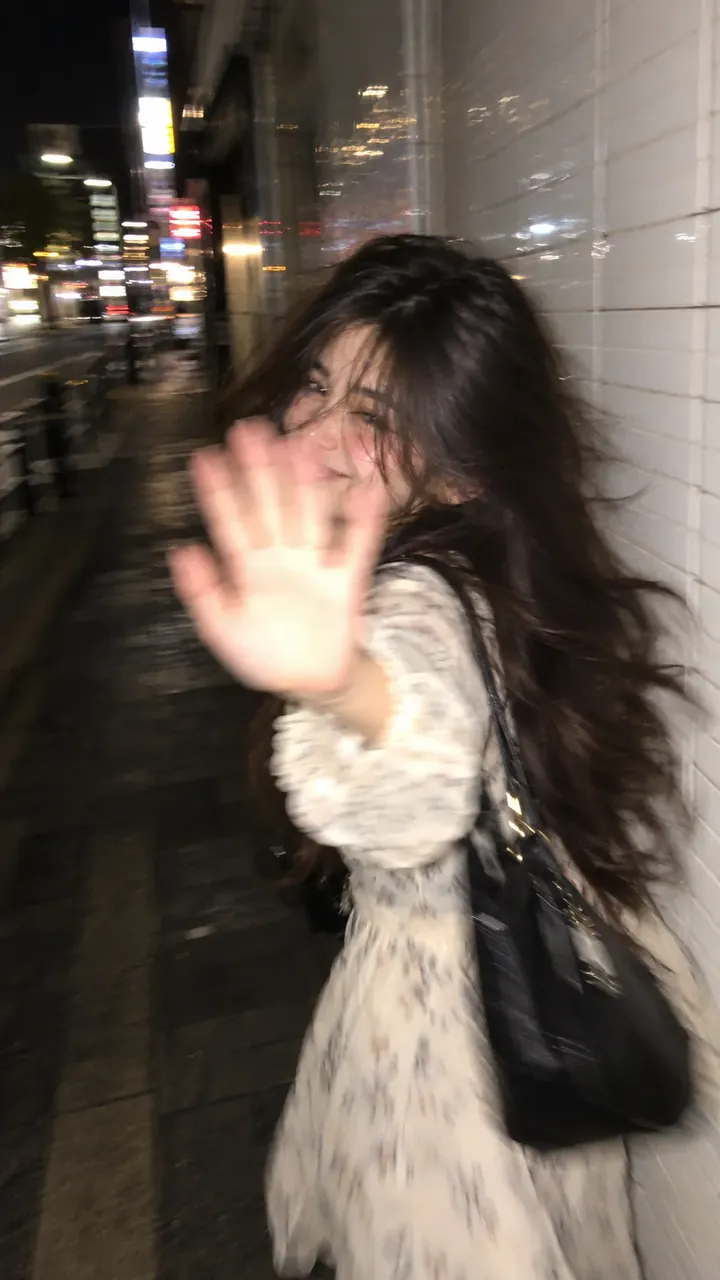
Playful flash on a neon night
Ultra-realistic candid smartphone photo, 9:16 vertical. Use the attached image only as loose inspiration for facial vibe, the generated subject must be fully original and non-identifiable, not a face copy. Nighttime on a quiet Tokyo sidewalk beside a white ceramic tiled wall. Subject walks past mid-step, turning back in surprise, one hand raised toward the lens as if blocking it, a shy suppressed smile, body half-profile, motion carrying her slightly out of frame. Shot handheld with strong camera shake and heavy directional motion blur across hand, hair, and face, features faintly recognizable but streaked, with partial ghosting. Flash-only lighting, harsh highlights, deep surrounding darkness, blown highlights, hard shadows. Background fades into streaked light bands and dark street detail. Mood: candid, shy, playful, raw, imperfect, like an accidental fleeting memory. Extremely noisy, heavily blurred, raw smartphone look, not cinematic, not editorial, not posed. Avoid: anime, illustration, studio lighting, sharp focus, smooth skin, posed portrait, face copy.
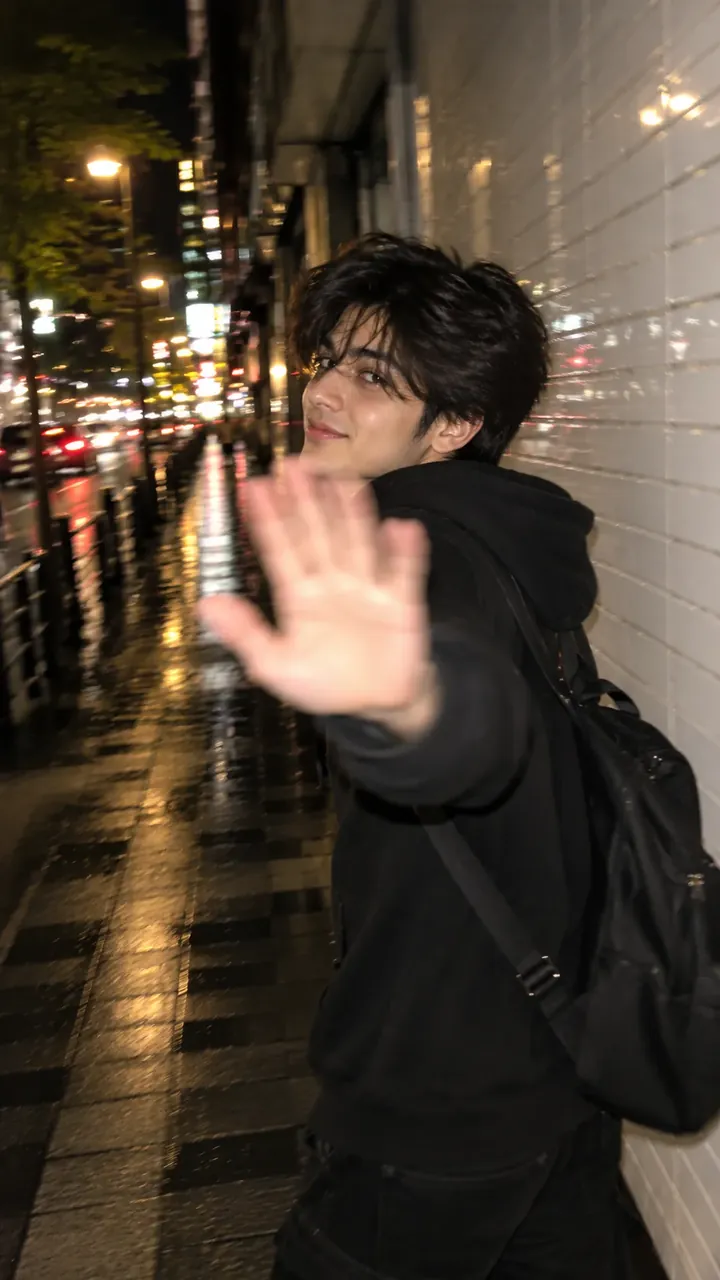
Playful night walk in the city
Ultra-realistic candid iPhone night photo, 9:16. Use the reference only as loose style inspiration, fully original, non-identifiable subject, not a face copy. Stylish all-black outfit, walking beside a white tiled wall, glancing back over the shoulder. Natural motion blur, slight camera shake, face 60 to 70 percent sharp, warm streetlights, cinematic bokeh, wet pavement reflections, iPhone flash, handheld shallow depth of field, authentic photorealistic look, no filters.
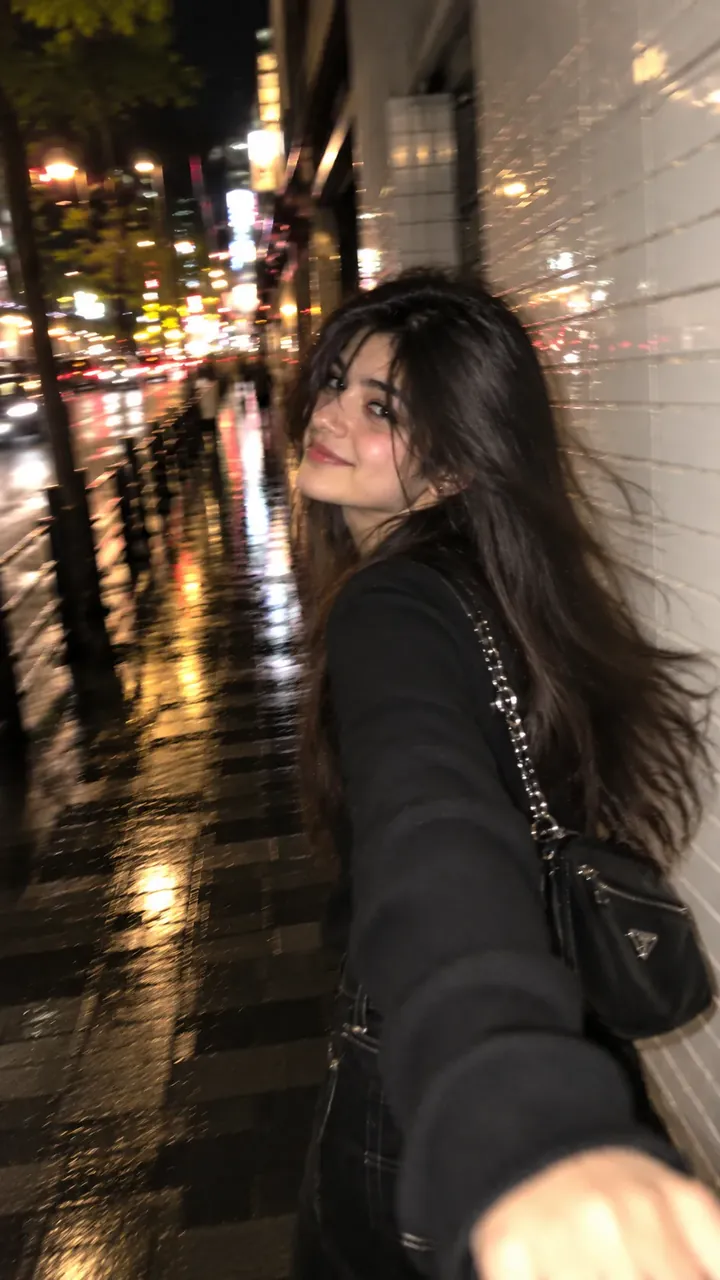
Rainy night walk through city lights
Ultra-realistic candid smartphone photo, 9:16 vertical. Use the attached image only as loose inspiration for overall appearance, the generated person must stay fully original and non-identifiable, not a face copy. A stylish person walks a quiet city sidewalk at night beside a white ceramic tiled wall, wearing a fashionable black outfit with a small shoulder bag. They turn back over their shoulder mid-stride. Captured in a rushed, accidental moment with realistic motion blur and slight camera shake, face about 60 to 70 percent sharp while hair, clothing, and surroundings blur naturally. Warm streetlights, cinematic bokeh, blurred cars, wet pavement reflections. Shot on iPhone with flash, realistic skin texture, shallow depth of field, imperfect handheld framing, authentic Instagram aesthetic, no HDR, no filters, photorealistic.
What is a night motion blur street AI photo prompt?
It is a written instruction that tells an AI image tool to make a night photo that looks accidental, with flash, shake and streaked motion. Instead of a clean portrait, you get a person half out of frame, a hand blocking the lens and light bands trailing behind.
The style works because it breaks the rules of a polished photo. Noise, blur and harsh flash make the image feel like a real moment from someone's camera roll, which is why it suits Reels covers and moody feeds. For more free picks, see the Editing Prompt homepage.
What each part of the prompt does
- Vertical 9:16 line. Sets the phone-screen shape, so the picture fits Stories and Reels without cropping.
- Original subject line. Tells the tool to invent a new, non-identifiable person instead of copying a face.
- Moment and pose. Walking past a white tiled wall and glancing back gives the accidental, caught-in-passing feel.
- Blur and shake words. Heavy directional motion blur and slight camera shake streak the hand, hair and clothes.
- Face sharpness. Face about 60 to 70 percent sharp keeps the person readable inside the blur.
- Lighting words. Flash-only light, harsh highlights and deep darkness make the hard, raw night look.
- Background words. Warm streetlights, bokeh and wet pavement reflections add depth behind the subject.
- Avoid line. Naming what you do not want, such as studio lighting or sharp focus, keeps the tool from polishing the shot.
Where to use the result
- Instagram Story or Reel cover: the 9:16 shape fills the screen.
- Moodboard or aesthetic feed: one candid night frame breaks up posed photos.
- Profile or story highlight art: crop to the figure and the brightest flash area.
Want yourself in the photo? Swap one line
Use my uploaded photo as the face reference and keep my face and features exactly the same. Replace the original subject line with this one, and upload a sharp photo of yourself.
How to use these prompts in ChatGPT and Gemini
Open your AI tool
Use the ChatGPT or Gemini app or website, sign in and pick the image creation option.
Attach a photo (optional)
The prompts create an original person, so a photo is only a loose style reference. Skip it if you want.
Paste the prompt
Paste the full prompt and send. Keep the 9:16 vertical line so the shape fits Stories and Reels.
Adjust and save
If it is close, ask for one change, such as stronger blur or a different wall. Then download the version you like.
Easy ways to change the look
Change one phrase at a time and compare. These swaps are starting points, and results vary by tool.
- City: replace the Tokyo sidewalk with another street, a bridge or a market lane.
- Outfit: swap the all-black look for a white shirt, a red jacket or a long coat.
- Pose: change glancing back to laughing, running past or covering the face.
- Blur strength: ask for light blur for a calmer shot, or extreme blur for a ghosted one.
- Weather: add light drizzle, fog or a dry night with no reflections.
Fix common problems with night blur prompts
Most problems come from the tool trying to make the photo too clean. Here is what to try first.
- The image is too sharp. Add: heavy directional motion blur, strong camera shake, soft focus on hair and hands.
- It looks like a studio shot. Repeat: raw smartphone look, not cinematic, not editorial, not posed.
- The face is a smear. Repeat: face about 60 to 70 percent sharp, only hair and clothing blurred.
- The skin looks too smooth. Add: realistic skin texture, visible grain, no beauty filter.
- There is no hard flash look. Add: direct on-camera flash, blown highlights, hard shadows, dark surroundings.
- The wall or street changed. Repeat: beside a white ceramic tiled wall on a quiet city sidewalk.
AI results differ every run, so it is worth running the same prompt twice before you change it.
Night street prompt questions
What is a night motion blur AI photo prompt?
It is a short written instruction that asks an AI image tool to create a candid phone photo taken at night, with flash, camera shake and motion blur on the person. The three prompts on this page all use a white tiled wall, a quiet street and a look-back moment.
Do I need to upload a photo?
No. The prompts say the attached image is only loose inspiration, and the person in the result is a new, non-identifiable character. You can paste the prompt with no photo at all, or attach one for a rough style reference.
Will the result look like me?
Not by design. These prompts create an original person, not a copy of your face. If you want yourself in the shot, replace that line with: use my uploaded photo as the face reference and keep my face and features exactly the same.
How do I make the motion blur look natural?
Ask for blur on the hand, hair and clothes while the face stays about 60 to 70 percent sharp. If the whole image is a smear, repeat that face sharpness line, and if it is too sharp, add heavy directional motion blur.
Why does my result look too clean or like a studio photo?
The tool may be drifting to a polished style. Repeat the raw lines: raw smartphone look, not cinematic, not editorial, not posed, and add noisy and imperfect handheld framing.
Which AI tool works best, ChatGPT or Gemini?
Both can follow the same text. Results differ between them, so if one gives a clean or posed look, run the same prompt in the other and compare.
Can I change the city or the outfit?
Yes. Swap the Tokyo sidewalk for another street, or change the black outfit to another color. Change one detail at a time so the blur and flash look stays intact.
Is it free, and is it safe to use?
The prompts are free to copy, with no sign-up. ChatGPT and Gemini both offer some free image access, but limits can change, so check the app. If you attach a photo, use only photos you are comfortable sharing and check the tool’s privacy settings first.
Recent posts
Girl Chibi AI Photo Editing Prompt
Polaroid Couple Photo Editing Prompt
Crayon Shin-Chan AI Photo Editing Prompt
Want more? Browse every free prompt on Editing Prompt.