Romantic Couple Photo Editing Prompt (2026)
Turn two portraits into a playful lock-screen pose or an intimate golden hour close-up. Copy a prompt, paste it in Gemini or ChatGPT with your photos, and you are done.
Quick answer
A romantic couple photo editing prompt is a short text that asks an AI tool such as Gemini or ChatGPT to restyle photos of two people as one romantic picture, like a matching-outfit lock-screen pose or a golden hour face close-up. Copy a prompt below, upload one sharp photo of each person, and keep the line that says both faces stay the same.
Romantic couple photo editing prompt: 2 looks
Two looks, two prompts. Tap Copy prompt, open Gemini or ChatGPT, upload both photos and paste.
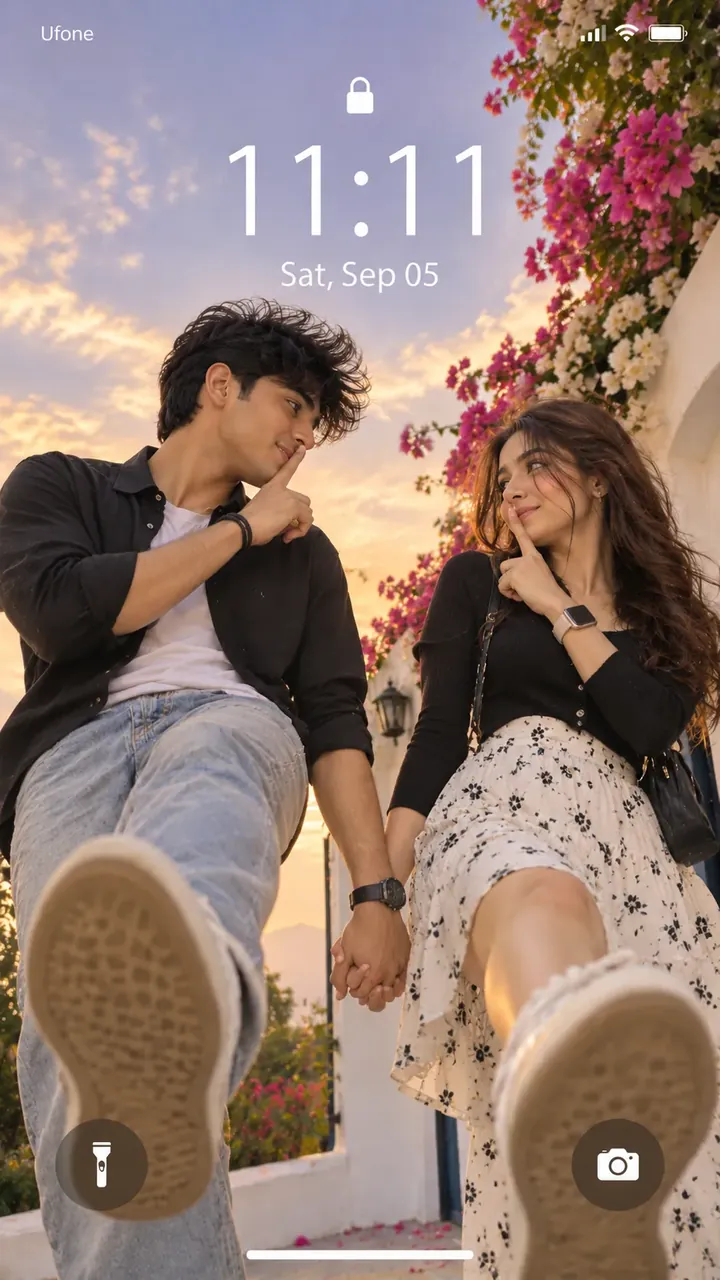
Playful lock screen couple pose
Ultra-realistic Android lock-screen photo, 9:16. Couple facing each other, leaning away, inner hands clasped at the center, free index fingers on their own lips in a playful “shhh” smile, each kicking one leg straight forward toward the camera in a mirrored pose. Man in messy black hair, yellow polo, cream trousers, black wristband; woman with loose wavy hair, matching yellow polo, a white-and-yellow skirt, and a smartwatch. Warm cream and lavender daylight background. Overlay lock screen UI: time “11:11”, date “Sat, Sep 05”, plus flashlight and camera icons. Natural skin texture, realistic anatomy, no CGI or cartoon look. Keep both faces and hairstyles exactly the same as the uploaded reference photos.
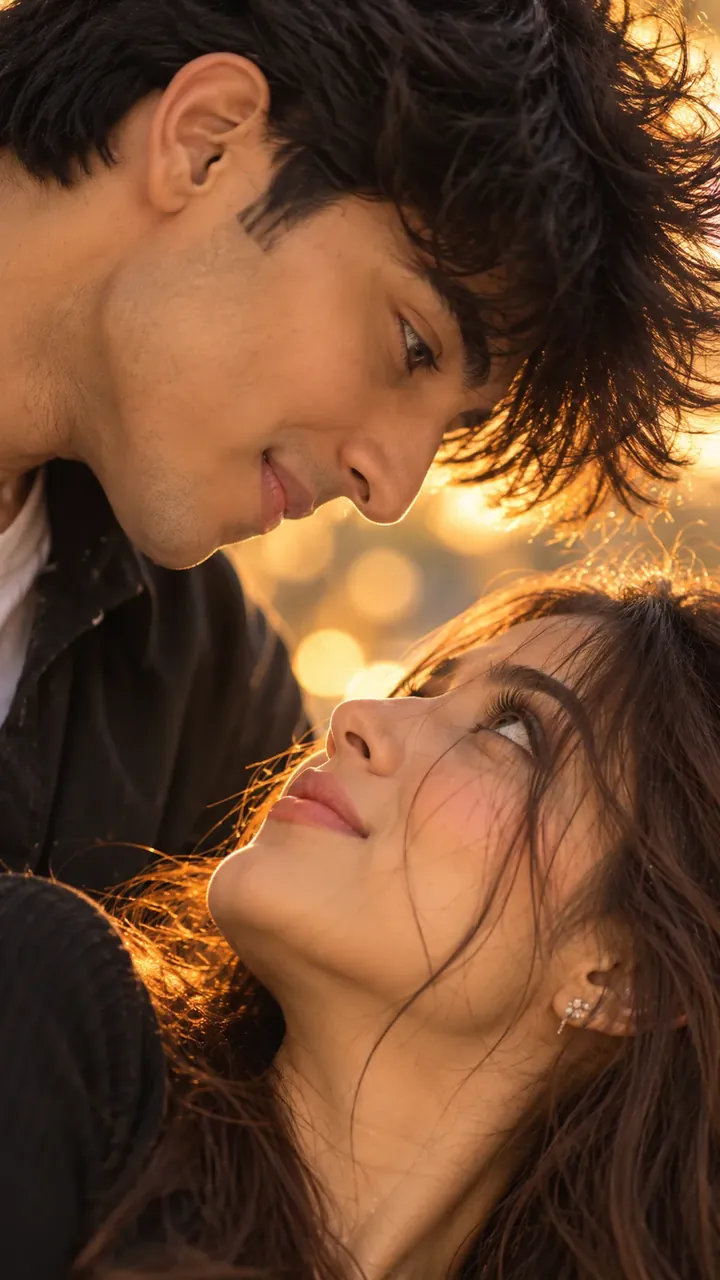
Golden hour close-up couple portrait
Create an ultra-realistic vertical 9:16 close-up of a couple’s faces in opposite orientations, eyes meeting at the center of the frame, man above and woman below, both tilted naturally toward each other. Warm cinematic skin tones, soft natural light, shallow depth of field, golden bokeh background. Preserve each person’s exact facial identity, skin tone, and natural appearance from the reference photos, do not beautify or alter their faces. Intimate, dreamy, elegant mood, 85mm macro-style detail, ultra-sharp eyes, 8K quality, no text or watermark.
What is a romantic couple photo editing prompt?
It is a written instruction that tells an AI image tool how to place two real people into one romantic, styled photo. You describe the pose, the clothes, the light and the mood, and the tool builds the picture around both faces.
The two looks here follow two popular couple trends: the matching-outfit lock-screen shot that people save as a phone wallpaper, and the extreme face close-up with golden bokeh. One is playful and full-body, the other is quiet and close, so together they cover most romantic photo ideas. For more free picks, see the Editing Prompt homepage.
What each part of these prompts does
- Aspect ratio first. 9:16 fits a phone lock screen, Reels and Stories, so the tool plans a tall frame.
- A named pose. Hands clasped at the center, fingers on lips and mirrored raised legs describe the shot exactly, and a vague word like cute does not.
- Matching outfits. Yellow polos with cream trousers and a white-and-yellow skirt make the pair look planned.
- Light and background. Warm cream and lavender daylight, or golden bokeh, sets the mood in a few words.
- Face-lock lines. Same face, no beautifying and no altering keep both people recognisable.
- Realism words. Natural skin texture and realistic anatomy push the result away from a cartoon look.
Which prompt should you pick?
- Phone wallpaper or anniversary post: the playful lock screen couple pose.
- Profile picture or caption photo: the golden hour close-up.
- Not sure: start with the close-up, because it needs only two sharp face photos.
If a face drifts, add this line
Keep both faces and hairstyles exactly the same as the uploaded reference photos. Repeat it at the end of the prompt if the first result looks like someone else.
How to use these prompts in Gemini and ChatGPT
Open your AI tool
Use the Gemini or ChatGPT app or website, sign in and pick the image creation option.
Upload both photos
Add one sharp, front-facing photo of each person with good light.
Paste the prompt
Paste the full prompt and send. If a face drifts, repeat the face-lock line from this page.
Adjust and save
If it is close, ask for one change, such as warmer light or clearer hands. Then download the version you like.
Easy ways to change the look
Change one phrase at a time and compare. These swaps are starting points, and results vary by tool.
- Outfit colour: swap yellow for red, white or pastel blue, and keep both outfits matching.
- Lock screen text: replace 11:11 and the date with your anniversary or a special day.
- Background: change cream and lavender to soft pink or sky blue.
- Light: ask for sunset glow or soft window light instead of daylight.
- Format: change 9:16 to 4:5 for an Instagram feed post.
Fix common problems with couple prompts
Most problems come from a busy pose or a weak photo. Here is what to try first.
- One face looks different. Upload a separate sharp photo of that person and repeat the face-lock line.
- Hands or fingers look odd. Add: hands and fingers clearly visible with correct anatomy, then run it again.
- The lock screen numbers are wrong. Remove the text from the prompt and add it later in a phone editing app.
- The faces look too smooth. Add: natural skin texture, no beautifying.
- The two people look blended. Describe each person separately, such as the man above and the woman below.
- The shape is wrong. Keep the ratio in the first line and pick the matching size in the tool if it offers one.
AI results differ every run, so it is worth running the same prompt twice before you change it.
Romantic couple prompt questions
What is a romantic couple photo editing prompt?
It is a short written instruction that asks an AI image tool to turn photos of two people into a romantic, styled picture, such as a playful lock-screen pose or a golden hour close-up. Each prompt on this page names the pose, the outfits, the light and the mood.
How do I keep both faces the same in a couple photo?
Upload one sharp, front-facing photo of each person and add the line keep both faces and hairstyles exactly the same as the uploaded reference photos. Both prompts on this page already include a face-lock line.
Do I need two separate photos?
Two separate photos usually give the best result because the tool can match each face on its own. A single clear photo of both people can work for simple poses, but a close-up like the golden hour prompt needs a sharp view of each face.
Which AI tool works best for these prompts, Gemini or ChatGPT?
Both can follow the same text. Results differ between them, so if one gives odd hands or a face that drifts, run the same prompt in the other and compare.
Can I change the time and date on the lock screen photo?
Yes. Replace 11:11 and the date in the prompt with your own, such as an anniversary. AI tools sometimes garble small numbers, so if the digits look wrong, remove the text from the prompt and add it later in a phone editing app.
Why do the hands or legs look odd in the lock screen pose?
The pose has clasped hands, fingers on lips and two raised legs, which is a lot for one image. Run the prompt again, or add: hands and fingers clearly visible with correct anatomy.
What size should I use for these portraits?
Both prompts ask for vertical 9:16, which fits a phone lock screen, Reels and Stories. For an Instagram feed post, change 9:16 to 4:5 in the prompt.
Is it free, and is it okay to edit a partner’s photo?
The prompts are free to copy, with no sign-up. Gemini and ChatGPT both offer some free image access, but limits can change, so check the app. Only edit photos of people who agree to it, and check the tool’s privacy settings before uploading.
Recent posts
Aesthetic Girl AI Photo Editing Prompt for Gemini
Aesthetic Blurry Saree AI Photo Editing Prompt
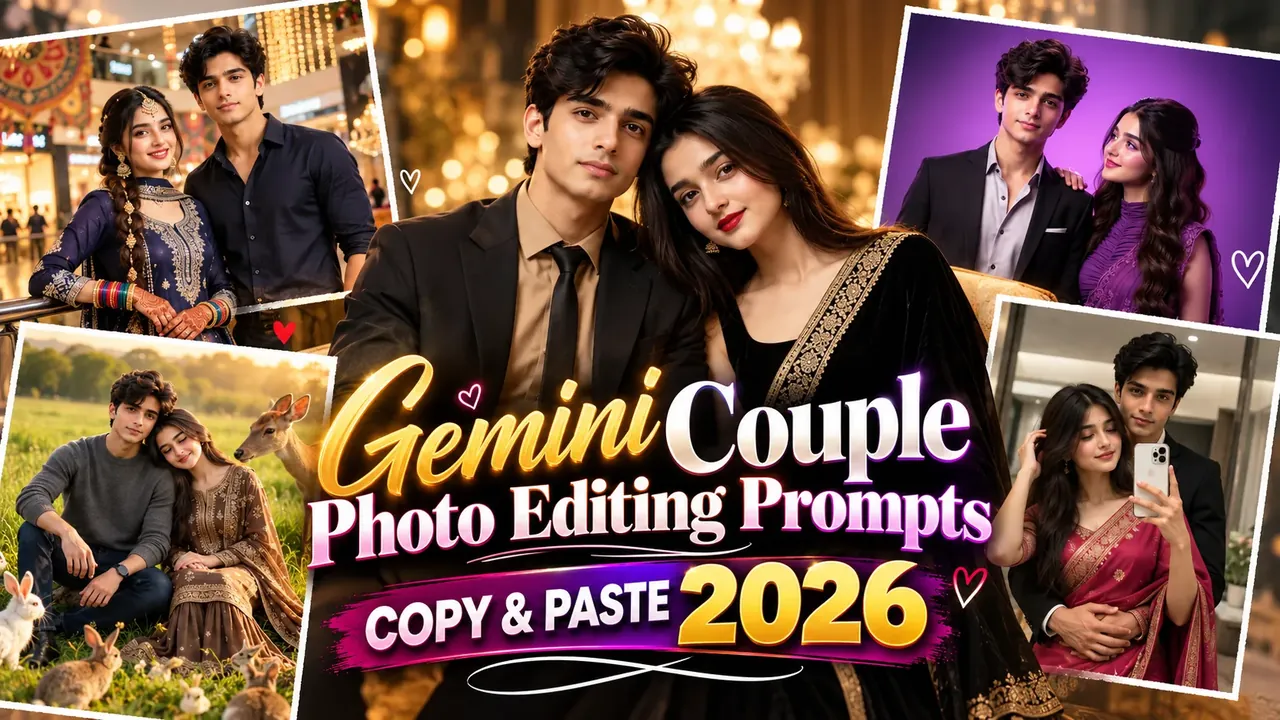
Gemini Couple Photo Editing Prompts
Want more? Browse every free prompt on Editing Prompt.