Spider Background AI Photo Prompt (2026)
Place yourself into a dramatic spider web background with a realistic composite edit. Copy a prompt, upload your photo plus a background in ChatGPT, and you are done.
Quick answer
What is the spider background AI photo trend? It is a viral composite edit where ChatGPT places a person realistically into a spider web background photo, keeping the background unchanged and the face untouched. Copy one of the 3 prompts below, upload your photo and a spider background, and add the line that says do not change the face or body size.
Spider background AI photo prompt: 3 looks
Three looks, three prompts. Tap Copy prompt, open ChatGPT, upload your photo and a spider background, then paste.
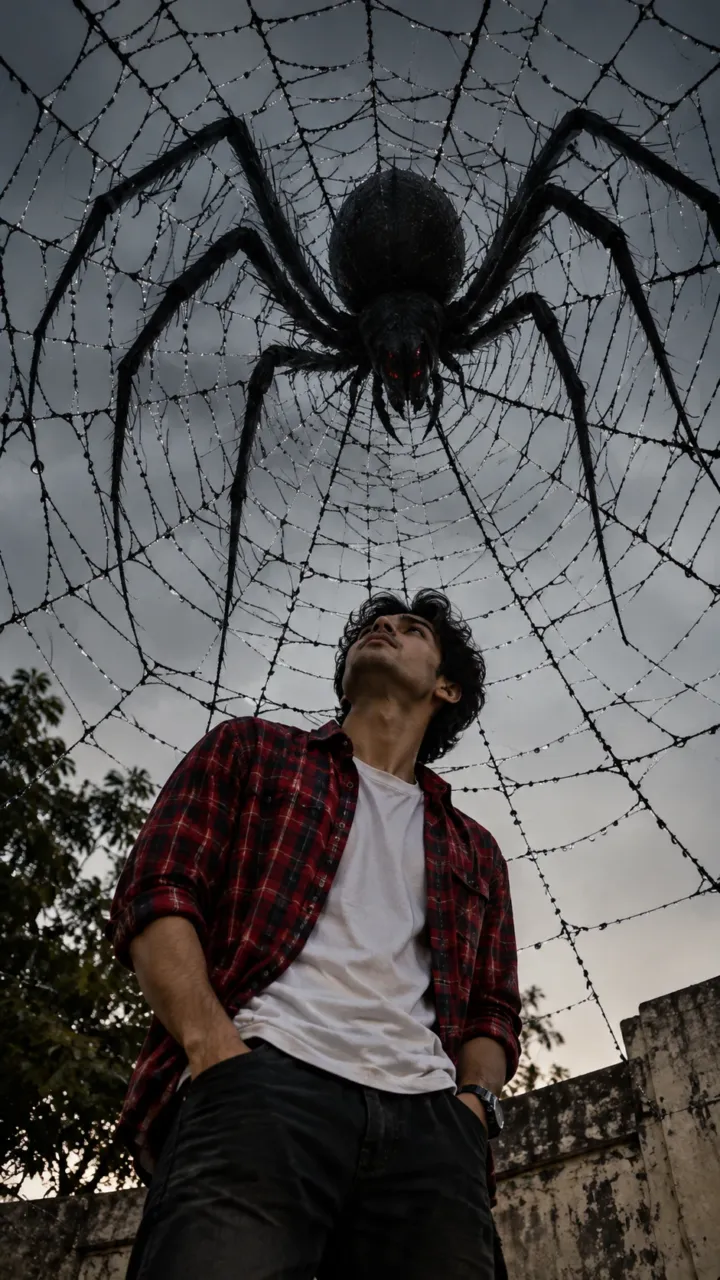
Giant spider web composite
Place the person from the first photo into the second spider background photo in a realistic manner. Keep the background unchanged. Do not alter the face or body size. Blend the lighting so the person matches the scene. Enhance to sharp 8K quality, aspect ratio 3:4.
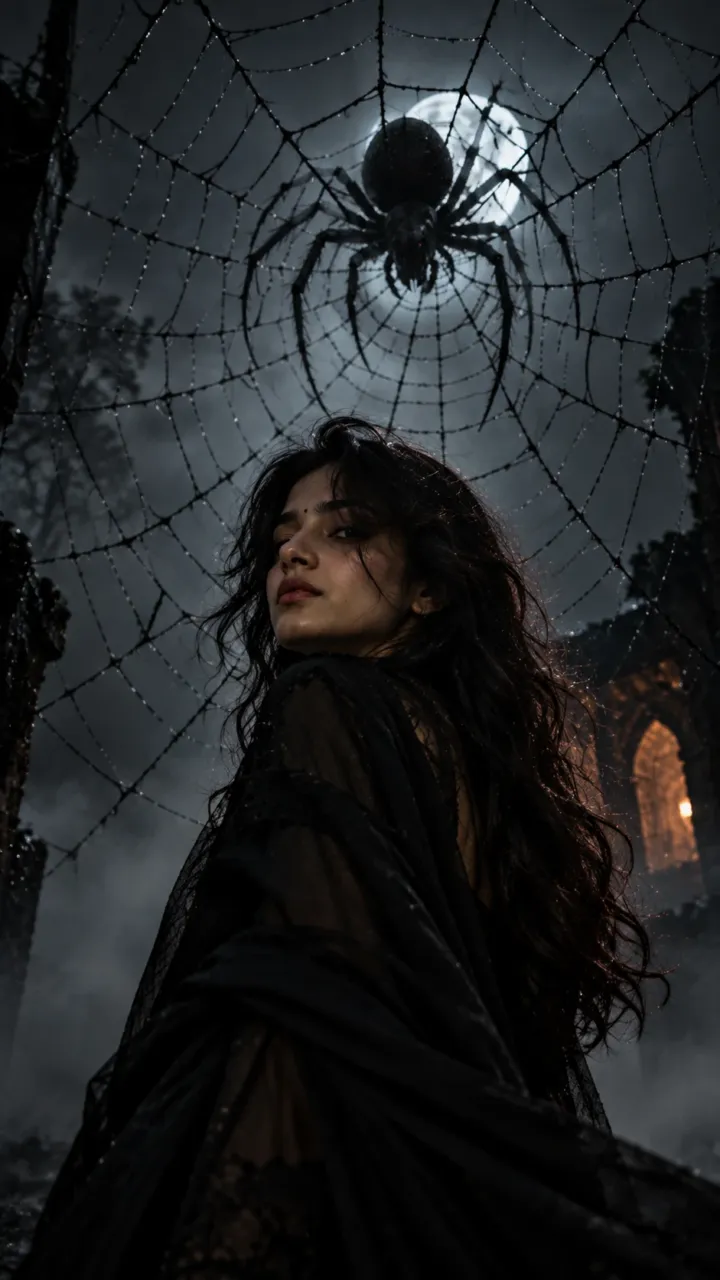
Dark spider lair portrait
Create a dark, moody portrait edit. Put this person against a giant spider web background with fog and dramatic rim light. Keep the face exactly the same, realistic skin texture. Cinematic horror movie poster feel, high detail.
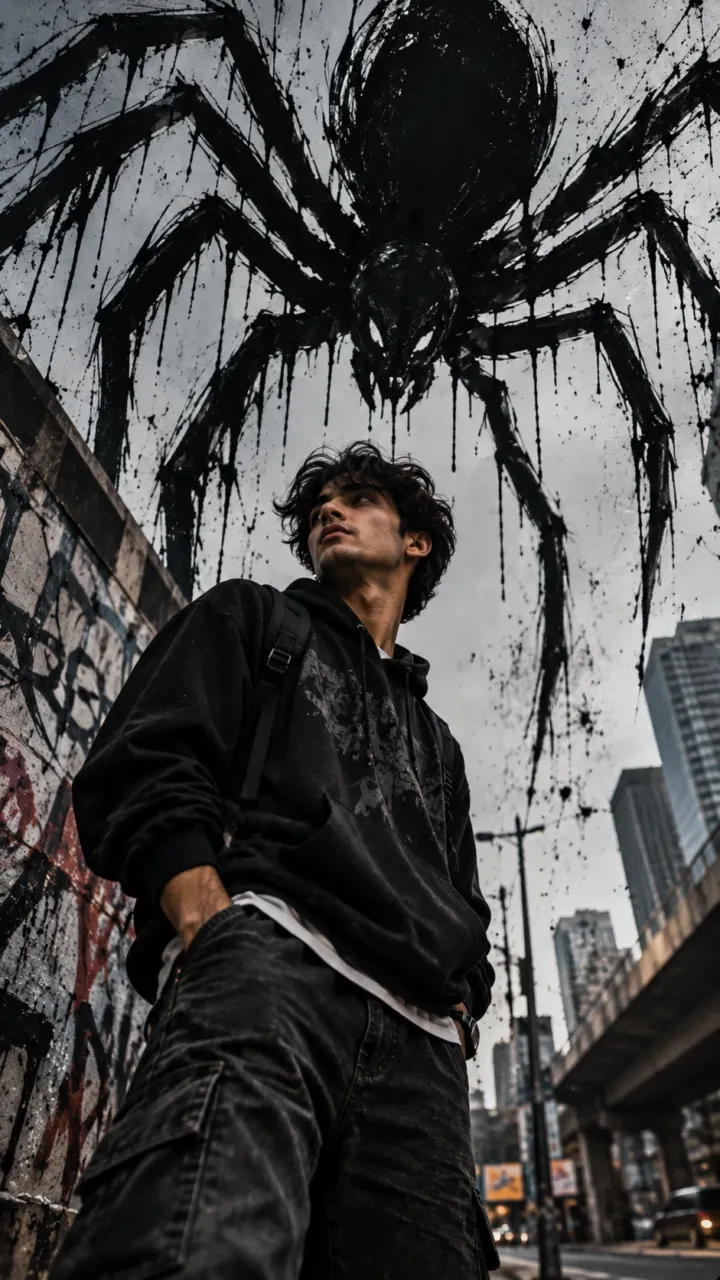
Street style spider graphic
Edit this street style photo: add a large black brush stroke spider graphic above the person, like street art. Keep the person, outfit and pose exactly the same. Urban, bold, high contrast. Do not change the face.
What is a spider background AI photo prompt?
It is a written instruction that tells ChatGPT to composite your photo into a spider themed background. The trend started with creators showing the exact prompt on screen, and viewers copied it to make their own.
The trick is uploading two images: your photo and the background. The prompt tells the AI to keep the background fixed and only place you in, without resizing your body or touching your face. For more free picks, see the Editing Prompt homepage.
What each part of these prompts does
- Two photo upload. Your photo plus the spider background gives the AI both pieces.
- Keep the background unchanged. Stops the AI from redrawing the web scene.
- Do not alter face or body size. Keeps the composite believable.
- Match the lighting. Blends you into the scene so it does not look pasted.
- Aspect ratio 3:4. Portrait size, perfect for reels and posts.
Which prompt should you pick?
- For the viral look: the giant spider web composite, the original trend.
- For drama: the dark spider lair portrait.
- For street style: the brush stroke spider graphic.
If a face changes, add this line
Make sure the face stays exactly the same. Paste it at the end of any prompt if the first result looks like someone else.
How to use these prompts in ChatGPT and Gemini
Open your AI tool
Use the ChatGPT or Gemini app or website, sign in and pick the image creation option.
Upload your photo
Add one sharp photo where faces are clearly visible, with good light.
Paste the prompt
Paste the full prompt and send. If a face changes, add: make sure the faces stay exactly the same.
Adjust and save
If it is close, ask for one change, then download the version you like.
Easy ways to change the look
Change one phrase at a time and compare. These swaps are starting points, and results vary by tool.
- Background: swap the spider web for a haunted house, forest fog or city night.
- Graphic style: try a neon spider outline instead of the brush stroke.
- Lighting: ask for moonlight from the side for deeper shadows.
- Outfit: name a black outfit to match the dark theme.
- Mood: add rain or mist for extra atmosphere.
Fix common problems with spider prompts
Most problems come from bad blending or a redrawn background. Here is what to try first.
- It looks pasted on. Add: match the lighting and shadows of the background photo.
- The background changed. Repeat: keep the second photo background exactly unchanged.
- Body looks resized. Repeat: do not alter the body size or proportions.
- Face looks different. Use a sharp photo and add: do not change the face.
- Too dark to see. Ask for: balanced exposure, person clearly visible.
AI results differ every run, so it is worth running the same prompt twice before you change it.
Spider background prompt questions
What is the spider background AI photo trend?
It is a viral edit where ChatGPT places your photo realistically into a spider web background. Creators share the exact prompt, and viewers copy it to make their own version.
Do I need two photos?
Yes for the composite look. Upload your photo and a spider background image, then the prompt tells the AI to merge them.
Which AI tool works best?
ChatGPT handles multi image composites well. Gemini can also work, but results differ, so try both.
How do I keep my face the same?
Upload a sharp, clear photo and keep the line do not alter the face in the prompt.
Is it free?
The prompts are free to copy, with no sign-up. Both apps offer some free image access, though limits can change.
Can I use a different background?
Yes. Replace the spider web with any background photo and keep the rest of the prompt the same.
Why does the person look pasted?
Add: match the lighting and shadows of the background. Good light blending sells the composite.
Can I use this commercially?
These are personal edits of your own photo. Check the AI tool’s terms if you plan commercial use.
Recent posts

Floating Music Player AI Photo Prompt
Flower Background AI Photo Effect Prompt
Couple Monsoon Rain AI Photo Prompt
Want more? Browse every free prompt on Editing Prompt.