X-Ray Body AI Photo Prompt: 3 Viral Looks | Editing Prompt
X-Ray Body AI Photo Prompt: 3 Viral Looks (2026)
Join the viral X-Ray photo trend taking over Instagram. Copy a prompt below, paste it in ChatGPT or Gemini with your photo, and get a futuristic transparent body edit with glowing bones.
Quick answer
An X-Ray body AI photo prompt is a short copy-paste text that turns your portrait into a realistic X-ray style image, with glowing blue bones and a transparent body effect while your face stays the same. Pick a prompt below, upload one clear photo, and paste the full text to get the viral edit in seconds.
X-Ray body AI photo prompt: 3 viral looks
Three viral looks, three prompts. Tap Copy prompt, open ChatGPT or Gemini, upload your photo and paste.
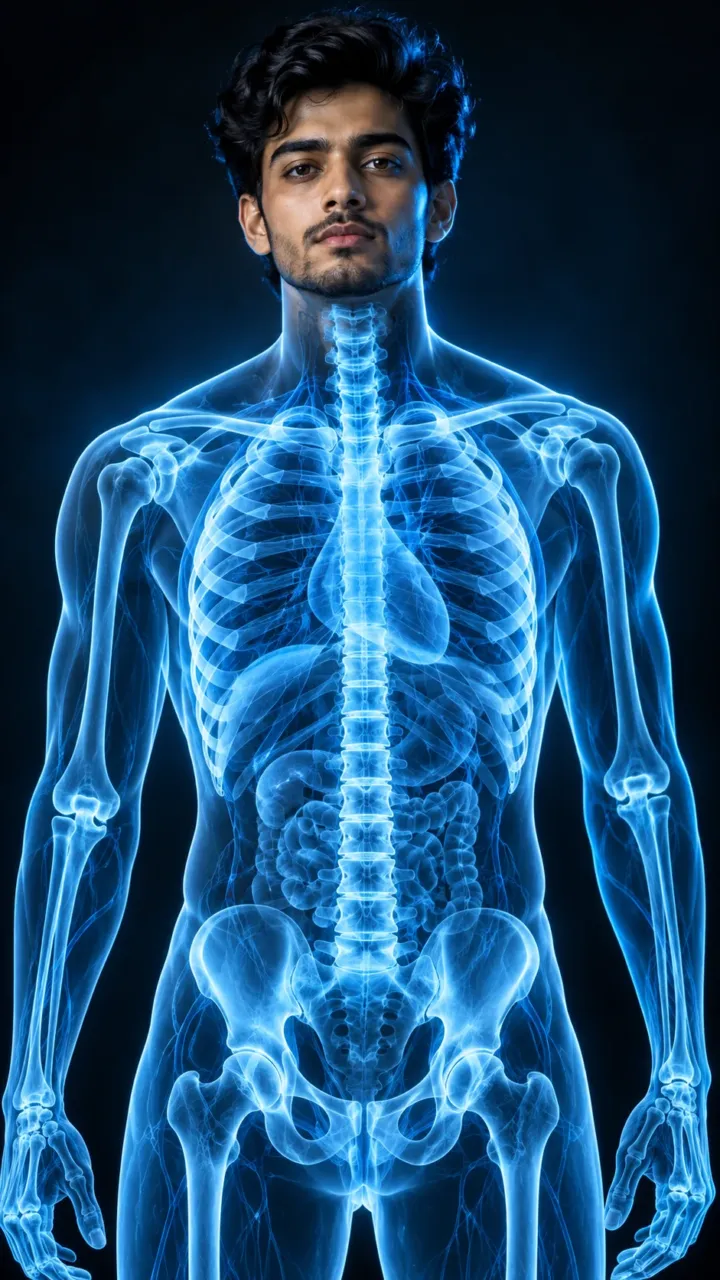
Full body glowing X-ray prompt
Turn this photo into a realistic X-ray style edit: keep the face and pose exactly the same, but make the body semi-transparent with glowing blue bones visible, futuristic sci-fi lighting, dark background with a cool blue glow. Cinematic detail, sharp bones, natural face, ultra HD. Keep the face exactly unchanged, Indian man. Futuristic viral look, no text, no watermark.
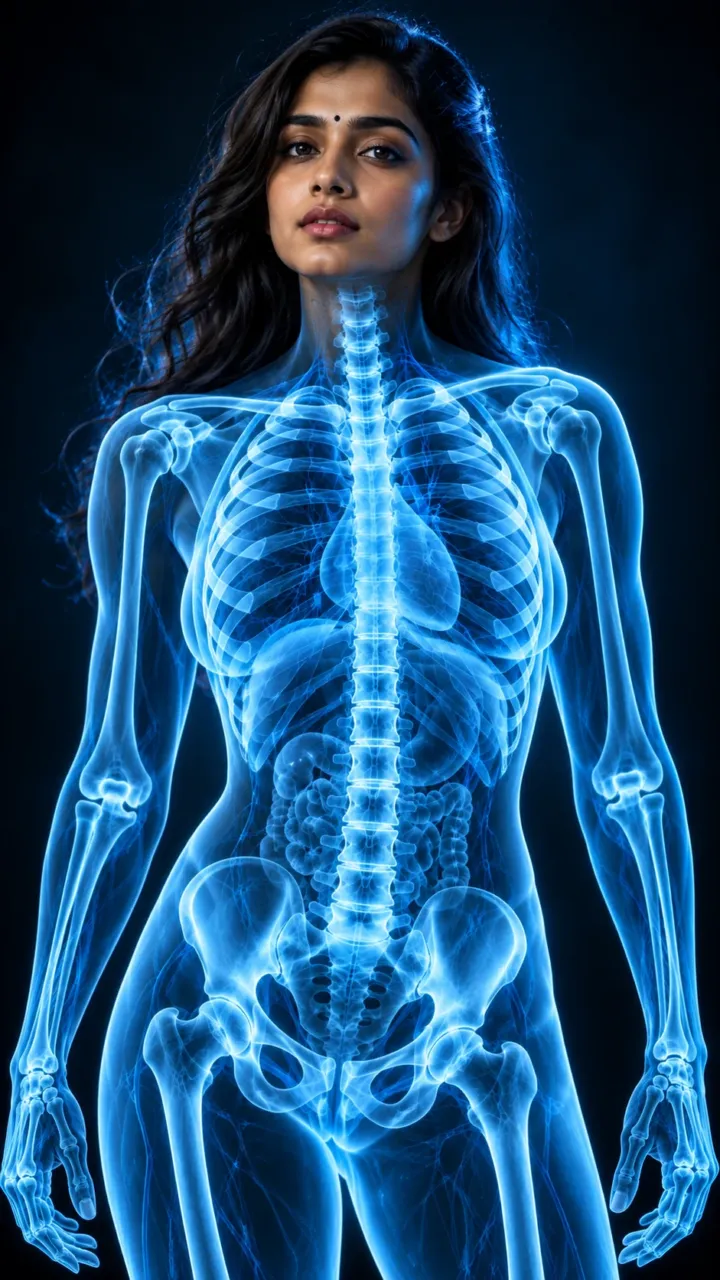
Half body X-ray portrait prompt
Restyle this portrait into a viral X-ray edit: keep the face exactly the same, half-body framing with a transparent torso showing a glowing blue ribcage and spine, neon blue rim light, dark studio background. Photorealistic, cinematic, high detail. Keep the face exactly unchanged, Indian woman, natural skin tones. Striking futuristic look, no text, no watermark.
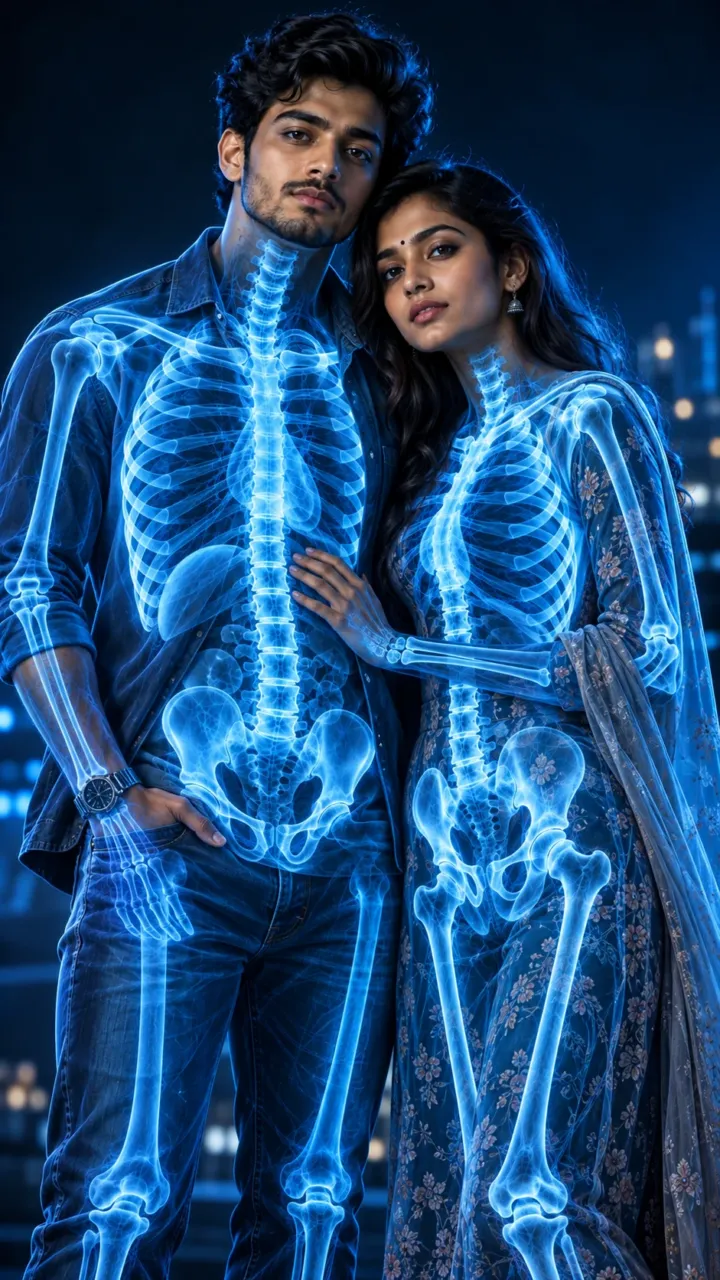
X-ray hand and arm closeup prompt
Transform this photo into a creative X-ray closeup: keep the person exactly the same, but turn one raised hand and forearm transparent with glowing blue hand bones clearly visible, dramatic dark background, neon blue sci-fi glow. Macro detail, cinematic lighting, ultra sharp. Keep the face exactly unchanged. Creative viral edit, no text, no watermark.
What is the X-Ray photo trend?
It is the viral edit where your body turns transparent with glowing blue bones. Thousands of creators are posting X-Ray edits on Instagram Reels and YouTube Shorts because the effect looks futuristic and grabs attention instantly. The AI keeps your face and pose natural while adding the transparent skeleton effect.
What each part of these prompts does
- The X-ray effect. Glowing blue bones with a transparent body, like a sci-fi scan.
- Keep the face unchanged. Locks your face so the edit stays believable.
- The light. Cool blue glow and dark backgrounds sell the X-ray feel.
- The mood words. Futuristic, cinematic, and ultra HD push the detail higher.
- No text, no watermark. Keeps the edit clean and ready to post.
- Good input photo. A clear half-body or full-body shot gives the best result.
Which prompt should you pick?
- Most viral post: the full body glowing X-ray.
- Profile picture style: the half body portrait.
- Creative closeup: the hand and arm X-ray.
If a face changes, add this line
Make sure the face stays exactly the same. Paste it at the end of any prompt if the first result looks like someone else.
How to use these prompts in ChatGPT and Gemini
Open your AI tool
Use the ChatGPT or Gemini app or website, sign in and pick the image creation option.
Upload your photo
Add one sharp photo where your face is clearly visible, with decent light.
Paste the prompt
Paste the full prompt and send. If the face changes, add: make sure the face stays exactly the same.
Adjust and save
If it is close, ask for one small change, such as lighting or background. Then download the version you like.
Easy ways to change the look
Change one phrase at a time and compare. These swaps are starting points, and results vary by tool.
- Bone colour: change glowing blue to neon green or electric purple.
- Background: swap dark studio for a cyberpunk city street.
- Intensity: ask for a subtle scan line effect instead of full transparency.
- Pose: try arms crossed or one hand raised for drama.
- Style: add holographic UI rings around the body for a sci-fi HUD feel.
Fix common problems with X-Ray prompts
Most problems come from a face drifting or the effect looking off. Here is what to try first.
- A face looks different. Use one sharp photo and add: make sure the face stays exactly the same.
- Bones look blurry. Add: ultra sharp bone detail, high resolution skeleton.
- Effect looks fake. Add: photorealistic X-ray, natural anatomy, subtle transparency.
- Too dark. Add: balanced exposure, glowing bones clearly visible.
- Text or watermark appeared. Repeat: no text, no watermark, no logos.
- Body looks distorted. Add: natural body proportions, realistic pose.
AI results differ every run, so it is worth running the same prompt twice before you change it.
X-Ray prompt questions
What is an X-Ray body AI photo prompt?
It is a short copy-paste text that turns your portrait into a realistic X-ray style image, with glowing blue bones and a transparent body effect. Your face stays the same.
Do these prompts work in both ChatGPT and Gemini?
Yes. The wording is plain and tool-neutral. If one tool distorts the body, run the same prompt in the other and compare.
How do I keep my face the same?
Upload one sharp photo where your face is clearly visible, and keep the line keep the face exactly unchanged in the prompt.
What kind of photo works best?
A clear half-body or full-body portrait taken in good light gives the cleanest X-ray effect.
Is it free to use these prompts?
The prompts are free to copy, with no sign-up. ChatGPT and Gemini both offer some free image access, but limits can change, so check the app.
Why is the X-Ray trend viral?
It looks futuristic and different from regular filters, so it stands out in the feed and gets shared a lot.
Recent posts

Haldi Ceremony Couple AI Photo Prompt

Mehndi Couple AI Photo Prompt

1970s Family Album AI Photo Prompt
Want more? Browse every free prompt on Editing Prompt.