Night Couple AI Photo Prompt (2026)
Turn a daytime couple photo into a glowing night scene with city bokeh or soft moonlight, both faces kept the same. Copy a prompt, paste it in ChatGPT or Gemini with your photo, and you are done.
Quick answer
A night couple ai photo prompt is a short text that asks an AI tool such as ChatGPT or Gemini to restyle a photo of two people as a night scene, with a dark sky, glowing lights and soft light on the faces. Copy a prompt below, upload one sharp photo of the couple, and keep the line that says not to change the faces.
night couple ai photo prompt: 2 looks
Two looks, two prompts. Tap Copy prompt, open ChatGPT or Gemini, upload your photo and paste.
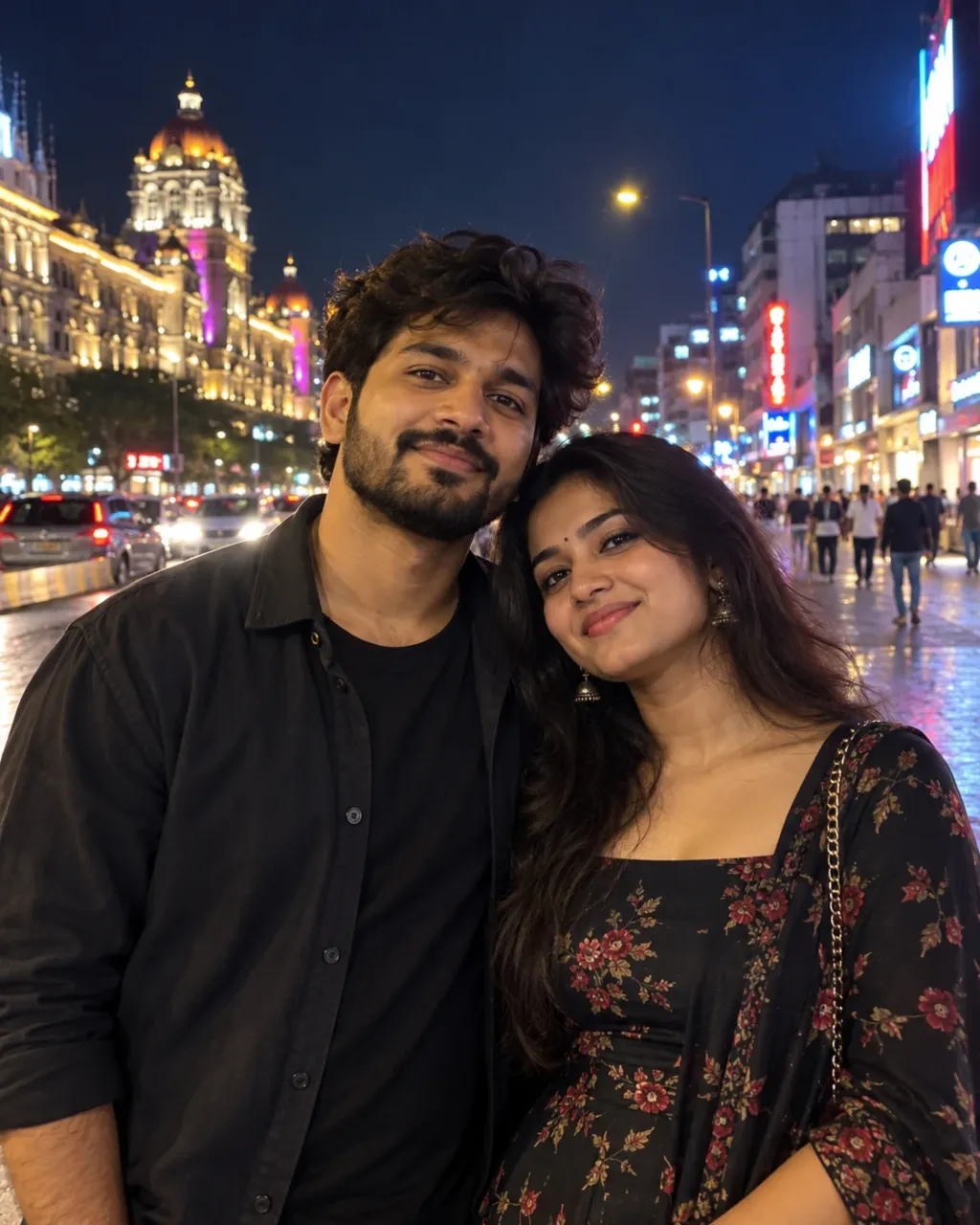
City lights night couple photo
Turn this photo into a night couple photo on a city street glowing with lights. Place the couple close together with soft neon light on their faces, colorful bokeh lights blurred behind them, and a dark blue night sky above. Do not change the faces. Keep the same clothes, and make the night lighting look natural and cinematic.
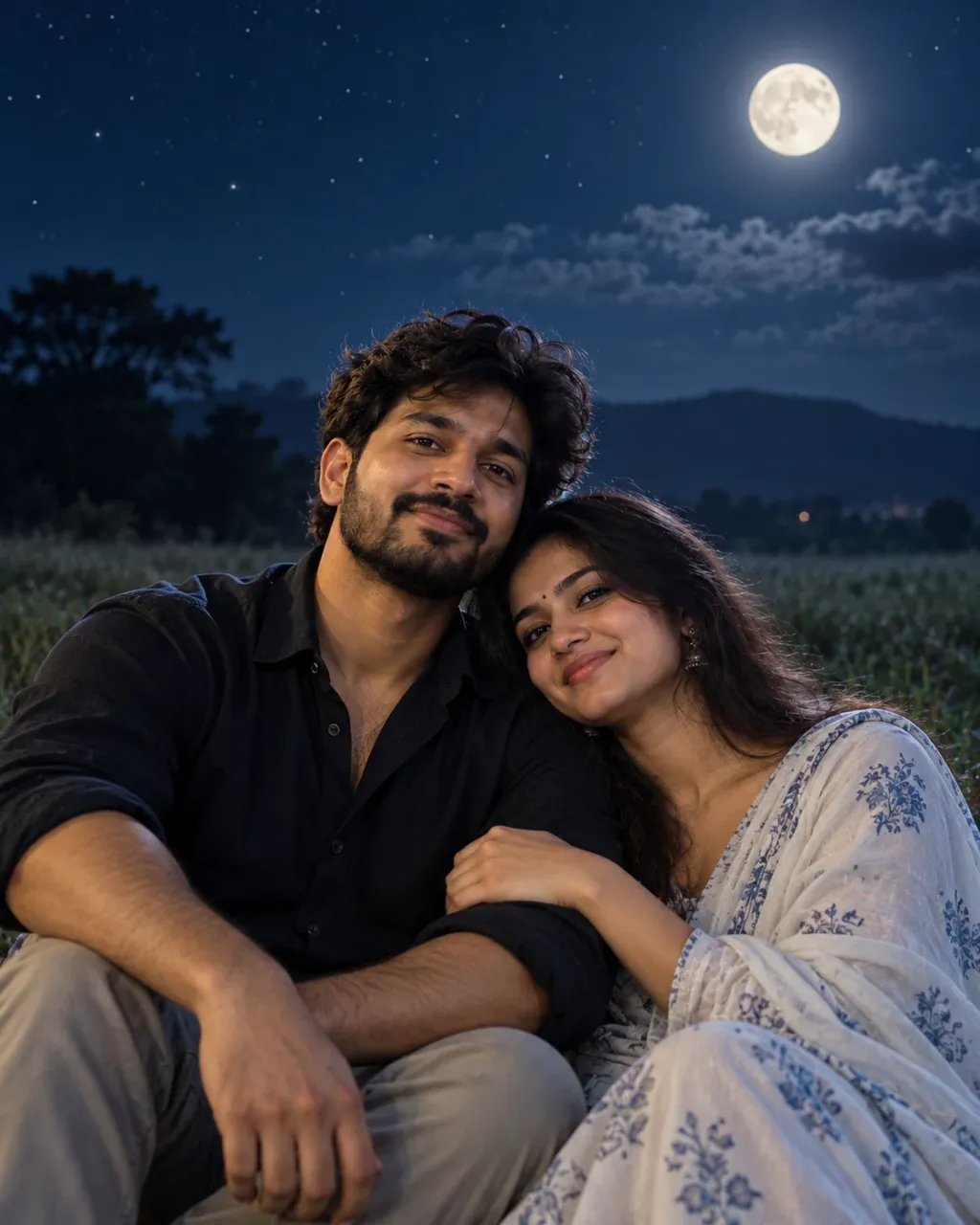
Moonlight romantic night photo
Convert this photo into a romantic night scene under the moon. Show the couple standing close under soft moonlight, stars scattered in the sky, cool blue tones everywhere, and gentle light on their faces. Do not change the faces. Keep both faces exactly the same and the mood calm and dreamy.
What is a Night couple ai photo prompt?
It is a short written instruction that tells an AI image tool how to turn a couple photo into a night scene picture. Night photos fail when the prompt only says night. These prompts name the actual light sources, so the AI lights the faces to match the scene instead of leaving them flat and dark. For more free picks, see the Editing Prompt homepage.
What each part of these prompts does
- Night setting. A dark sky and glowing lights replace the daytime background.
- Named light sources. Neon signs, street lamps or the moon decide how the faces are lit.
- Bokeh background. Blurred city lights give depth without distracting from the couple.
- Cool color tones. Deep blues make the night feel real instead of just dark.
- Do not change the faces. Keeps both people recognisable in the low light.
Which prompt should you pick?
- City vibe: the city lights photo with neon bokeh.
- Romantic and calm: the moonlight photo under the stars.
- When faces look too dark: add soft light on the faces, like a nearby street lamp.
If a face changes, add this line
Make sure the faces stay exactly the same. Paste it at the end of any prompt if the first result looks like someone else.
How to use these prompts in ChatGPT and Gemini
Open your AI tool
Use the ChatGPT or Gemini app or website, sign in and pick the image creation option.
Upload your photo
Add one sharp photo where both faces are clearly visible, with good light.
Paste the prompt
Paste the full prompt and send. If a face changes, add: make sure the faces stay exactly the same.
Check the faces first
Zoom in on both faces before anything else. If they match, keep the result; if not, rerun the same prompt once.
Adjust and save
If it is close, ask for one change, such as a different background or stronger light. Then download the version you like.
Easy ways to change the look
Change one phrase at a time and compare. These swaps are starting points, and results vary by tool.
- Lights: swap neon signs for warm street lamps or fairy lights.
- Sky: ask for a clear sky full of stars or a cloudy dramatic sky.
- Weather: add light rain with reflections on the road for extra mood.
- Pose: change standing close to walking hand in hand under the lights.
- Outfits: name evening outfits, such as jackets over dark clothes, for the night look.
Fix common problems with night couple prompts
Most problems come from flat lighting or faces going too dark. Here is what to try first.
- The night looks fake. Name real light sources, such as neon signs or the moon, instead of just night.
- Faces are too dark. Add: soft light on both faces, natural night exposure.
- A face looks different. Use one sharp photo and add: make sure the faces stay exactly the same.
- The sky is plain black. Repeat: dark blue night sky with stars, not pure black.
- Too much blur. Repeat: couple sharp and clear, only the background lights blurred.
AI results differ every run, so it is worth running the same prompt twice before you change it.
night couple prompt questions
What is a night couple ai photo prompt?
It is a short written instruction that asks an AI image tool to restyle a photo of two people as a night scene, with dark skies, glowing lights and soft light on the faces. The prompts on this page cover city lights and moonlight looks and keep both faces unchanged.
How do I get realistic night lighting?
Name the light sources in the prompt, such as neon signs, street lamps or the moon, so the AI lights the faces to match. Vague night photo prompts often give flat, fake-looking light.
How do I keep both faces the same?
Keep the line do not change the faces in the prompt, and add make sure the faces stay exactly the same at the end if a face drifts. Upload a sharp, well-lit photo for the best match.
Can I add rain or stars to the night photo?
Yes. Add phrases like light rain with reflections on the road or a clear sky full of stars. Change one detail at a time so you can compare results.
Which tool gives better night photos, ChatGPT or Gemini?
Both can follow the same text, but night lighting renders differently in each. Run the same prompt in both and keep the one with more natural light on the faces.
Recent posts

Dandiya Couple AI Photo Prompt

Navratri Garba Couple Pink Outfit Dandiya

Navratri Garba AI Photo Editing Prompt
Want more? Browse every free prompt on Editing Prompt.