Navratri Garba Girl Dandiya Night AI Photo Prompt (2026)
A stunning night shot of a girl playing dandiya under festive lights. Copy a prompt, paste it with your photo in ChatGPT or Gemini.
Quick answer
What is the garba girl dandiya night AI photo trend? It is a night portrait edit showing a girl playing dandiya with sticks under colorful festive lights. Paste one of the free prompts below into ChatGPT or Gemini with your photo to get the shot.
2 garba girl dandiya night AI photo prompts
Both prompts build the night dandiya scene while keeping your face real.
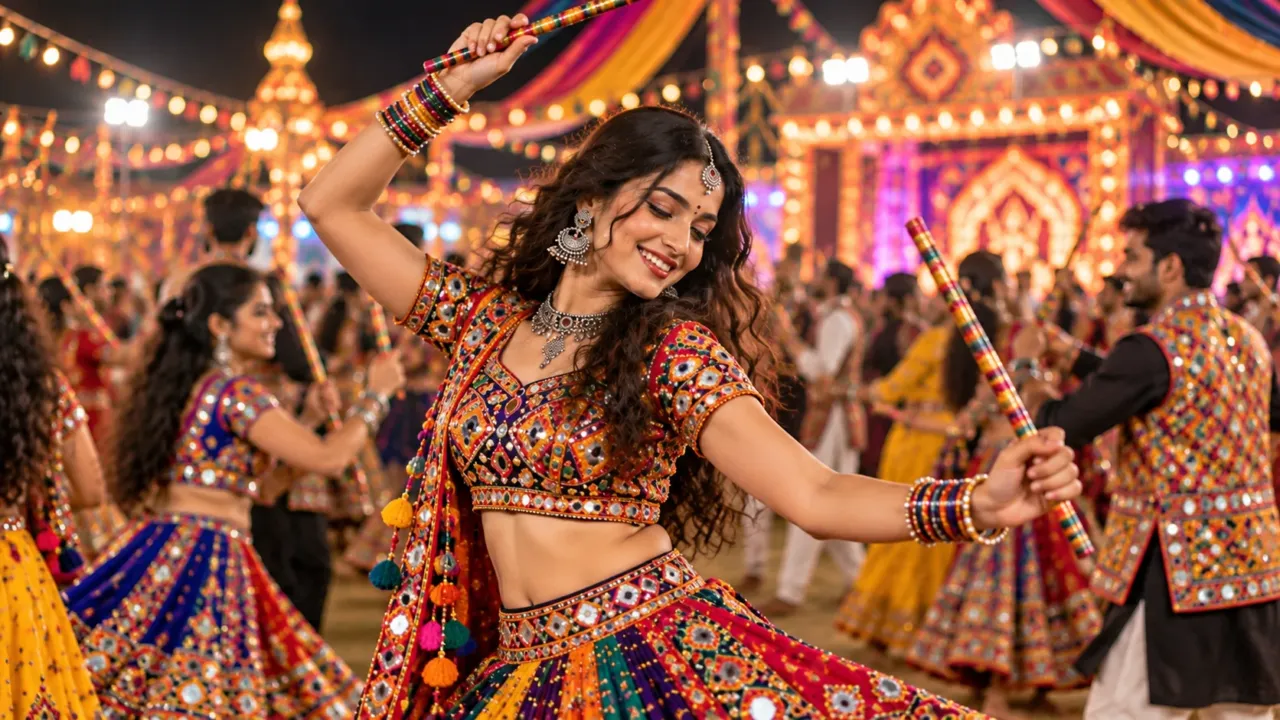
Neon dandiya night
Transform this photo into a night dandiya scene. The woman plays dandiya mid-dance move, decorated sticks in motion, wearing a bright pink lehenga with mirror work. Night garba venue with colorful neon and string lights, light trails from the sticks. Dynamic energy, sharp face, motion in the background, keep the face exactly the same as the original photo.
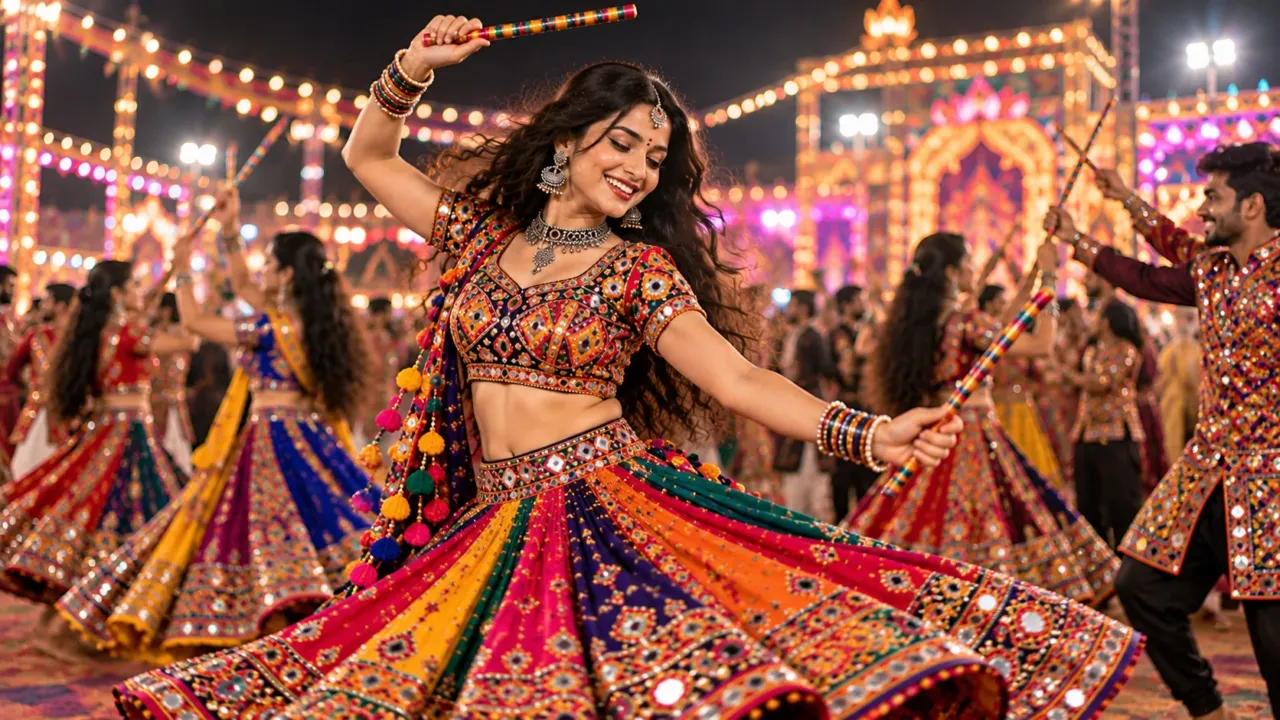
Lantern night glow
Create a dreamy night portrait from this photo. The woman holds decorated dandiya sticks gracefully, wearing an orange and gold lehenga, standing under warm hanging lanterns at a Navratri night event. Soft golden glow on the face, bokeh lights behind, serene happy expression, do not change the face.
What makes a great night dandiya photo
Night dandiya shots thrive on light contrast: the bright sticks and outfit against the dark sky, with bokeh lights painting the background. Motion in the sticks adds life while the face stays sharp and clear.
AI prompts build the night venue, lights and motion from a simple photo. Your face remains real; the tool paints the festive night around you.
Night photography essentials
- Light trails: moving sticks create beautiful trails.
- Bokeh: blurred lights add depth.
- Sharp face: the face must stay crisp amid motion.
- Bright outfit: vivid colors pop against the dark.
Mood options
- Neon energy: colorful and dynamic.
- Lantern warmth: soft and dreamy.
If a face changes, add this line
Make sure the face stays exactly the same. Paste it at the end of any prompt if the first result looks like someone else.
How to use these prompts in ChatGPT and Gemini
Open your AI tool
Use the ChatGPT or Gemini app or website, sign in and pick the image creation option.
Upload your photo
Add one sharp photo where faces are clearly visible, with good light.
Paste the prompt
Paste the full prompt and send. If a face changes, add: make sure the faces stay exactly the same.
Adjust and save
If it is close, ask for one change, then download the version you like.
Easy ways to change the look
Change one phrase at a time and compare. These swaps are starting points, and results vary by tool.
- Lights: swap neon for warm fairy lights.
- Outfit: try a deep blue lehenga for contrast.
- Motion: ask for a frozen sharp pose instead of motion.
- Background: add a bonfire glow for drama.
Fix common problems
Night action shots are demanding. These fixes help.
- Too dark: ask for brighter light on the face.
- Face blurry: ask for sharp focus on the face only.
- Sticks missing: specify decorated dandiya sticks clearly.
- Colors muddy: ask for vibrant saturated night colors.
Night shots may take two tries. Change one thing at a time.
Dandiya night prompt questions
What is the garba girl dandiya night AI photo trend?
It is a night portrait edit showing a girl playing dandiya with sticks under colorful festive lights. You upload a photo, paste a prompt into ChatGPT or Gemini, and get the shot.
Which app makes these edits?
ChatGPT and Gemini both handle night scenes well.
Are these prompts free?
Yes, free to copy with no sign-up.
How do I keep my face the same?
Use a sharp photo and keep the line do not change the face in the prompt.
Will the night look realistic?
Yes, if you ask for realistic lighting. Mention bokeh and light trails for the best effect.
Can I post these publicly?
Yes, it is your photo and your edit.


