Karwa Chauth Couple AI Photo Prompt (2026)
Karwa Chauth Couple AI Photo Prompt (2026)
Turn your photo into a dreamy Karwa Chauth portrait with the moon, the sieve and diya light. Copy a prompt, paste it in ChatGPT or Gemini with your photo, and you are done.
Quick answer
What is the Karwa Chauth couple AI photo trend? It is a festive edit where AI restyles your couple photo with the moonlit sieve ritual, diya glow and traditional bridal wear. Copy one of the 2 prompts below, upload a clear photo to ChatGPT or Gemini, and keep the line that says do not change the faces.
Karwa Chauth couple AI photo prompt: 2 looks
Two looks, two prompts. Tap Copy prompt, open ChatGPT or Gemini, upload your photo and paste.
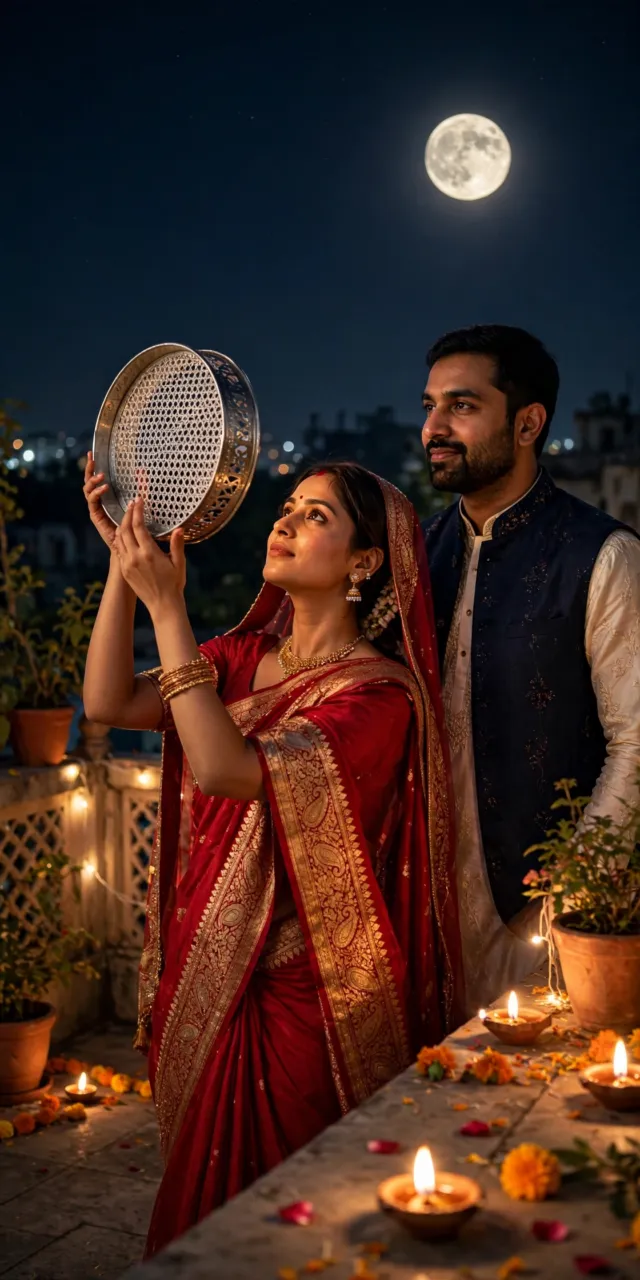
Moon through the sieve
Edit this couple photo into a Karwa Chauth night portrait. Show the woman in a red bridal saree looking at the full moon through a decorative sieve, her husband standing beside her on a moonlit terrace. Glowing diyas around, soft moonlight on their faces. Keep both faces exactly the same. Romantic, traditional, cinematic.
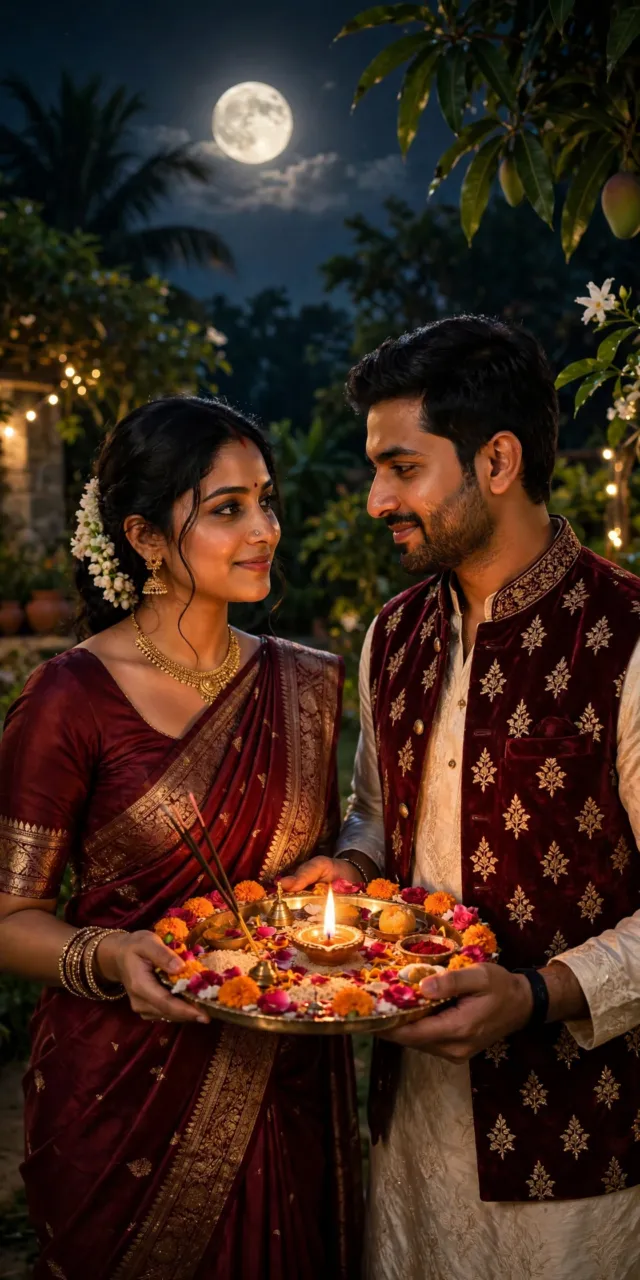
Moonlit diya thali
Turn this photo into a Karwa Chauth celebration portrait. The couple holds a decorated puja thali with a lit diya under a bright full moon. Traditional outfits unchanged, night sky with soft stars. Do not change either face. Warm, devotional, made for sharing.
What is a Karwa Chauth couple AI photo prompt?
It is a written instruction that tells an AI image tool to restyle your couple photo as a Karwa Chauth ritual portrait. The prompt asks for the moon, the decorative sieve and diya light around you two.
Karwa Chauth photos are loved for their moonlit romance. With these prompts you can create the classic sieve-and-moon shot even without a perfect moonrise photo. For more free picks, see the Editing Prompt homepage.
What each part of these prompts does
- Decorative sieve. The chalni frame is the signature Karwa Chauth element.
- Full moon. A bright moon gives the ritual its glow and meaning.
- Do not change the faces. Keeps both of you recognisable, the most important line.
- Red bridal tones. Traditional colors keep the festive authenticity.
- Diya glow. Warm lamps balance the cool moonlight.
Which prompt should you pick?
- For the classic ritual shot: the moon through the sieve.
- For a warm celebration: the moonlit diya thali.
If a face changes, add this line
Make sure both faces stay exactly the same. Paste it at the end of any prompt if the first result looks like someone else.
How to use these prompts in ChatGPT and Gemini
Open your AI tool
Use the ChatGPT or Gemini app or website, sign in and pick the image creation option.
Upload your photo
Add one sharp photo where faces are clearly visible, with good light.
Paste the prompt
Paste the full prompt and send. If a face changes, add: make sure the faces stay exactly the same.
Adjust and save
If it is close, ask for one change, then download the version you like.
Easy ways to change the look
Change one phrase at a time and compare. These swaps are starting points, and results vary by tool.
- Saree color: ask for maroon, pink or golden instead of red.
- Setting: swap the terrace for a decorated courtyard with marigolds.
- Moon size: ask for a large dramatic moon or a soft distant one.
- Extras: add fairy lights or rose petals in the foreground.
- Mood: add light clouds around the moon for a dreamy night.
Fix common problems with Karwa Chauth prompts
Most problems come from changed faces or a weak moon. Here is what to try first.
- A face looks different. Use one sharp photo and add: make sure both faces stay exactly the same.
- Moon looks dull. Repeat: bright detailed full moon, glowing softly in a clear night sky.
- Sieve looks wrong. Ask for a traditional decorative sieve held naturally at eye level.
- Too dark overall. Ask for balanced light: moonlight on faces plus warm diya glow.
- Colors look off. Name the palette: deep night blue with warm gold and red.
AI results differ every run, so it is worth running the same prompt twice before you change it.
Karwa Chauth couple prompt questions
What is the Karwa Chauth couple AI photo trend?
It is a festive edit where AI restyles your couple photo with the moonlit sieve ritual and diya glow. Creators type a short prompt into ChatGPT or Gemini and get a share-ready ritual portrait.
Which app makes these edits?
ChatGPT and Gemini both work. Upload your couple photo, paste the prompt, and the tool builds the moonlit scene around you. Results differ between tools, so try both.
Do I need to pay?
The prompts are free to copy, with no sign-up. ChatGPT and Gemini offer some free image access, but limits can change, so check the app.
How do I keep both faces the same?
Use a sharp photo where both faces are clearly visible and keep the line do not change the faces in the prompt. You can also add: make sure both faces stay exactly the same, at the end.
Can I use a daytime photo?
Yes. The prompt rebuilds the whole scene as night, so a clear daytime couple photo works fine as the base.
Why does the sieve look strange?
Ask for a traditional decorative sieve with a simple pattern, held naturally. Complex patterns confuse the AI, so keep it simple.
Can I add my name or date?
AI tools often mess up text. Add names or dates later in any photo editor for a clean result.
Is it okay to post these publicly?
Yes, it is your photo and your edit. Only use photos of people who agree to be edited and shared.
Recent posts
Flower Background AI Photo Effect Prompt
Couple Monsoon Rain AI Photo Prompt
New Trending AI Photo Prompt
Want more? Browse every free prompt on Editing Prompt.