Editing Prompt Video: AI Video Prompts to Animate Your Photo (2026)
One photo is enough to make a video now. Below are 4 original editing prompt video prompts that turn a still photo into a slow motion walk, a bike ride shot, a festive twirl or a rooftop sunset clip in Kling AI, Higgsfield or Luma.
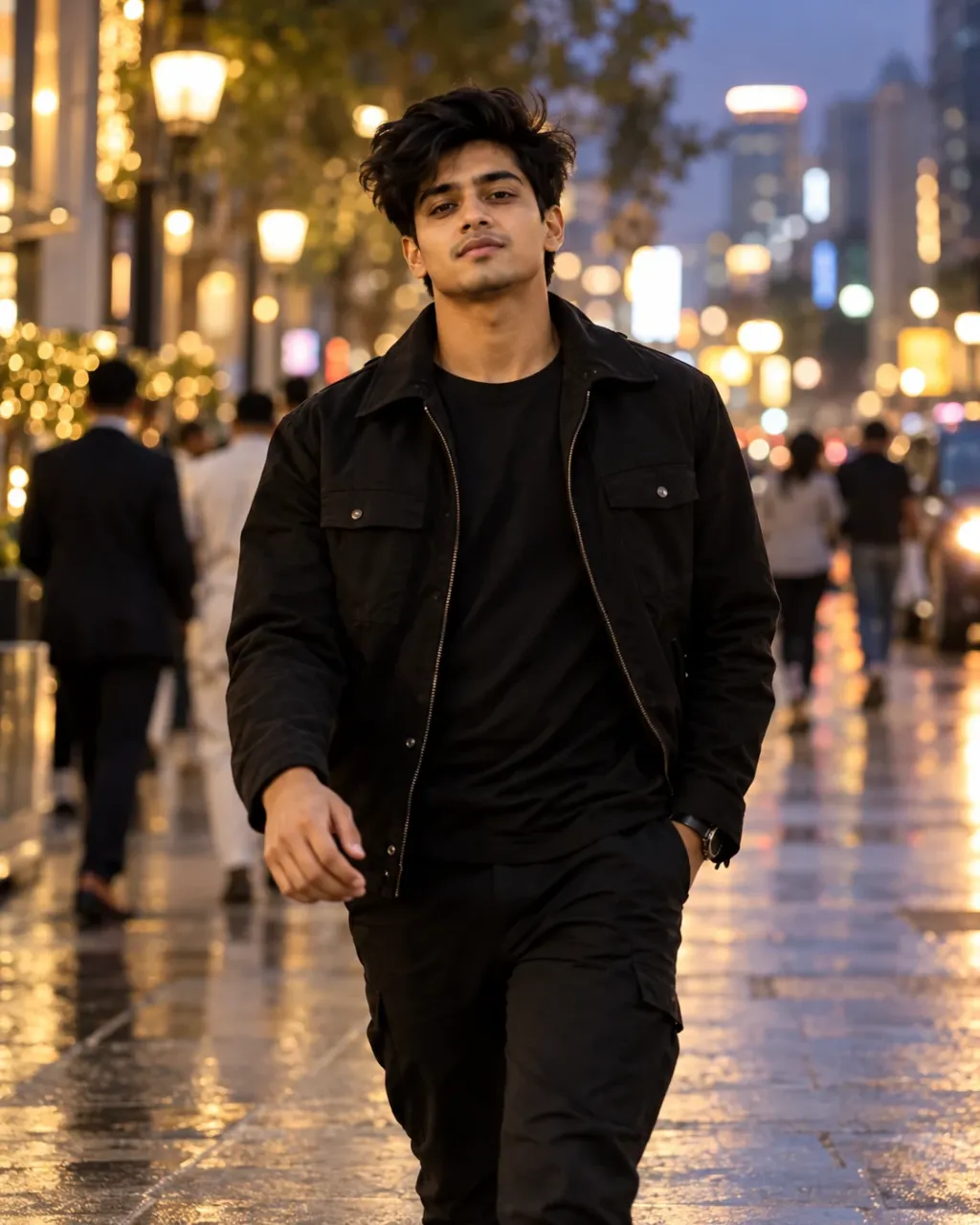
Editing Prompt Video by Editing Prompt
Animate any photo with 4 original AI video prompts: city walk, bike ride, festive twirl and rooftop sunset. Made for Kling AI, Higgsfield and Luma image-to-video.
Listed on Editing Prompt · Link checked 23 October 2026
#aivideo #editingprompt #klingai #higgsfield #luma #fyp #viral
Quick answer
How do I turn my photo into a video with a prompt? An editing prompt video turns one still photo into a moving clip. Copy a prompt below, paste it in Kling AI, Higgsfield or Luma with your photo as the first frame, set 9:16 and 5 seconds, and the AI animates the walk, the ride or the twirl for you, with your face exactly the same.
4 original AI video prompts
Each prompt below is original and free to copy. Paste one into Kling AI, Higgsfield, Luma or Runway and generate your own version of the trend.
1. Slow Motion City Walk
Create a cinematic vertical AI video from my photo. Keep my face and features exactly the same. I walk slowly toward the camera on a city street in the evening, jacket moving softly in the breeze, people and lights blurred behind me. The camera moves backward smoothly as I walk, confident calm expression. Photorealistic, smooth slow motion, cinematic street light, vertical 9:16, 5 seconds.
2. Bike Ride Wind Shot
Create a cinematic vertical AI video from my photo. Keep my face and features exactly the same. I sit on a parked motorcycle on an open road at golden hour, one hand on the handlebar, wind moving my hair and shirt softly. The camera orbits slowly from my side to the front, warm sunset light and long road behind. Photorealistic, gentle motion, royal rider mood, vertical 9:16, 5 seconds.
3. Festive Twirl
Create a cinematic vertical AI video from my photo. Keep my face and features exactly the same. I stand in a decorated festive hall in an ethnic outfit and do one slow happy twirl, the outfit fabric flowing in a full circle, fairy lights and marigold decorations glow behind me. The camera stays steady at eye level. Photorealistic, joyful festive energy, vertical 9:16, 5 seconds.
4. Rooftop Sunset Push In
Create a cinematic vertical AI video from my photo. Keep my face and features exactly the same. I stand on a rooftop at sunset looking at the city, hair and clothes moving in a soft breeze, the sky turning orange and pink behind me. The camera pushes in slowly from a wide shot to a close portrait. Photorealistic, calm dreamy mood, vertical 9:16, 5 seconds.
Editing Prompt Video by Editing Prompt
Everything you need to animate a photo: 4 original copy-paste video prompts, the best tools, the right format and the settings that keep your face the same.
Post details
| Detail | Value |
|---|---|
| Video subject | Any photo animated into a moving clip |
| Scenes | City walk, bike ride, festive twirl, rooftop sunset |
| Best AI tools | Kling AI, Higgsfield, Luma Dream Machine |
| Format | 9:16 vertical, 5 seconds per scene |
| Skill level | Beginner friendly |
| Category | AI Video Editing |
| Updated | October 23, 2026 |
How to create the video
Copy a prompt
Copy one of the 4 video prompts above with the Copy prompt button.
Open your AI video app
Use Kling AI, Higgsfield or Luma and choose image-to-video.
Add your photo and paste
Upload one clear front facing photo, paste the prompt, set 9:16 vertical and 5 seconds.
Generate your scenes
Use the same photo for every prompt so all clips look like one shoot.
Join and post
Join the clips in CapCut, add a trending song, export 1080 x 1920 and post.
Note: Face lock matters more in video than in photos. If the face drifts mid-clip, regenerate with a sharper photo and keep the first line of the prompt exactly as written.
Editing Prompt: editing prompt video questions
What is an editing prompt video?
It is a copy-paste text prompt that tells an AI video app how to animate your photo: the camera move, the action and the mood. Paste it in Kling AI, Higgsfield or Luma with your photo and the app generates a short moving clip.
Which app is best for these video prompts?
Kling AI gives the smoothest faces, Higgsfield is best for camera moves, and Luma is the easiest for beginners. All 4 prompts on this page work in every one of them.
How long is each AI video clip?
Five seconds per prompt at 9:16 vertical. Join two or three clips in CapCut if you want a longer reel.
Why does my face change in the video?
The photo was too dark or too small. Use one sharp front facing photo in good light and keep the face lock line at the start of the prompt.
Are these video prompts free?
Yes. All 4 editing prompt video prompts on this page are free to copy and use.


