Diwali Celebration Couple AI Photo Prompt (2026)
Turn a plain couple photo into a glowing Diwali celebration, diyas, fireworks and rangoli included, with both faces kept exactly the same. Copy a prompt below, paste it into ChatGPT or Gemini with your photo, and you are done.
Quick answer
A Diwali celebration couple AI photo prompt is a short instruction that tells an AI image tool to restyle your photo as a festive Diwali scene, glowing diyas, fireworks or a colorful rangoli, while keeping both faces unchanged. Copy one of the 3 prompts below, upload one clear photo of the couple, and keep the line that says do not change the faces.
Diwali celebration couple AI photo prompt: 3 looks
Three festive settings, three prompts. Tap Copy prompt, open ChatGPT or Gemini, upload your photo and paste.
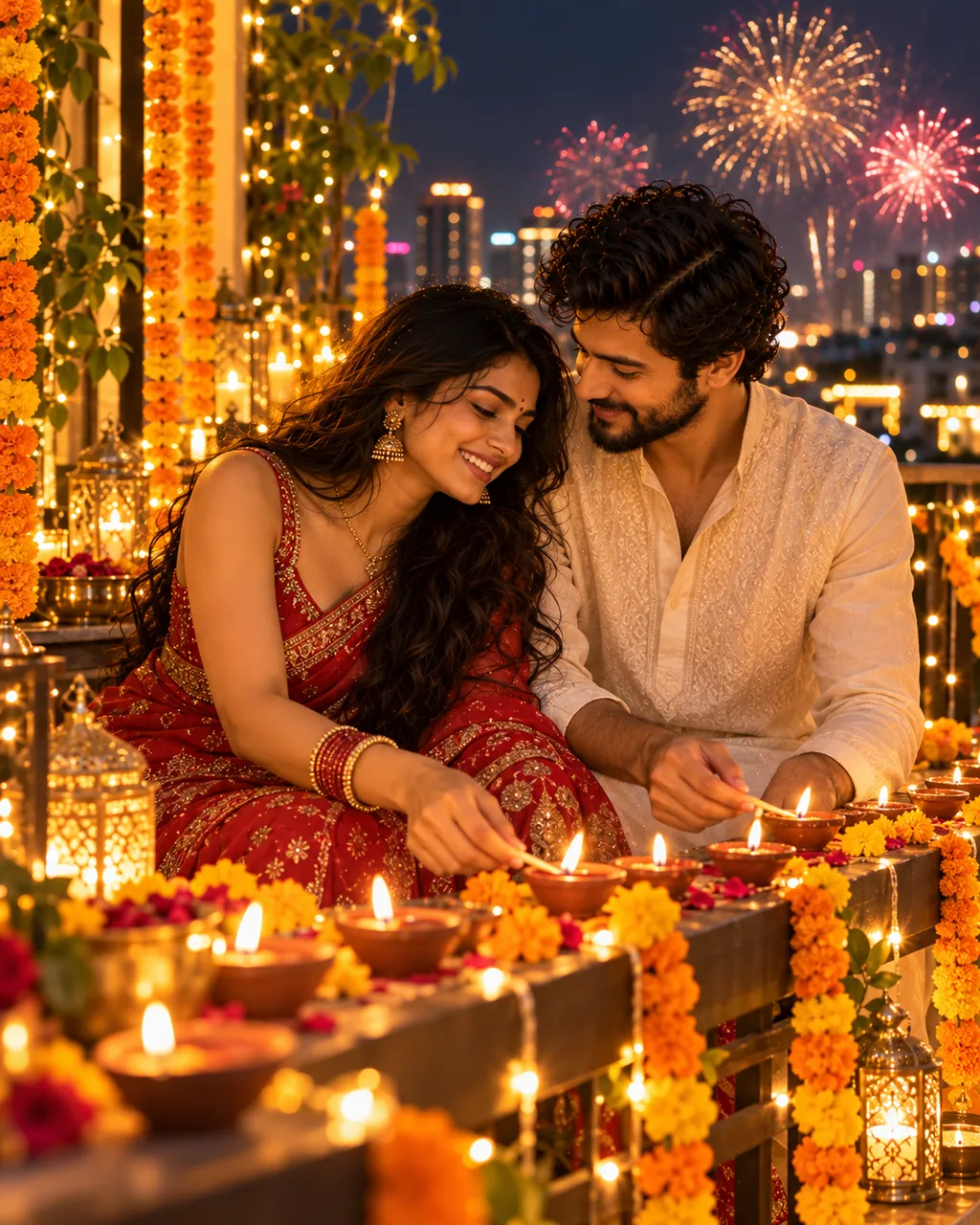
Diya lighting together
Turn our photo into a magical Diwali night photo of the couple lighting diyas together on a decorated balcony. Rows of glowing clay diyas, marigold garlands, warm golden light on their happy faces, fireworks softly blurred in the night sky behind them. The woman wears an elegant red saree, the man a cream kurta. Keep both faces exactly the same as the uploaded photo, do not change, beautify or reshape them. Festive, joyful mood, cinematic warm tones, vertical 4:5 photo.
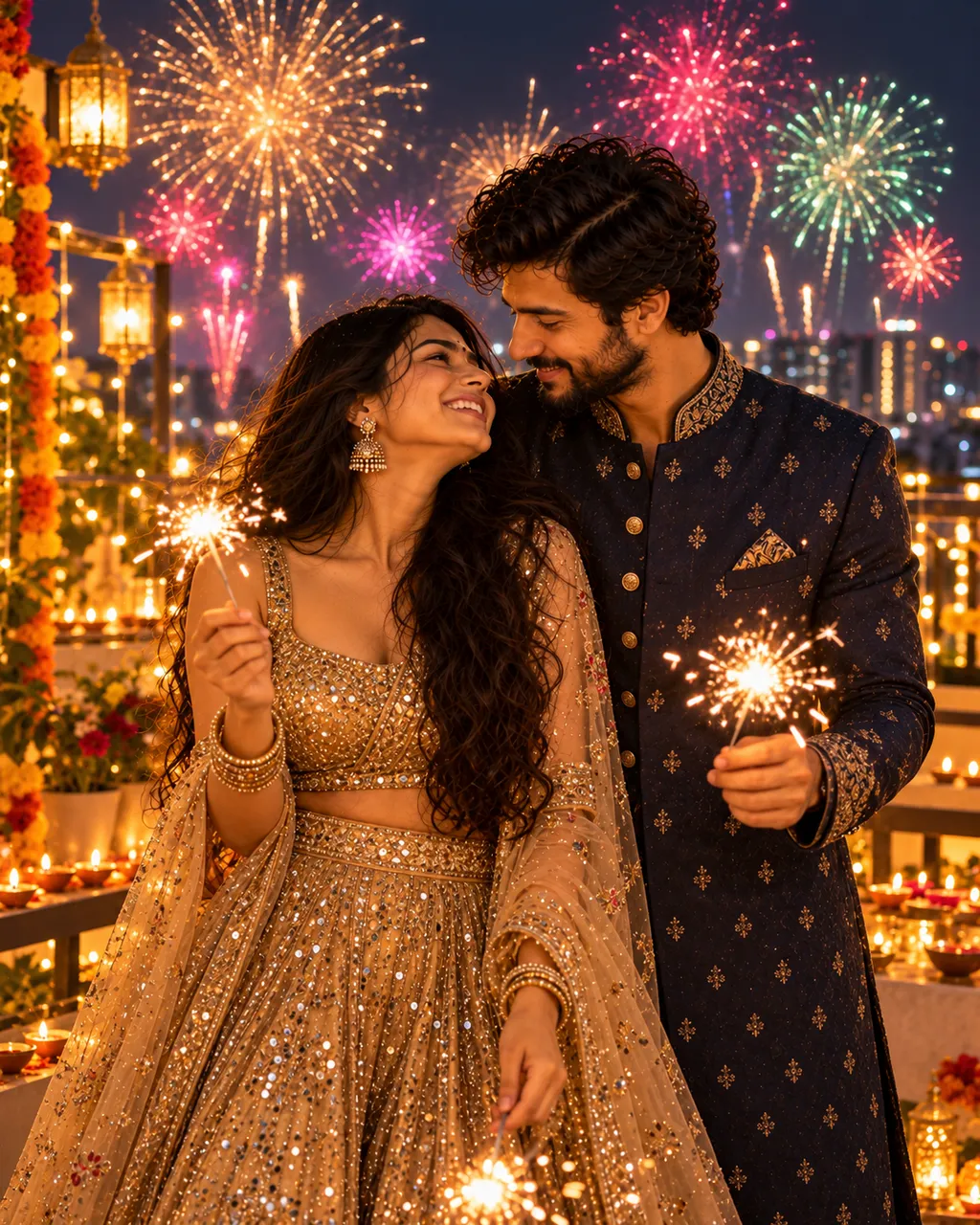
Fireworks night portrait
Turn our photo into a stunning Diwali portrait of the couple standing close under a sky full of fireworks. Colorful bursts of light above them, sparklers in their hands, warm glow lighting their smiling faces, festive lights strung across the terrace behind. The woman in a golden lehenga, the man in a navy blue sherwani. Keep both faces exactly the same as the uploaded photo, do not change, beautify or reshape them. Night photography, vibrant colors, vertical 4:5 photo.
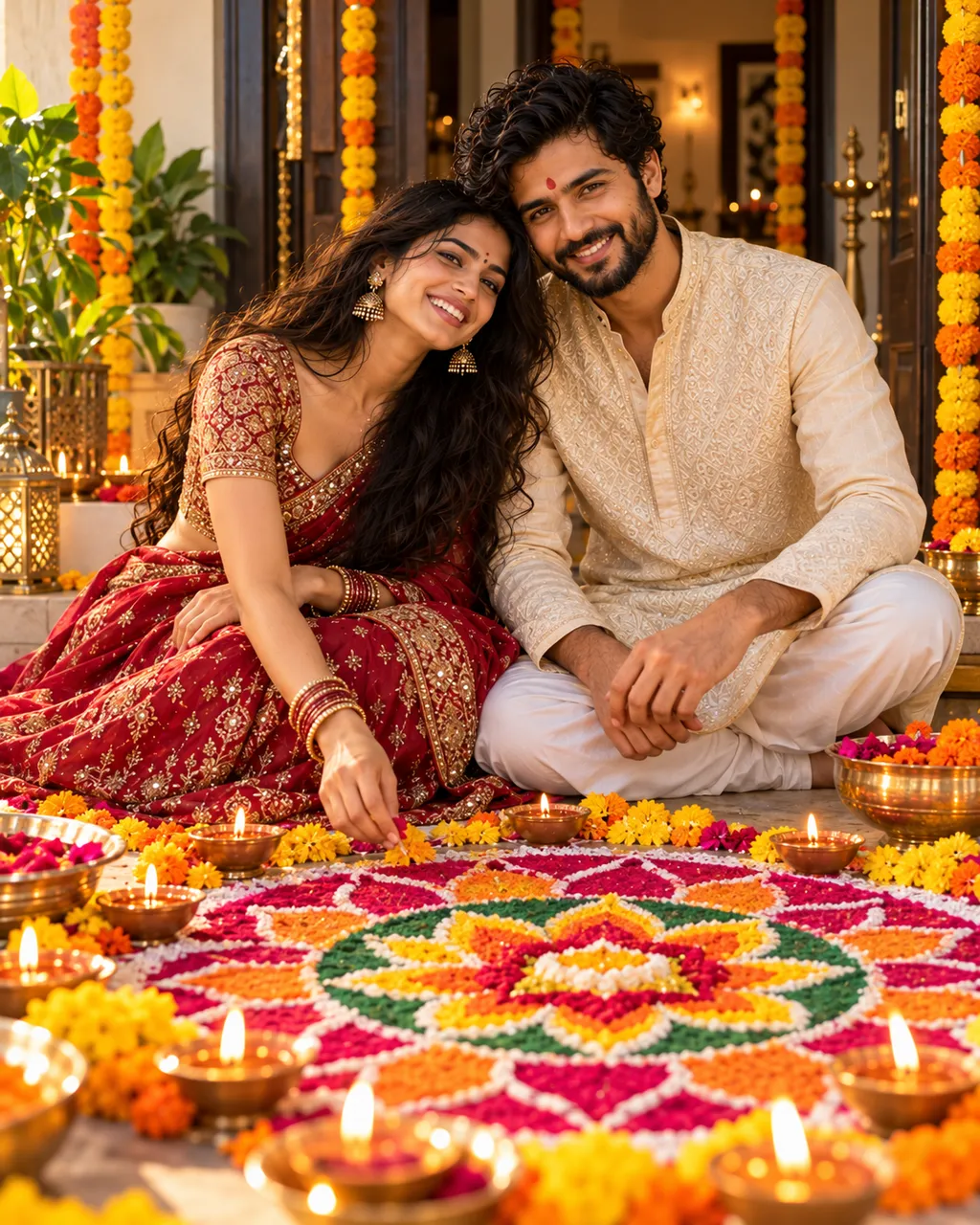
Rangoli and diyas morning
Turn our photo into a bright Diwali morning photo of the couple sitting beside a large colorful rangoli at the home entrance. Fresh flower petals, glowing diyas around the rangoli, soft daylight, both smiling warmly at the camera. Traditional festive outfits. Keep both faces exactly the same as the uploaded photo, do not change, beautify or reshape them. Cheerful daylight, rich colors, natural skin texture, vertical 4:5 photo.
What is a Diwali celebration couple AI photo prompt?
It is a written instruction that tells an AI image tool to turn a regular couple photo into a Diwali festival scene full of diyas, lights and color. Festival light is naturally flattering, which is why Diwali photos always glow.
These prompts describe each diya, firework and rangoli pattern in detail, so the AI paints a believable celebration instead of flat decoration. For more free picks, see the Editing Prompt homepage.
What each part of these prompts does
- Diya lighting, fireworks night, rangoli morning. Three festival moments, three different moods.
- Clay diyas and marigold garlands. Named festive details the AI can draw clearly.
- Keep both faces exactly the same. The face-lock, keeps both people recognisable.
- Warm cinematic tones. The golden color grade that sells the festival glow.
- Vertical 4:5 photo. The familiar phone-photo shape.
Which prompt should you pick?
- Most traditional: the diya lighting together photo.
- Most dramatic: the fireworks night portrait.
- Brightest daytime pick: the rangoli and diyas morning.
If a face changes, add this line
Make sure the faces stay exactly the same. Paste it at the end of any prompt if the first result looks like someone else.
How to use these prompts in ChatGPT and Gemini
Open your AI tool
Open the ChatGPT or Gemini app or website and choose the image option.
Upload your photo
Add one clear photo where both faces are easy to see, with good light.
Paste the prompt
Paste the full prompt and send. If a face shifts, add: make sure the faces stay exactly the same.
Adjust and save
If it is close, ask for one change, such as a different background or outfit. Then download the version you like.
Easy ways to change the look
Change one phrase at a time and compare. These swaps are starting points, and results vary by tool.
- Outfits: try a red saree with gold jewelry or a cream kurta with a Nehru jacket.
- Setting: swap the balcony for a decorated courtyard or a temple street.
- Fireworks: ask for sparklers in hand instead of sky fireworks for a closer shot.
- Time of day: diya photos shine at night, rangoli photos look best in daylight.
- Extras: add fairy lights or floating lanterns for extra glow.
Fix common problems with Diwali prompts
Most problems come from too many light sources or messy backgrounds. Here is what to try first.
- Faces look too orange. Add: balanced warm tones, natural skin color.
- Too many diyas everywhere. Name one clear arrangement, like a single row of diyas.
- Fireworks look fake. Ask for softly blurred fireworks in the background, not the focus.
- Rangoli looks messy. Ask for a simple circular rangoli with clear petal shapes.
- Clothes changed color. Repeat the outfit description word for word and retry.
AI results differ every run, so it is worth running the same prompt twice before you change it.
Diwali prompt questions
What is a Diwali celebration couple AI photo prompt?
It is a short written instruction that tells an AI image tool to restyle a photo of two people as a festive Diwali scene with diyas, fireworks or a rangoli, while keeping both faces unchanged.
Which photo should I upload?
One clear photo that shows both people with good light works best. Festival scenes add a lot of glow, so a sharp original keeps the faces clean.
How do I keep both faces the same?
Use a sharp, front-facing photo and keep the line keep both faces exactly the same in the prompt. If a face still drifts, paste make sure the faces stay exactly the same at the end and run it again.
Can I wear different outfits in the photo?
Yes, describe the exact outfit in the prompt, like a red saree or a cream kurta, and the AI will dress the couple in it while keeping their faces.
Why does my rangoli look wrong?
Complex patterns are hard for AI. Ask for a simple circular rangoli with clear petal shapes and fewer colors.
ChatGPT or Gemini, which is better here?
Both follow the same text. If one makes the diyas look flat, try the other, festival lighting renders differently between tools.
Is it free to use these prompts?
The prompts are free to copy with no sign-up. ChatGPT and Gemini both offer free image access with limits that can change, so check the app.