Snow Mountain Couple AI Photo Prompt (2026)
Turn a plain couple photo into a snowy mountain moment, white peaks and falling snow included, with both faces kept exactly the same. Copy a prompt below, paste it into ChatGPT or Gemini with your photo, and you are done.
Quick answer
A snow mountain couple AI photo prompt is a short instruction that tells an AI image tool to restyle your photo as a winter mountain scene, while keeping both faces unchanged. Copy one of the 2 prompts below, upload one clear photo of the couple, and keep the line that says do not change the faces.
Snow mountain couple AI photo prompt: 2 looks
Two winter moods, two prompts. Tap Copy prompt, open ChatGPT or Gemini, upload your photo and paste.
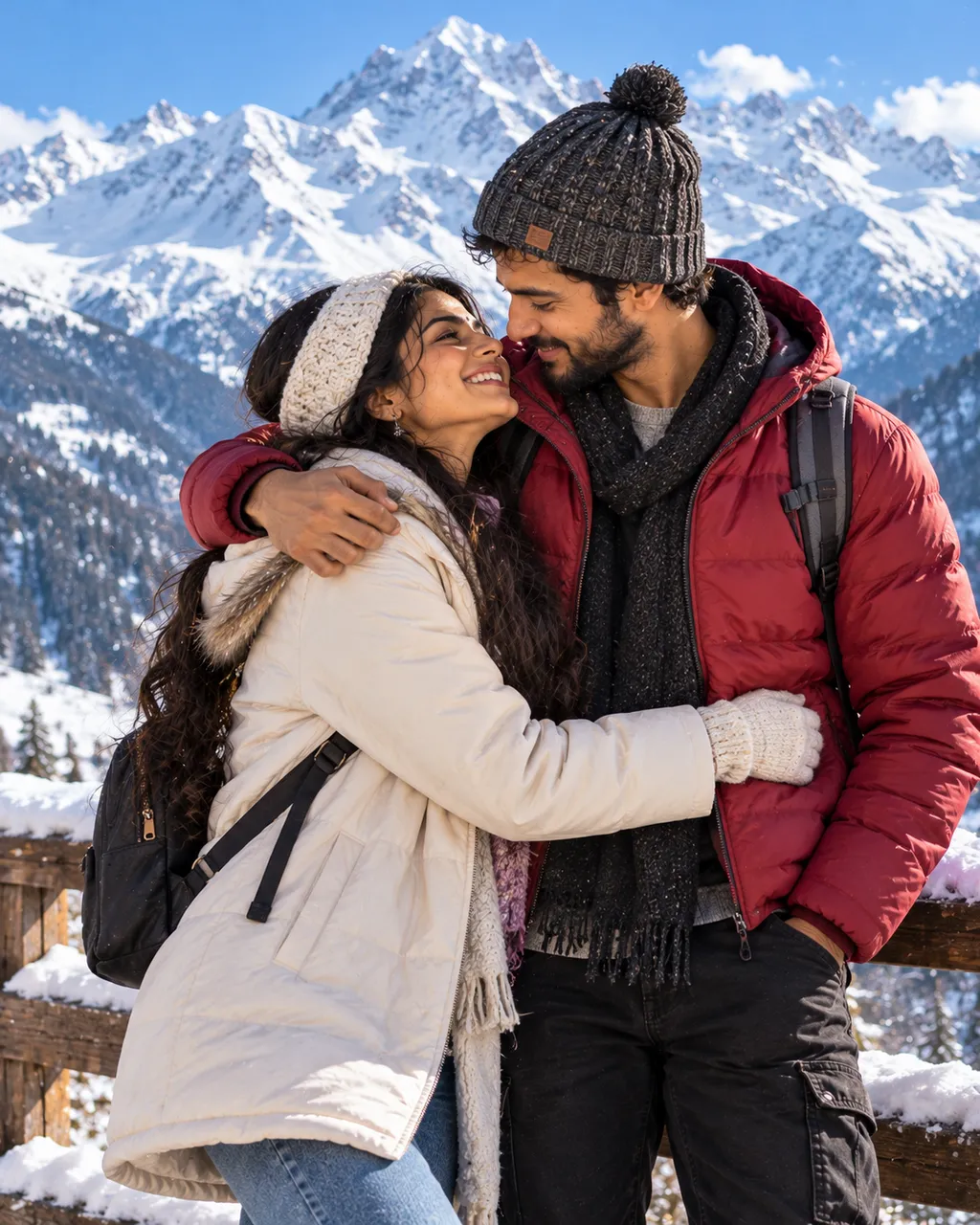
Snowy summit embrace
Turn our photo into a breathtaking winter scene of the couple embracing at a snowy mountain viewpoint. Towering snow-covered peaks behind them, clear blue sky, soft snow sparkling in the sunlight. Warm winter jackets, woolen caps, happy relaxed smiles. Keep both faces exactly the same as the uploaded photo, do not change, beautify or reshape them. Crisp mountain daylight, natural skin texture, vertical 4:5 photo.
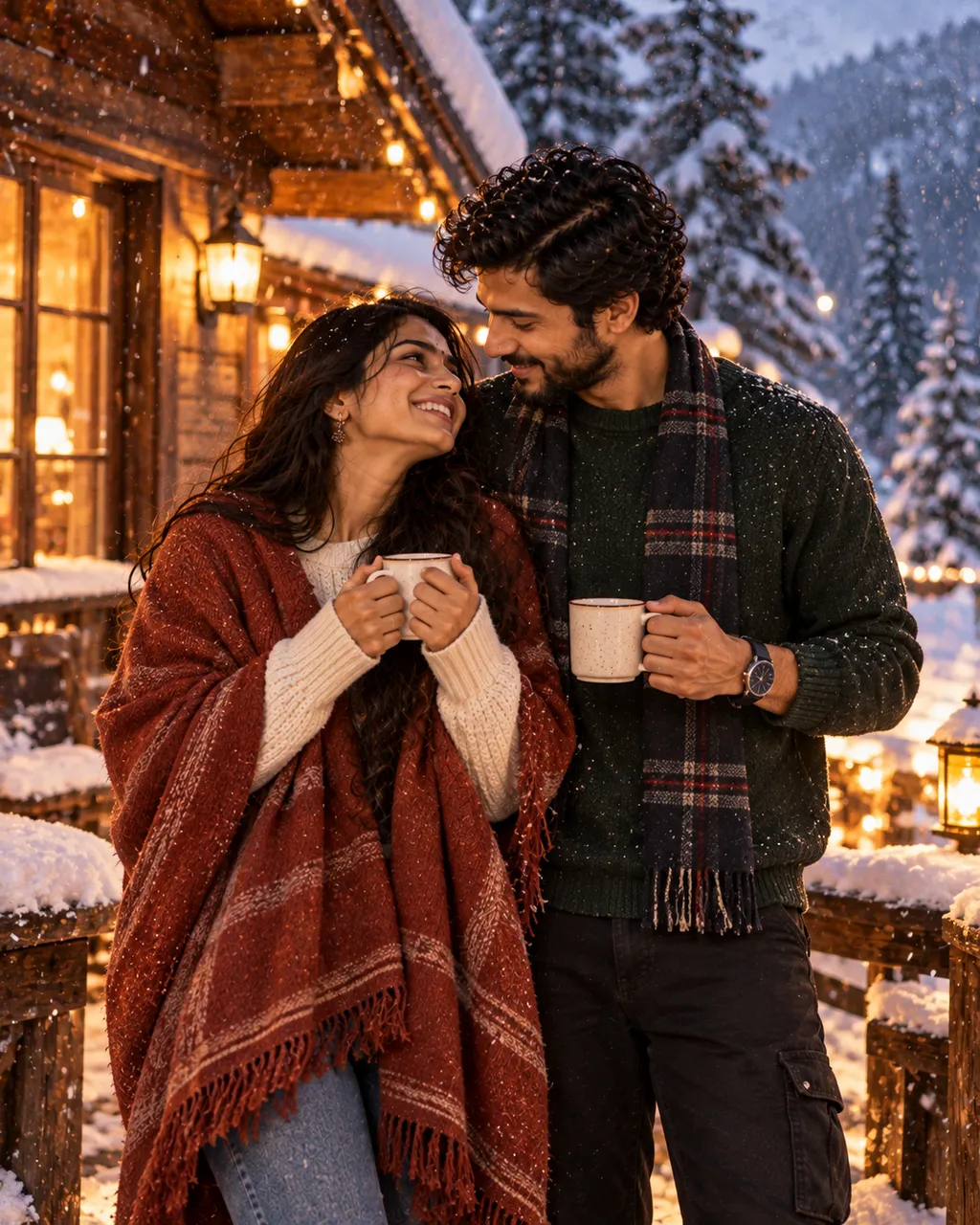
Cozy cabin snowfall
Turn our photo into a cozy dusk scene of the couple standing outside a wooden mountain cabin in falling snow. Warm golden light glowing from the cabin windows, snowflakes in the air, pine trees heavy with snow around them. The couple holds warm mugs, cheeks slightly pink from the cold, gentle smiles. Keep both faces exactly the same as the uploaded photo, do not change, beautify or reshape them. Soft warm and cool tones mixed, cinematic feel, vertical 4:5 photo.
What is a snow mountain couple AI photo prompt?
It is a written instruction that tells an AI image tool to turn a regular couple photo into a winter mountain scene. Snow makes every photo feel like a trip, even when it was taken at home.
These prompts describe the peaks, the snow and the warm clothes together, so the winter looks real instead of pasted on. For more free couple edits, see the Editing Prompt homepage.
What each part of these prompts does
- Snowy summit or cozy cabin. Two winter moods, two different photos.
- Peaks, snowfall and pine trees. Named details that make the winter believable.
- Keep both faces exactly the same. The face-lock, keeps both people recognisable.
- Warm jackets and caps. Winter clothing sells the cold setting.
- Vertical 4:5 photo. The familiar phone-photo shape.
Which prompt should you pick?
- Epic trip photo: the snowy summit embrace.
- Cozy romantic post: the cozy cabin snowfall.
If a face changes, add this line
Make sure the faces stay exactly the same. Paste it at the end of any prompt if the first result looks like someone else.
How to use these prompts in ChatGPT and Gemini
Open your AI tool
Open the ChatGPT or Gemini app or website and choose the image option.
Upload your photo
Add one clear photo where both faces are easy to see, with good light.
Paste the prompt
Paste the full prompt and send. If a face shifts, add: make sure the faces stay exactly the same.
Adjust and save
If it is close, ask for one change, such as a different background or outfit. Then download the version you like.
Easy ways to change the look
Change one phrase at a time and compare. These swaps are starting points, and results vary by tool.
- Time: bright noon for crisp snow, dusk for warm cabin light.
- Snowfall: light flakes for calm, heavy snow for drama.
- Outfits: matching woolen caps, shawls or full trekking gear.
- Extras: a sled, a bonfire or hot mugs in hand.
Fix common problems with snow prompts
Most problems come from flat white snow or faces going too pale. Here is what to try first.
- Snow looks flat and grey. Add: sparkling snow, crisp blue shadows.
- Faces look too pale. Add: natural warm skin tones, slight pink cheeks from the cold.
- The mountains look fake. Name fewer peaks and add: realistic distant ridgelines.
- A face changed. Use a sharper photo plus the face-lock line.
AI results differ every run, so it is worth running the same prompt twice before you change it.
Snow mountain prompt questions
What is a snow mountain couple AI photo prompt?
It is a short written instruction that tells an AI image tool to restyle a photo of two people as a winter mountain scene, snowy peaks or a cabin in falling snow, while keeping both faces unchanged.
Which photo should I upload?
One clear photo that shows both people with good light works best. Snow scenes are bright, so a well-lit original matches better.
How do I keep both faces the same?
Use a sharp, front-facing photo and keep the line keep both faces exactly the same in the prompt. If a face still drifts, paste make sure the faces stay exactly the same at the end and run it again.
Can I wear Indian winter clothes in it?
Yes, describe them: shawls, woolen caps, sweaters. The prompts already lean that way, and the AI follows clothing words well.
Why does the snow look dirty?
Ask for fresh sparkling snow and clean blue shadows. Old or grey snow usually means the light description was too vague.
Is it free to use these prompts?
The prompts are free to copy with no sign-up. ChatGPT and Gemini both offer free image access with limits that can change, so check the app.