Gemini Kids AI Photo Editing Prompts (2026)
Turn your child’s photo into a retro 90s portrait, a cinematic fashion shoot or a golden hour memory. Copy a prompt below, paste it in Gemini with the photo, and you are done.
Quick answer
Kids AI photo editing prompts are short texts you paste into Google Gemini together with one clear photo of your child. Gemini restyles the photo with a new outfit, light and background, such as a 90s Bollywood portrait or a cinematic city shoot. Copy any prompt below, upload the photo, and keep the line that says to keep the face exactly the same.
13 Gemini kids photo editing prompts
Tap Copy prompt, open Gemini, upload your child’s photo and paste. Each prompt keeps the face the same.
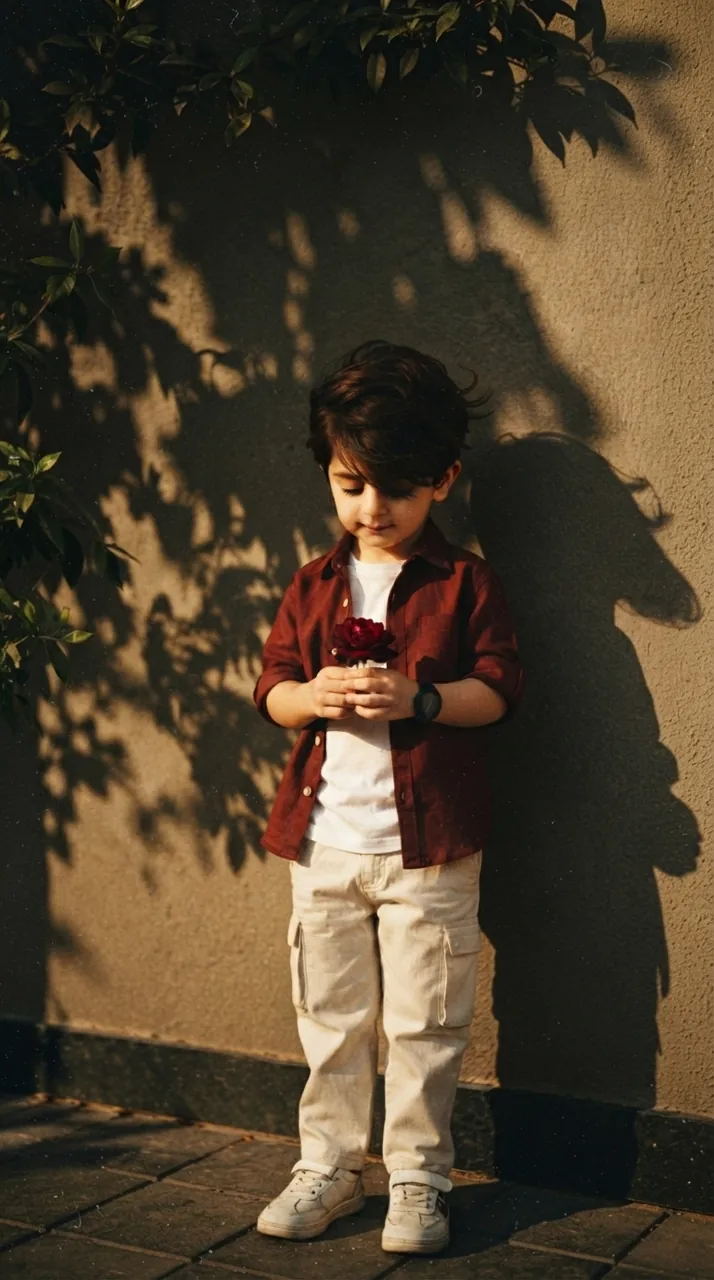
Vintage boy portrait with rose
Create a retro vintage grainy but bright image of the reference picture, draped in a perfect red wine colour Pinterest-aesthetic retro shirt with white pants, holding a rose flower in his hands. It must feel like a 90s movie and romanticise a windy environment. The boy is standing against a solid wall with deep shadows and contrast drama, creating a mysterious and artistic atmosphere. The lighting is warm with golden tones, evoking a sunset or golden hour glow. The background is minimalist and slightly textured. His expression is moody, calm yet happy and introspective. Keep the face exactly the same as the reference.
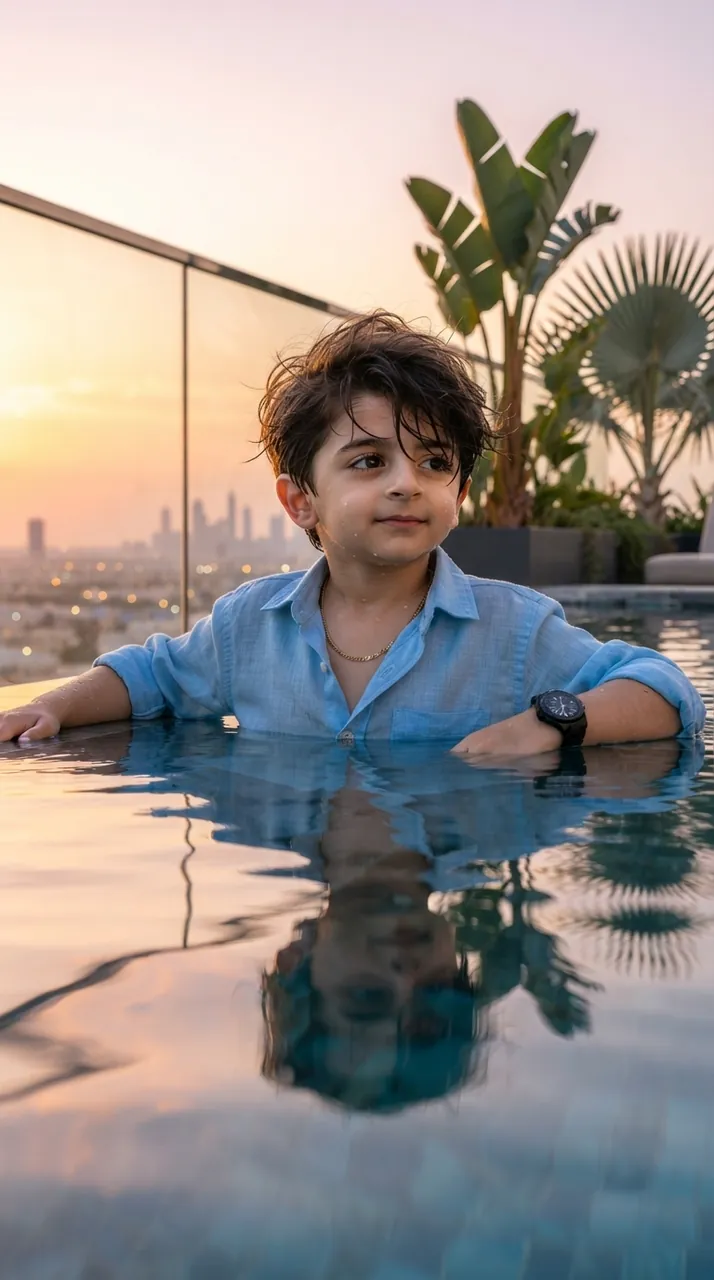
Cinematic infinity pool boy
Ultra-realistic 8K cinematic portrait of a 7 year old boy relaxing in an infinity pool at a rooftop penthouse, overlooking a breathtaking sunset city skyline. The warm golden and pink sky reflects perfectly on the water’s surface, creating a dreamy mirror effect. He is wearing a stylish open-collar linen shirt, accessorised with a luxury watch and a minimal chain. His wet hair is naturally messy, glowing softly under the golden light. Behind him, glass railings and tropical plants add a refined lifestyle vibe. Shot in 9:16 vertical frame with DSLR clarity, hyper-detailed skin, water reflections and cinematic lighting, a high-fashion lifestyle photoshoot aesthetic. Keep the face exactly the same as the reference.
Retro girl in red saree
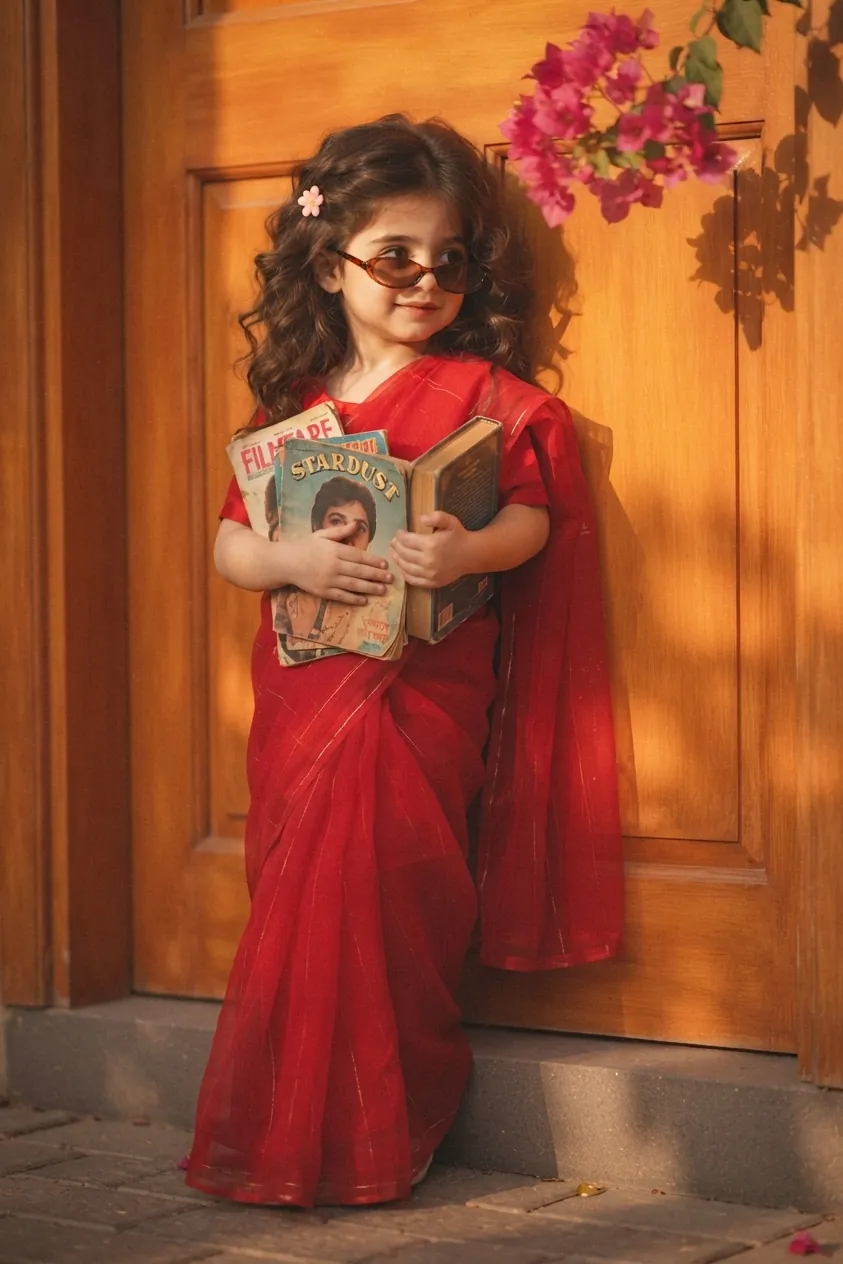
Transform this photo into a vibrant retro 90s Bollywood-style portrait. The small girl is wearing 90s Bollywood-inspired clothes, think a translucent red saree and classic sunglasses. The overall mood is romantic and cinematic with soft glowing light, film grain and a slightly faded vintage colour palette. The background is a plain, warm-toned door, illuminated by a warm light source from the right, creating a distinct, very soft edge shadow on the wall behind her. She is holding some books in her hand. Keep the face exactly the same as the reference.
Vintage boy in red kurta
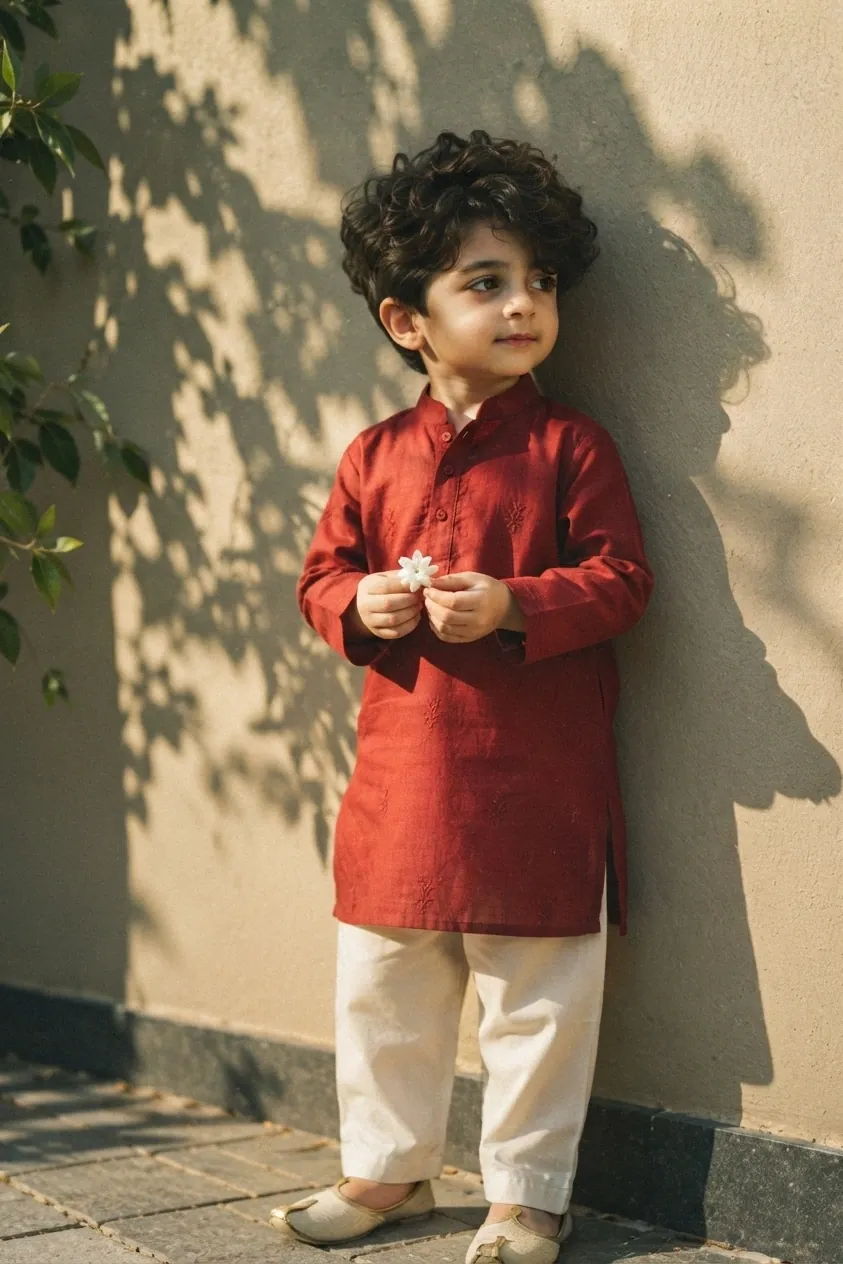
Create a retro, vintage-inspired image, grainy yet bright. The little boy should be dressed in a cute red traditional outfit (kurta) with soft textures. The vibe must capture the essence of a 90s childhood, with curly hair and a small flower in his hand. He is standing against a wall, as sunlight and shadows create a moody yet enchanting cinematic effect, giving a magical nostalgic feel. I want the same face, no alterations, 100 percent the same.
Retro girl saree portrait
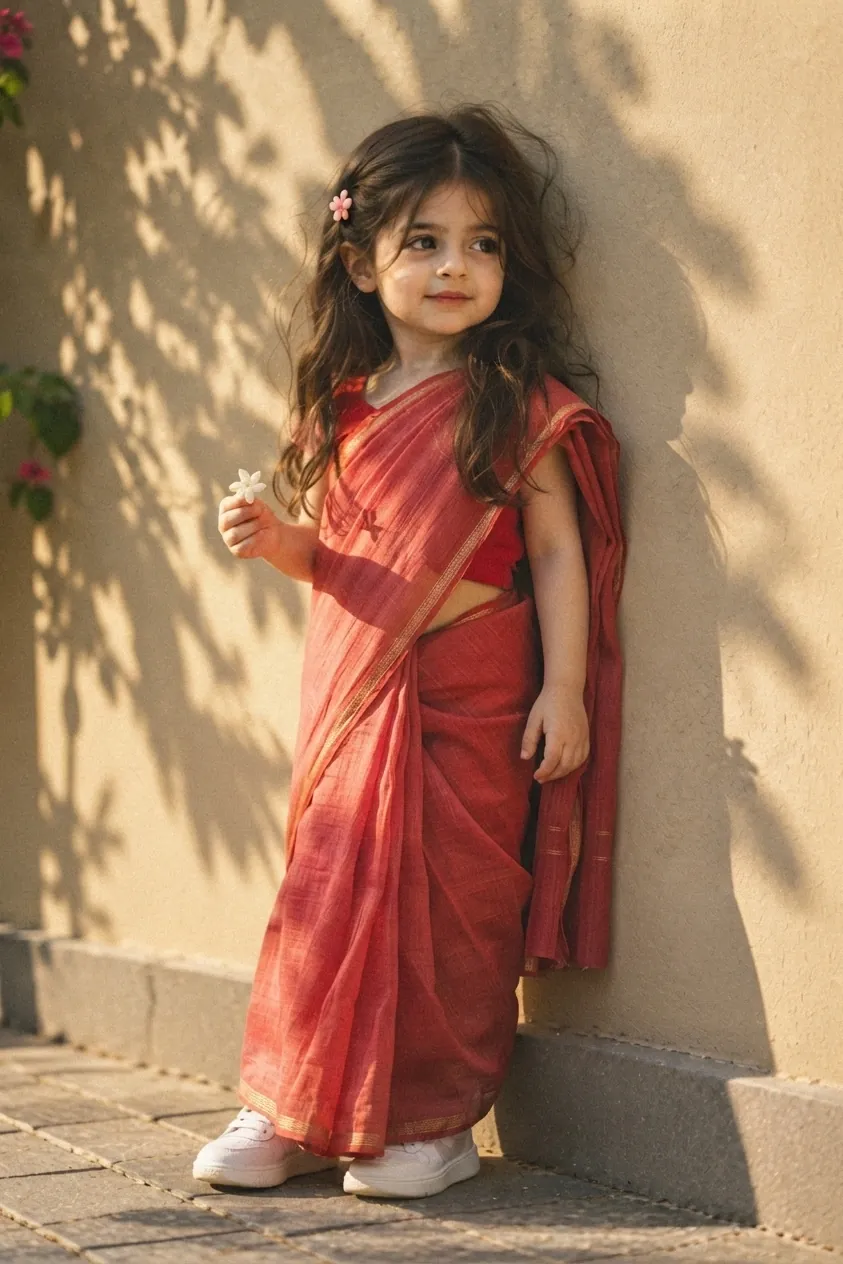
Create a retro, vintage-inspired image, grainy yet bright. The little girl should be dressed in a cute red traditional outfit (saree) with soft textures. The vibe must capture the essence of a 90s childhood, with curly hair and a small flower in her hand. She is standing against a wall, as sunlight and shadows create a moody yet enchanting cinematic effect, giving a magical nostalgic feel. I want the same face, no alterations, 100 percent the same.
Classic boy with sunglasses
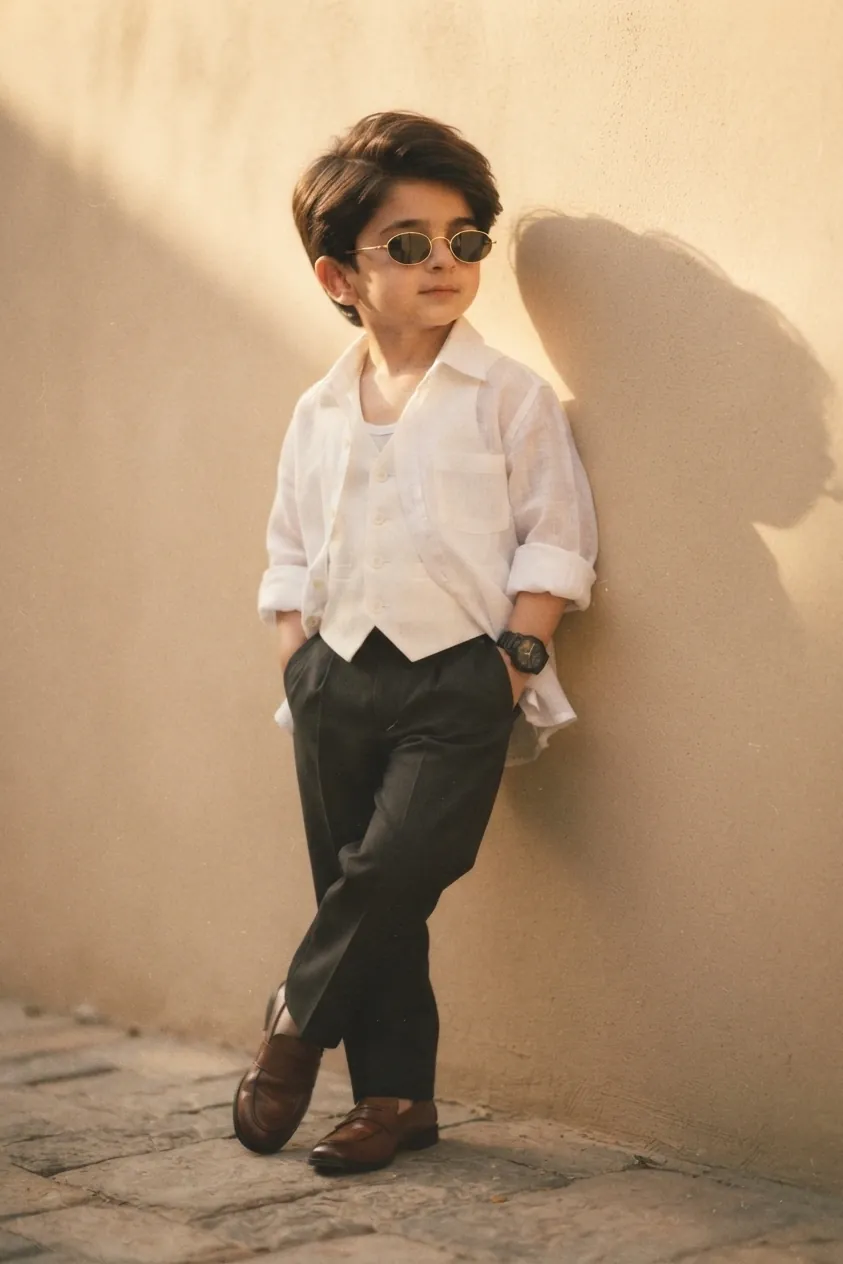
Transform this photo into a vibrant retro 90s Bollywood-style portrait. The small boy is wearing 90s Bollywood-inspired clothes, think a white translucent shirt, formal pants and classic sunglasses, with his hands in his pockets. The overall mood is romantic and cinematic with soft glowing light, film grain and a slightly faded vintage colour palette. The background is a plain, warm-toned wall, illuminated by a warm light source from the right, creating a distinct, soft edge shadow on the wall behind him. The overall mood is retro and artistic. I want the same face as I uploaded, no alteration, 100 percent the same.
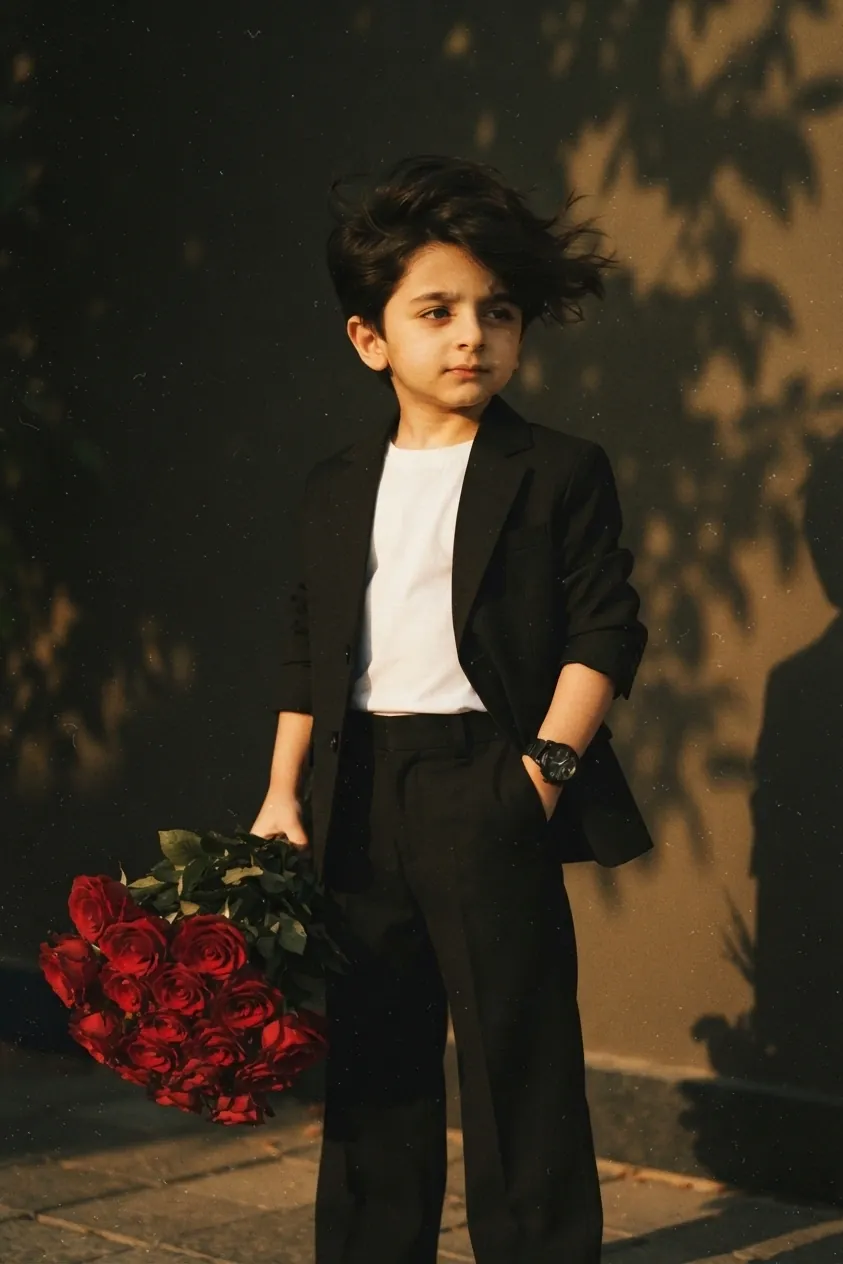
Black suit boy with roses
Create a retro vintage grainy but bright image of the reference picture, draped in a perfect black suit with Pinterest-aesthetic retro pants. It must feel like a 90s movie, with a bunch of red roses in one hand and the other hand in his pocket, romanticising a windy environment. The young boy is standing against a solid wall with deep shadow and contrast drama, creating a mysterious and artistic atmosphere. The lighting is warm with golden tones, evoking a sunset or golden hour glow. Keep the face exactly the same as the reference.
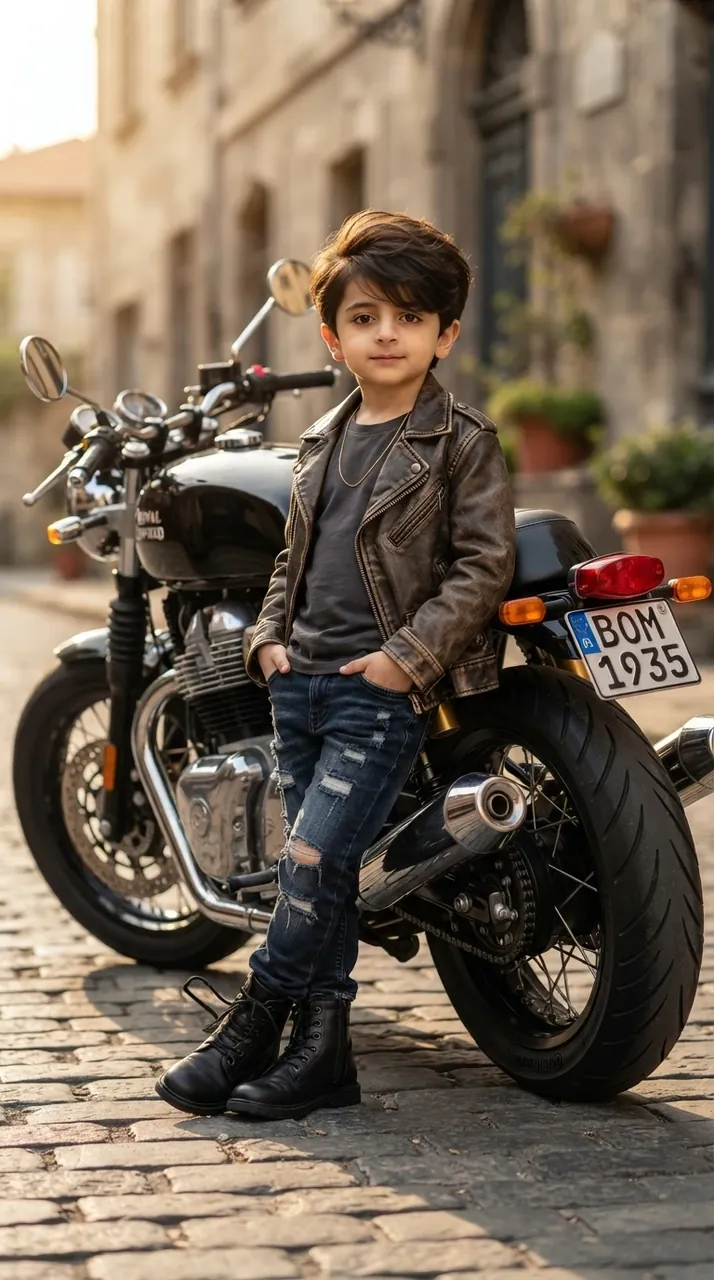
Stylish boy with motorcycle
Ultra-realistic, cinematic 8K full-body portrait of the same 7 year old boy (use the uploaded face reference exactly, 100% unchanged), leaning stylishly against a shiny black custom modified Continental GT 650 motorcycle. The bike has extensive chrome detailing, wide tyres and a clearly visible rear number plate. The boy wears a casual t-shirt with a jacket, ripped jeans and boots, and a thin chain on his chest. Shot in 9:16 vertical frame with DSLR clarity, hyper-detailed skin and cinematic lighting, a high-fashion lifestyle photoshoot aesthetic.
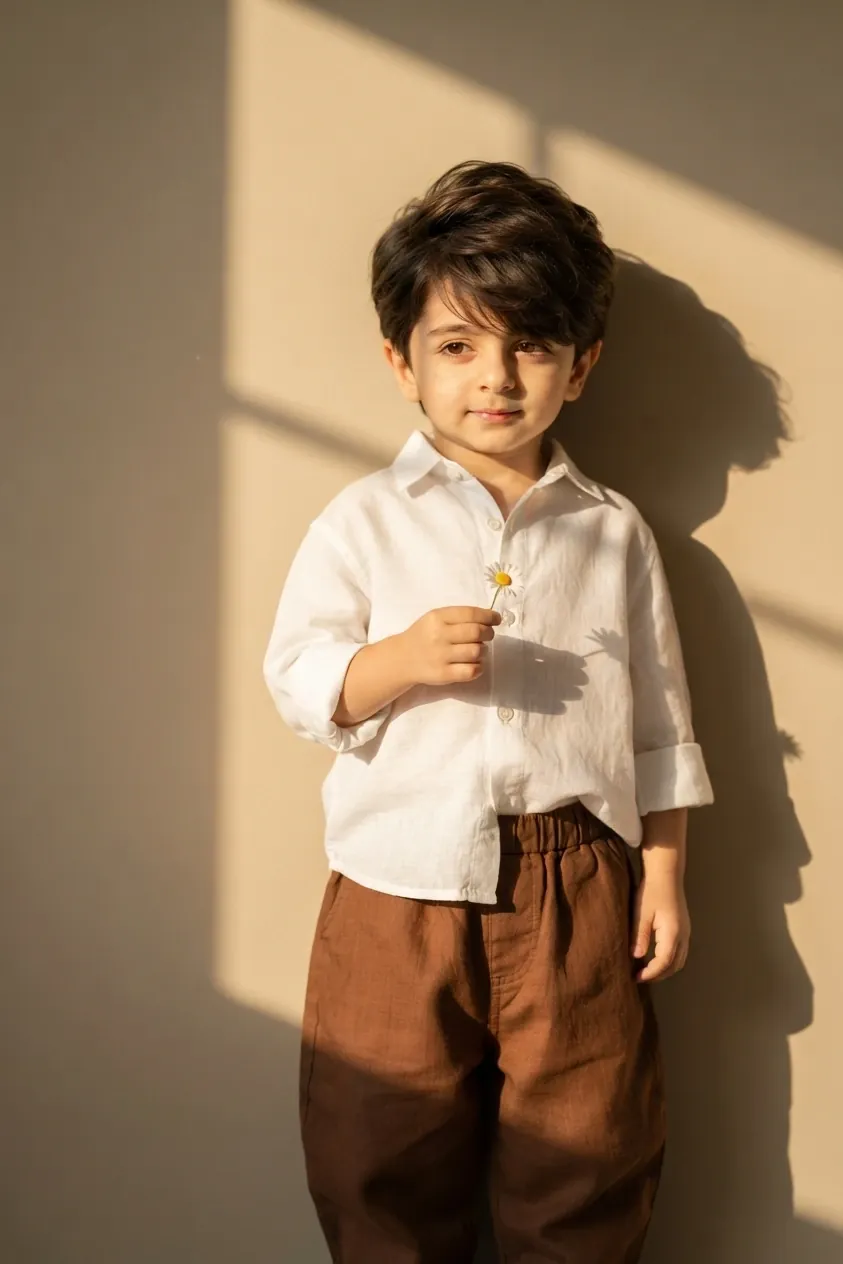
White shirt and brown trousers
Ultra-realistic portrait of the same person from the reference photo, identical face and features, no change in identity. He is standing in front of a plain neutral wall with warm sunlight casting geometric shadows. He is wearing a loose-fit crisp white shirt tucked slightly into relaxed baggy brown trousers, high-fashion editorial style. He gently holds a small white daisy flower casually. Minimalist background, cinematic light, 8K resolution, elegant film tone, natural expression.
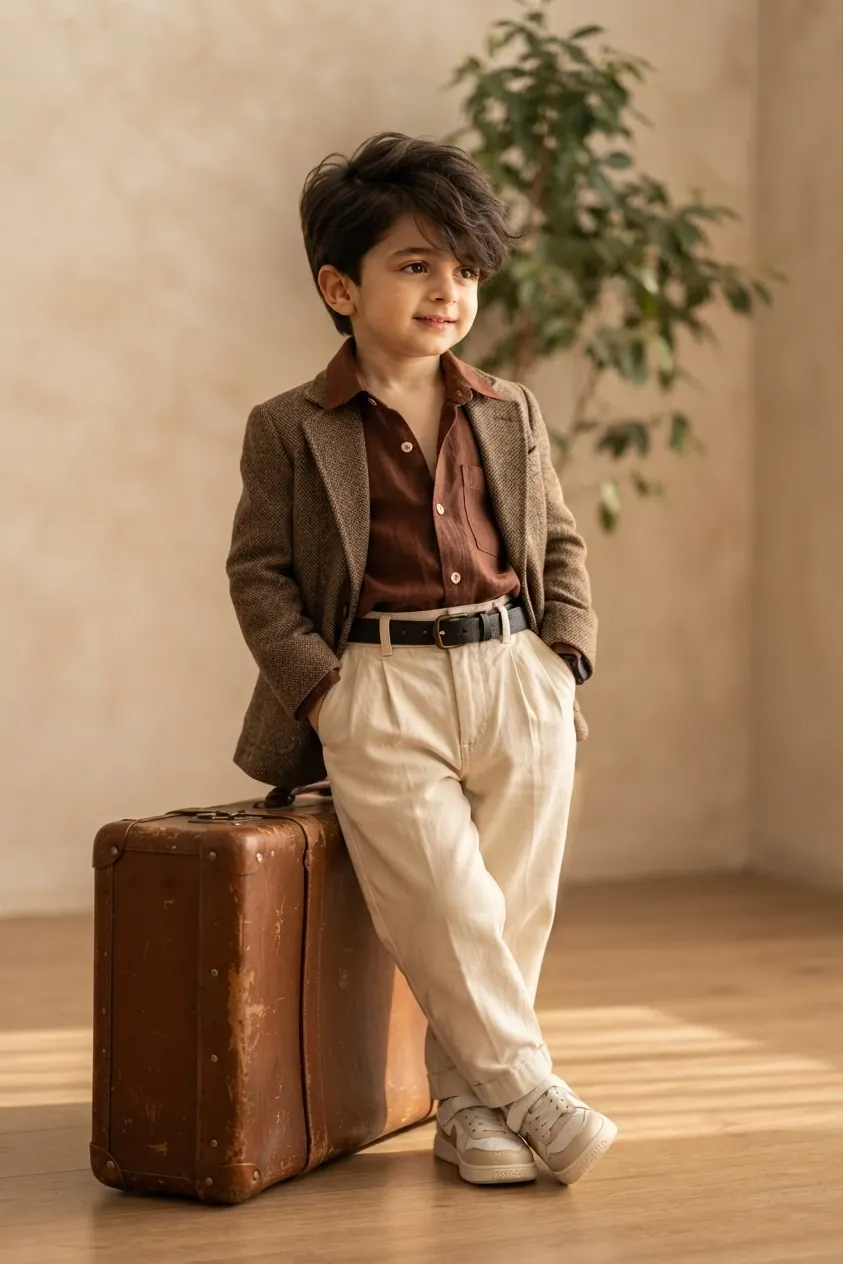
Elegant boy in brown blazer
A stylish young boy, face exactly the same as the reference image, with sharp features and dark tousled hair parted naturally. He is leaning casually against a vintage suitcase. He wears a textured brown blazer over an open-collar dark brown shirt, slightly unbuttoned at the top, paired with high-waisted light beige pleated trousers and a dark belt. The aesthetic is elegant and retro-inspired, with earthy tones. Minimalistic indoor background, cinematic warm natural lighting.
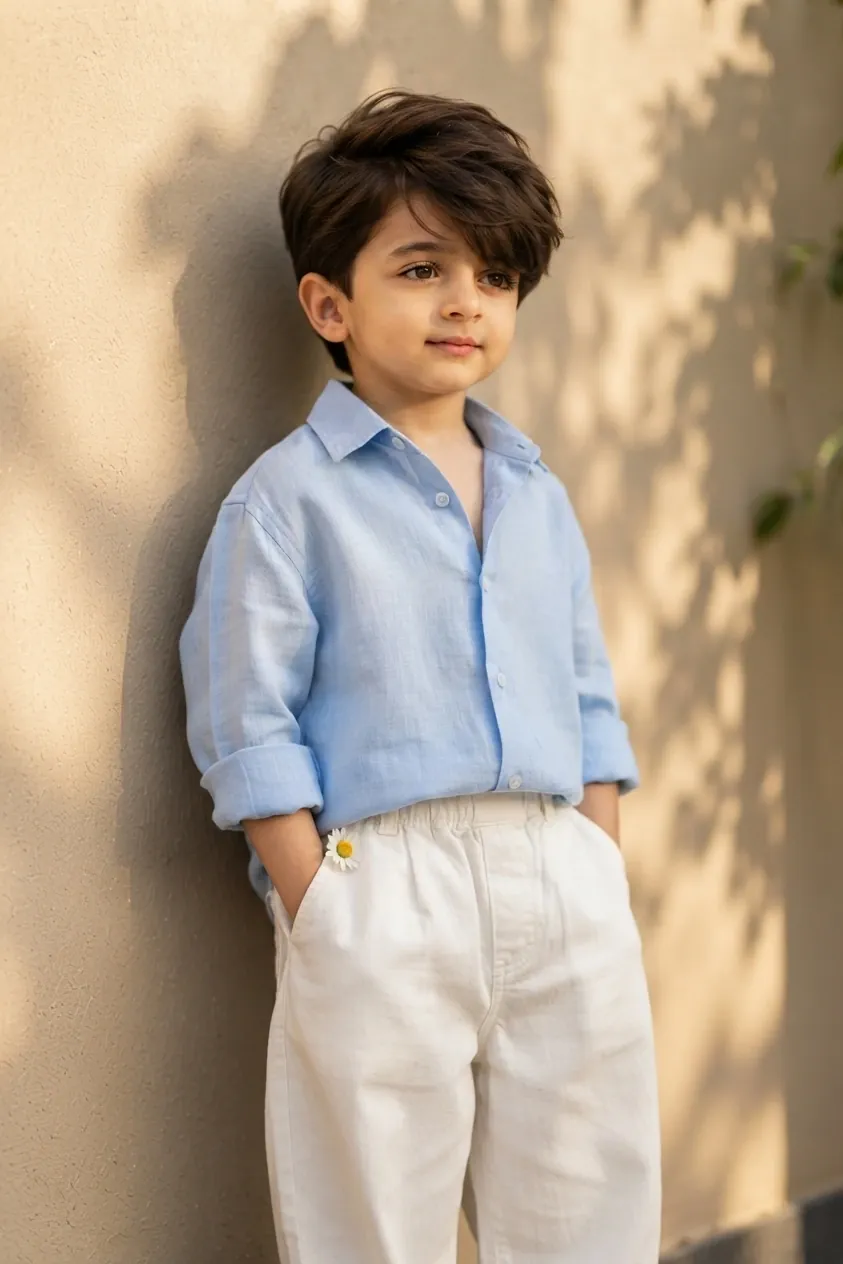
Casual boy in blue shirt
Ultra-realistic cinematic portrait of the same person from the reference photo, identical face and features, no change in identity. He is standing in front of a sunlit beige wall with soft golden shadows. He is wearing a loose-fit pastel blue shirt paired with relaxed baggy white trousers, modern high-fashion editorial style. His hands are tucked in his pockets, with a small white daisy flower peeking from one pocket. Minimal background, cinematic light and shadows, ultra realistic, 8K resolution, fashion editorial mood.
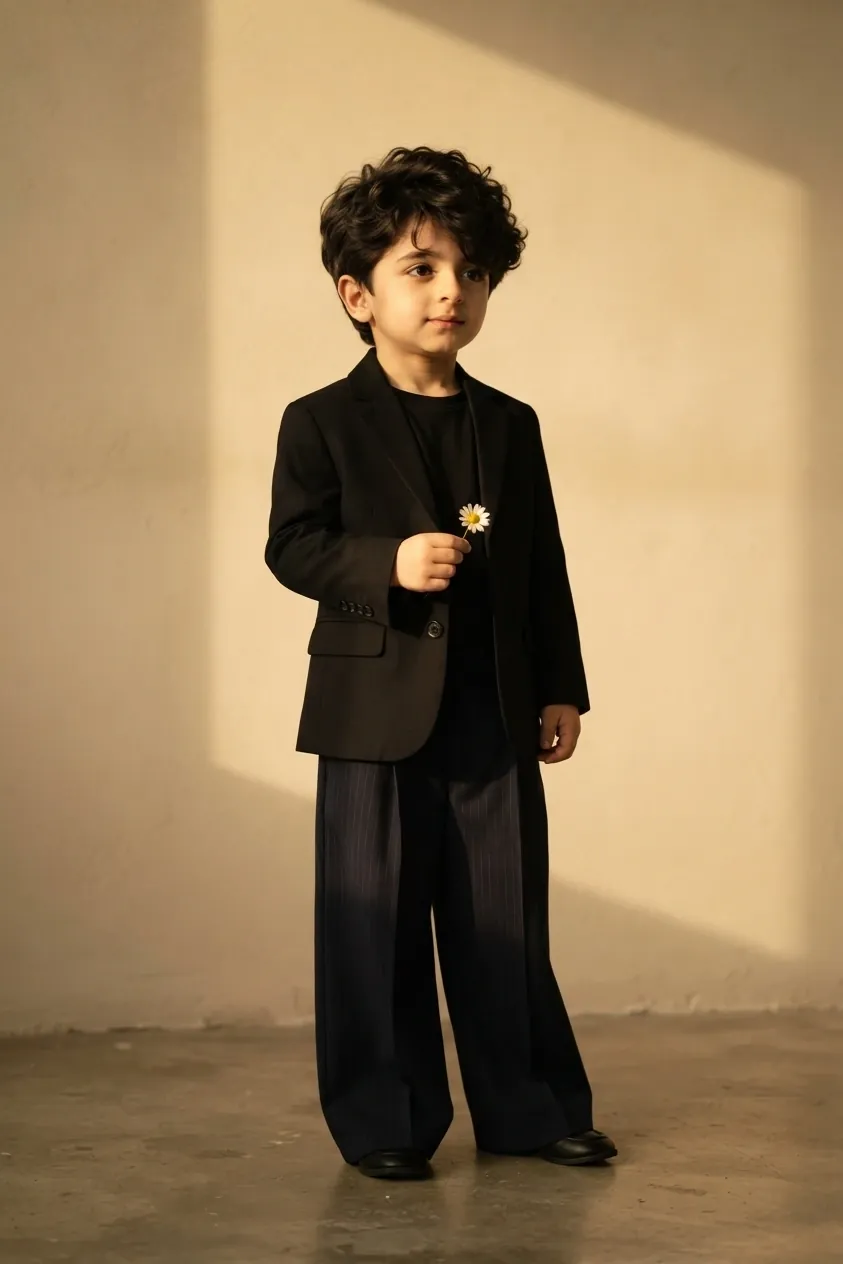
Black blazer boy with daisy
Ultra-realistic cinematic portrait of the same person from the reference photo, identical face and features, no change in identity. He is standing against a plain beige wall with warm golden sunlight casting soft dramatic shadows. He is wearing a stylish black tailored blazer over a black shirt, paired with wide-leg dark trousers with subtle pinstripes, modern high-fashion model style. He gently holds a small white daisy flower in his hands. Minimal background, cinematic lighting, 8K resolution, vintage tones, natural expression.
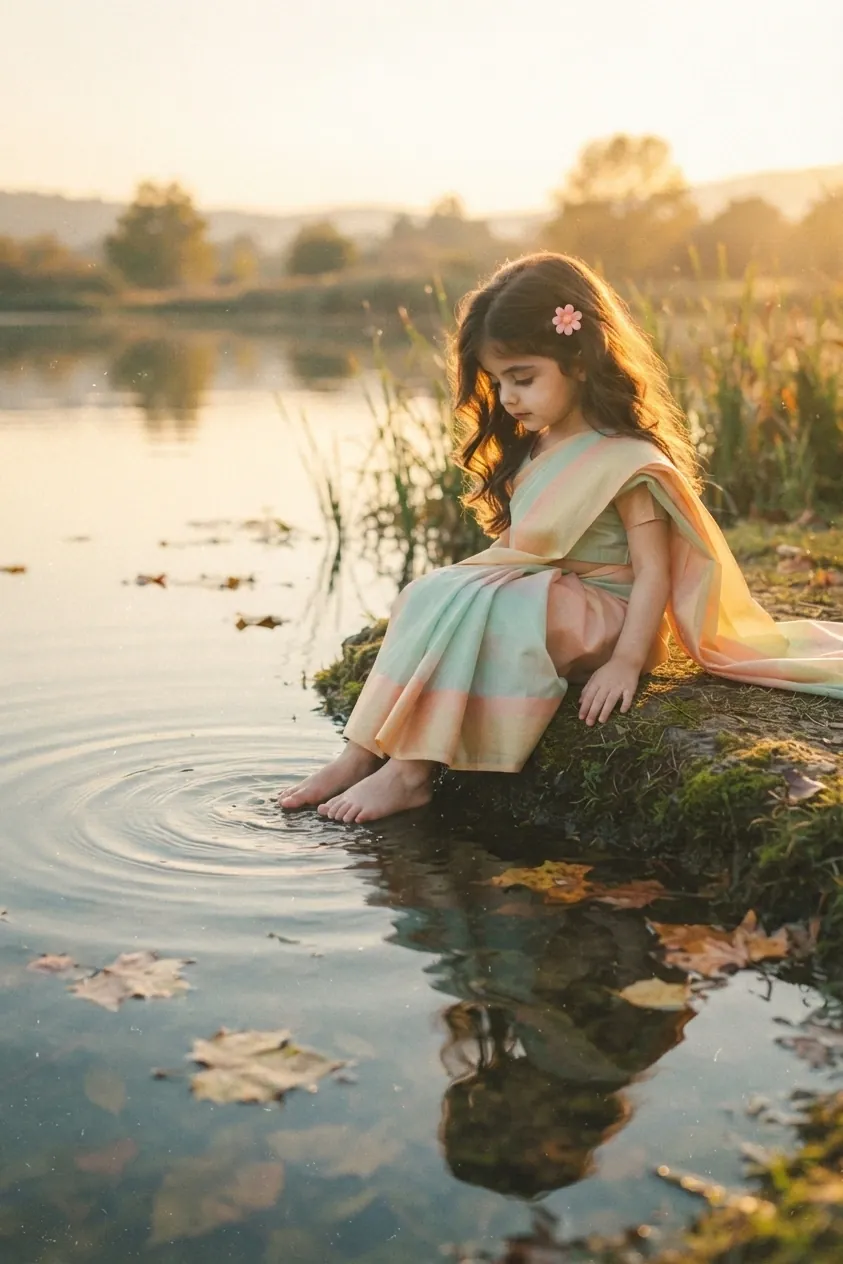
Girl by the lakeside
Create a retro, vintage-inspired image, grainy yet bright. A little girl in a soft pastel saree sits near a calm lake, dipping her toes in the water. A few ripples form around her, while fallen leaves float on the surface. Her hair shines in the golden sunlight, and a tiny flower is tucked behind her ear. The atmosphere is dreamy, quiet and nostalgic, with soft shadows and reflections creating an enchanting cinematic effect. Keep the face exactly the same as the reference.
What are kids AI photo editing prompts?
Kids AI photo editing prompts are written instructions that tell Gemini how to restyle your child’s photo. You upload one photo, paste the prompt, and the AI changes the outfit, light, background and mood while keeping the face.
Before AI, a retro 90s portrait meant a studio, props and an editor. Now a short prompt does the same job in under a minute, so a simple phone photo can become a cinematic memory or a festive profile picture.
What makes a kids photo prompt work
- A face-lock line. Always add: keep the face exactly the same as the reference.
- A named outfit. Say red kurta, pastel saree or black blazer, not just nice clothes.
- One light and one background. For example, warm golden light on a plain beige wall.
- One small prop. A rose, a daisy or books keeps the photo simple and natural.
How to use these prompts in Gemini
Open Gemini
Use the Gemini app or website and sign in with your Google account.
Upload the photo
Pick one sharp, front-facing photo with good light.
Paste the prompt
Copy the full prompt from this page and send it with the photo.
Adjust and save
If it is close, ask for one change, such as softer light. Then download it.
Tips for better results
- Use a sharp, front-facing photo. A blurry photo is the main reason the face changes.
- Keep the face-lock line in every prompt.
- Change one detail per try, such as the outfit or the colour, then compare.
- Run the same prompt twice, because AI results vary each time.
- Do not upload photos that show a school name, address or other private details.
Kids photo prompt questions
What is the best Gemini prompt for kids photo editing?
The best prompt names the outfit, the background, the light and one prop, and it includes a line that keeps the child’s face exactly the same. Start with the vintage boy or retro girl prompts on this page and change one detail at a time.
Are these kids AI photo editing prompts free?
Yes. All prompts on this page are free to copy. Gemini has a free tier for image editing, though limits can change, so check the app for your current allowance.
How do I keep my child’s face the same in Gemini?
Upload one sharp, front-facing photo and add the line keep the face exactly the same as the reference, no changes. Every prompt on this page already includes a face-lock line.
Can I use these prompts for girls and boys?
Yes. The prompts are written for a boy or a girl, but you can swap the outfit words, such as kurta for saree, and keep the rest of the prompt the same.
Is it safe to upload my child’s photo to an AI tool?
Only upload photos you are comfortable sharing, and read the privacy settings of the app you use. Avoid photos that show a school name, address or other private details.