Trending Guru Randhawa Song CapCut Template 2026 (Guru randhawa edit)
↓ Jump to the templateThe Guru randhawa edit template by Rajan Editz is a 12 second CapCut template for a stylish Punjabi song reel. It has 6 clip slots, a 9:16 layout, and 1.74K uses on CapCut. It suits a slow walk, close up details, and smooth beat synced cuts for Reels and status videos.
Trending Guru Randhawa Song CapCut Template on Editing Prompt
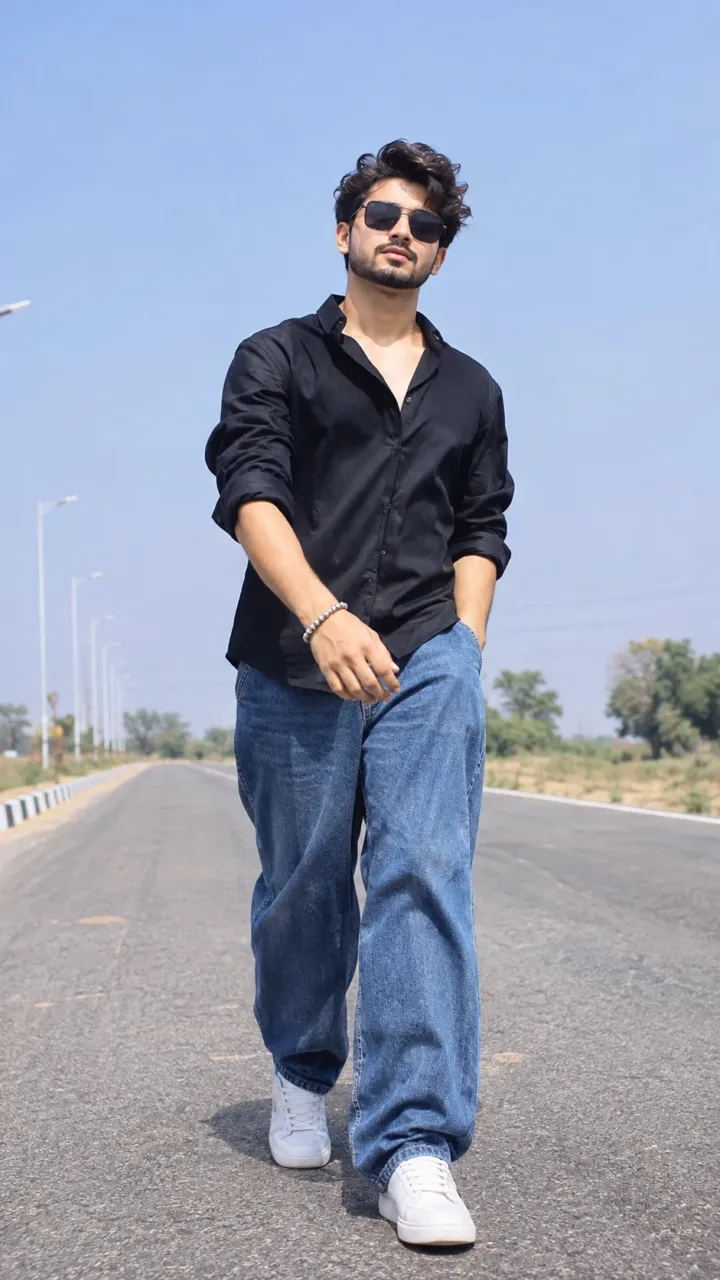
Guru randhawa edit
A stylish song reel template that turns 6 photos or short clips into a 12 second video, with a confident walk, close up details, and smooth transitions timed to the beat.
Created by Rajan Editz · Listed on Editing Prompt
What Is the Trending Guru Randhawa Song CapCut Template on Editing Prompt?
The Trending Guru Randhawa Song CapCut Template is a short, stylish video template made for song reels. It takes 6 photos or short clips and turns them into a clean 12 second edit that feels made for a Punjabi pop track.
On Editing Prompt, this listing points you to the real CapCut template page, where you can open the template, add your clips, and export the finished reel. You do not need to rebuild the timing or the transitions from scratch.
The template works best with confident street style shots. A slow walk on an open road, a simple pose, and a few close up details give the edit its polished, music video feel.
Trending Guru Randhawa Song CapCut Template Details
| Template name | Guru randhawa edit |
|---|---|
| Creator | Rajan Editz |
| Duration | 12 seconds |
| Clip slots | 6 photos or clips |
| Aspect ratio | 9:16 |
| Total uses | 1.74K on CapCut |
| Best for | Photos or short clips for Instagram Reels, WhatsApp status, and YouTube Shorts |
| Cost | Free to use on CapCut |
| Listed on | Editing Prompt |
How to Use This Template
- Tap the Use on CapCut button above on Editing Prompt to open the template page.
- Tap Use this template on the CapCut page or inside the CapCut app.
- Select the photos or clips to fill the 6 clip slots, starting with your strongest walking shot.
- Preview the reel, check the order and timing, then export it.
Tips for Better Results
Choose bright daylight shots with a clear subject and a clean road or street background. Sharp, well lit clips make the beat synced cuts look smooth.
Mix one or two close up details, such as a bracelet, shoes, or a jacket detail, with full length walking shots. That mix keeps a short 12 second reel from feeling flat.
Preview the export on your phone before you share it. Check that your face and outfit stay inside the tall 9:16 frame.
Who Should Use This Template?
This template is for creators who want a quick, stylish song reel without a long edit, including fans of Punjabi pop music, street style creators, and anyone making Reels, Shorts, or status videos.
Conclusion
The Guru randhawa edit template is a simple way to turn 6 clips into a stylish 12 second song reel. Open it with the button above on Editing Prompt, add your clips, and export.
For more trending styles, browse the full library on Editing Prompt, where new CapCut templates and editing prompts are added regularly.
FAQ
Yes. The template is listed as free on CapCut, and you can open it from the Use on CapCut button above on Editing Prompt.
You need 6 clips, because the template has 6 clip slots.
The finished reel is 12 seconds long.
The template was created by Rajan Editz on CapCut.
A bright, confident walking clip works best, especially one taken in daylight on an open road, plus a close up detail for variety.
Looking for more trending edits? Explore more CapCut templates and AI photo prompts on Editing Prompt.
← Back to Editing Prompt