Photo Editing Prompt (2026): 4 Free AI Ideas
Edit any photo with four free ideas: a clean studio retouch, a vintage film grain look, a golden beach sunset and a double exposure city portrait, all with your face kept exactly the same. Copy a prompt, paste it in ChatGPT or Gemini with your photo, and you are done.
Quick answer
A photo editing prompt is a short text that tells ChatGPT or Gemini exactly how to edit your picture: retouch skin like a studio shot, add vintage 35mm film grain, move you to a beach at sunset, or blend a city skyline into your portrait. Upload one clear photo, paste the prompt below, and keep the line that says do not change the face.
Photo editing prompt: 4 free ideas
Four ideas, four prompts. Tap Copy prompt, open ChatGPT or Gemini, upload your photo and paste.
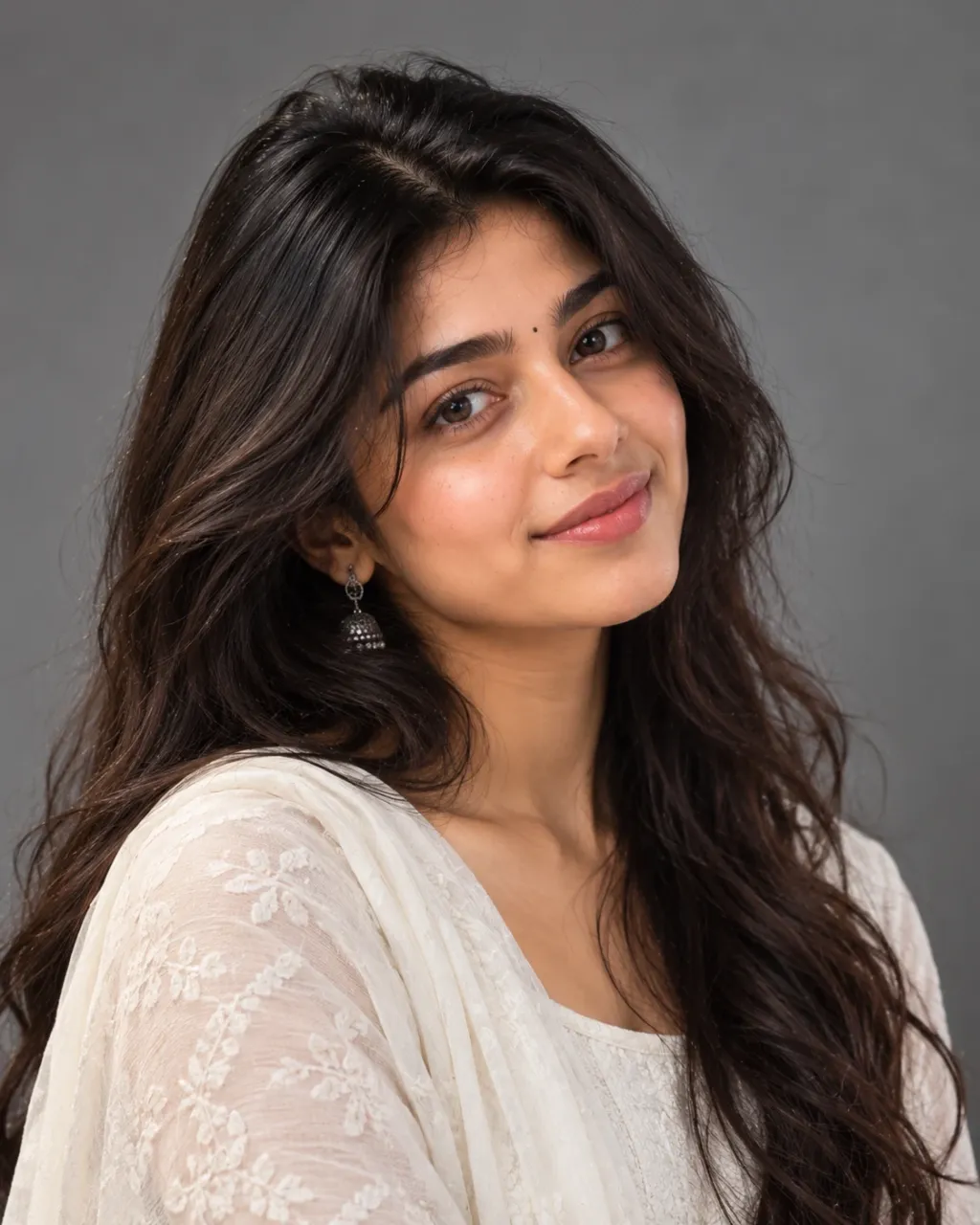
Clean studio portrait retouch
Turn this photo into a clean professional studio portrait: a young Indian woman photographed against a soft grey studio backdrop, soft diffused lighting, natural skin retouch with real texture, sharp eyes, subtle makeup, professional headshot quality. Do not change the face. Keep the exact facial features from the uploaded photo.
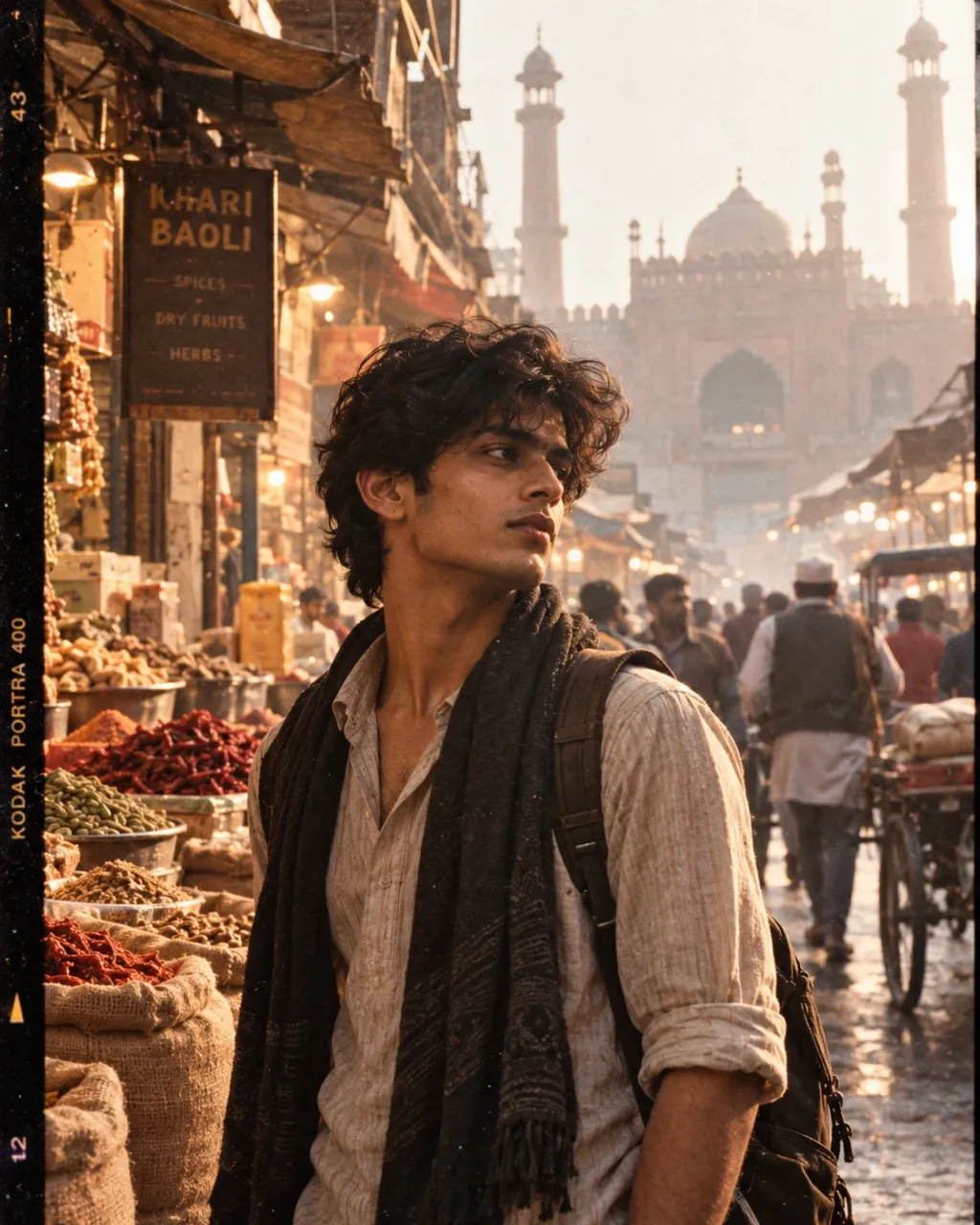
Vintage film grain street portrait
Edit this photo into a vintage 35mm film portrait: a young Indian man standing in an old Delhi market on a misty morning, visible film grain, slightly faded warm colors, soft halation on highlights, candid documentary feel. Do not change the face. Preserve the original facial features exactly.
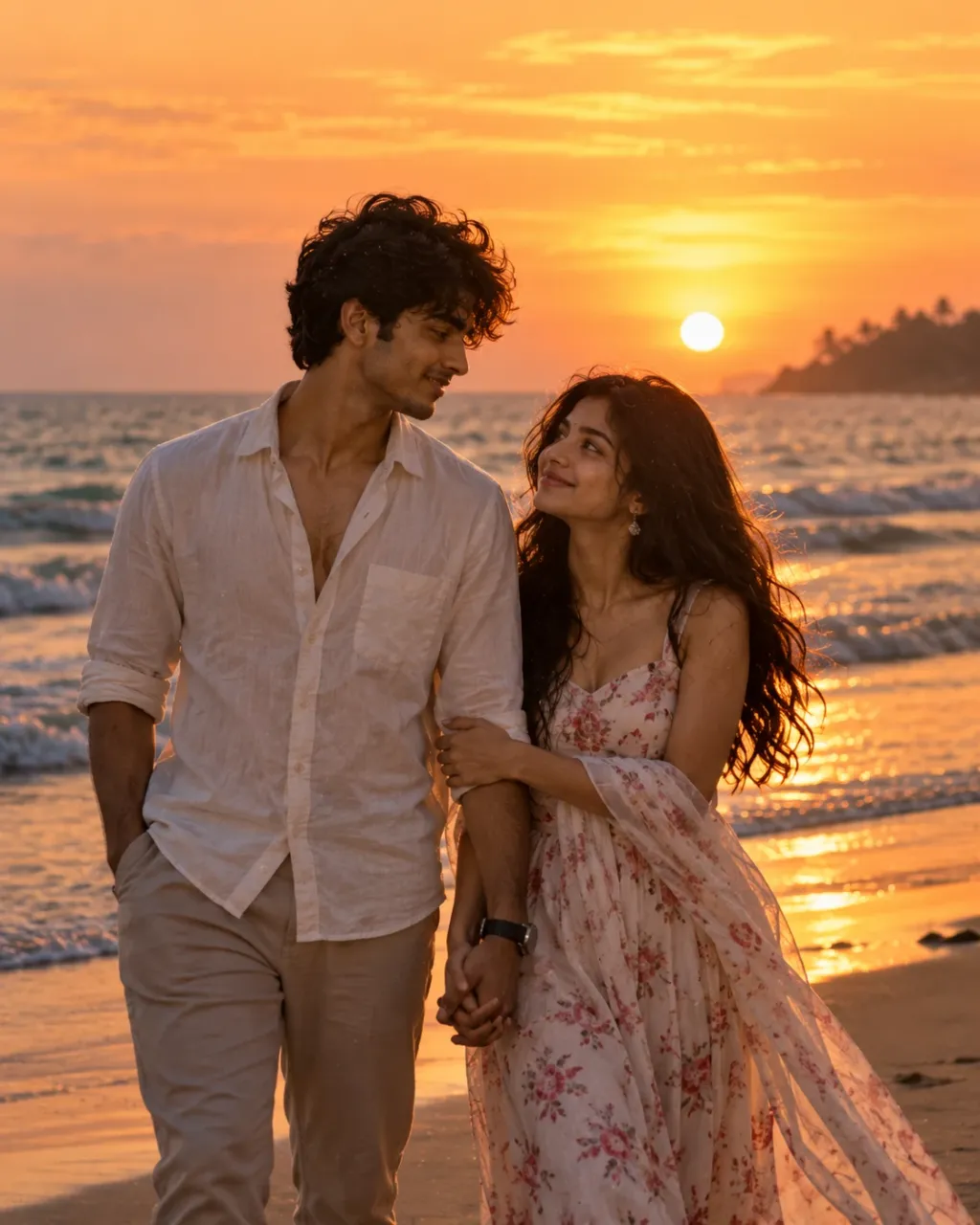
Golden beach sunset portrait
Create a golden beach sunset portrait from this photo: an Indian couple walking along the shoreline as the sun sets, warm orange and pink sky, soft glowing light on their faces, gentle ocean waves, dreamy romantic mood. Do not change the faces. Keep both faces exactly the same as the uploaded photo.
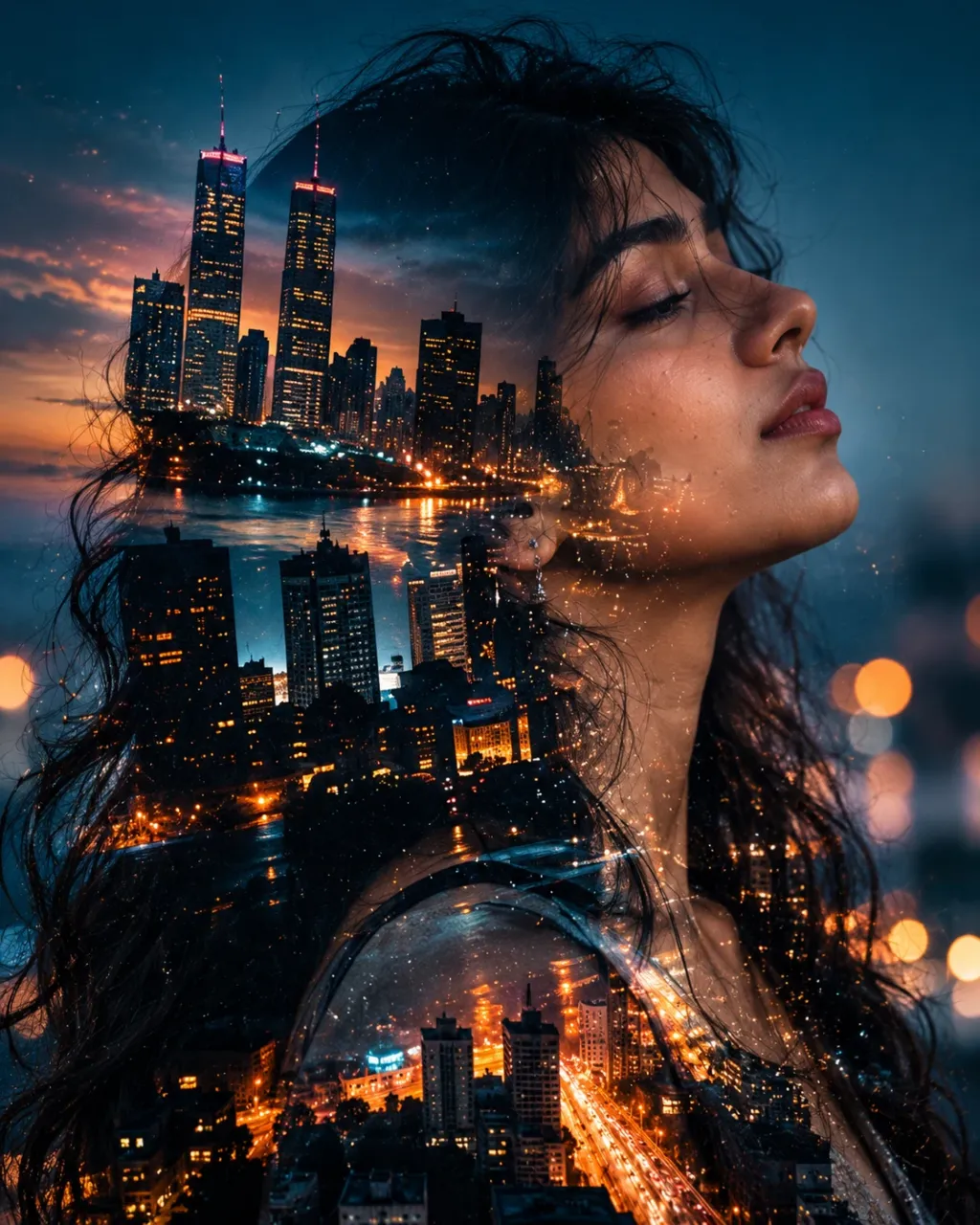
Double exposure city portrait
Make a double exposure portrait from this photo: a young Indian woman’s profile blended with a glowing night city skyline inside her silhouette, deep blue tones, street light bokeh, artistic layered composition. Do not change the face. Keep the exact facial features from the uploaded photo.
What is a photo editing prompt?
A photo editing prompt is a written instruction that tells an AI image tool how to change your photo. Instead of learning editing software, you describe the result you want: cleaner skin, an old film look, a new background, or an artistic blend.
The four prompts on this page cover the most asked-for edits: a studio-style retouch, a vintage grain portrait, a beach sunset scene and a double exposure artwork. Each one locks your face, so the edited photo still looks like you. For more free picks, see the Editing Prompt homepage.
What each part of these prompts does
- Studio retouch. Smooths skin naturally, sharpens the eyes and puts you on a clean grey backdrop.
- Vintage film grain. Adds 35mm grain, faded warm colors and soft highlight glow for an old-photo feel.
- Beach sunset swap. Replaces your background with a golden shoreline and a colorful sky.
- Double exposure. Blends a night city skyline inside your portrait silhouette.
- Do not change the face. Locks your features so every edit still looks like you.
- Mood words. Cinematic, dreamy and documentary tell the tool how the photo should feel.
Which prompt should you pick?
- Clean profile picture: the studio retouch.
- Artistic feed post: the vintage film or double exposure look.
- Romantic edit: the beach sunset scene.
If a face changes, add this line
Make sure the face stays exactly the same. Paste it at the end of any prompt if the first result looks like someone else.
How to use these prompts in ChatGPT and Gemini
Open your AI tool
Use the ChatGPT or Gemini app or website, sign in and pick the image creation option.
Upload your photo
Add one sharp photo where your face is clearly visible, with good light.
Paste the prompt
Paste the full prompt and send. If your face changes, add: make sure the face stays exactly the same.
Adjust and save
If it is close, ask for one change, such as stronger grain or a softer retouch. Then download the version you like.
Easy ways to change the look
Change one phrase at a time and compare. These swaps are starting points, and results vary by tool.
- Backdrop color: swap the grey studio backdrop for white, black or a colored paper roll.
- Film era: ask for 1970s warm tones or a faded 90s disposable camera look.
- Beach time: change sunset to sunrise or a bright blue midday beach.
- Blend image: replace the city skyline with mountains, forest or ocean waves.
- Intensity: ask for stronger grain or a cleaner look, depending on your taste.
Fix common problems with photo editing prompts
Most problems come from the result looking too clean or the face drifting. Here is what to try first.
- Skin looks plastic. Add: natural skin texture, keep pores and fine lines.
- Face changed. Use a sharp photo and add: make sure the face stays exactly the same.
- Grain is too strong. Ask for subtle film grain instead of heavy grain.
- Background edges look cut out. Ask for realistic blending, natural shadows and matching light.
- Double exposure looks messy. Ask for a clean silhouette with one clear blended scene.
- Colors look wrong. Name the palette, such as warm orange and teal, in the prompt.
AI results differ every run, so it is worth running the same prompt twice before you change it.
Photo editing prompt questions
What is a photo editing prompt?
It is a short text you paste into ChatGPT or Gemini with your photo, describing the edit you want: retouch, vintage grain, a new background or an artistic blend. The AI applies the edit while keeping your face.
Can AI really retouch my photo?
Yes. A retouch prompt asks for natural skin smoothing, sharper eyes and clean studio light. For best results, upload a sharp, well-lit photo.
What is the double exposure prompt?
It blends two images into one: your portrait silhouette filled with a night city skyline. It is a popular artistic edit, and the prompt on this page builds it in one step.
Will my face stay the same after editing?
Yes, if you keep the face-lock line. Every prompt on this page says do not change the face. If a face drifts, add: make sure the face stays exactly the same.
Which tool gives better edits, ChatGPT or Gemini?
Both follow the same prompts. Gemini is quick for photo edits, ChatGPT is strong on artistic blends. Try the same prompt in both and compare.
Are these photo editing prompts free?
Yes, all four are free to copy with no sign-up. The AI tools offer some free image generation, but limits can change, so check the app.
Recent posts
Snowfall Winter Couple AI Photo Prompt (2026)

Autumn Girl AI Photo Prompt (2026)
Spider Background AI Photo Prompt (2026)
Want more? Browse every free prompt on Editing Prompt homepage.