Aesthetic Blurry Saree AI Photo Editing Prompt (2026)
Turn a plain selfie into a dreamy golden saree portrait with soft motion blur. Copy the prompt, paste it in Gemini or ChatGPT, and get a vertical 9:16 image that looks like it was shot on a slow shutter.
Quick answer
An aesthetic blurry saree AI photo editing prompt is a short text that asks an AI tool such as Gemini or ChatGPT for a portrait with intentional motion blur, like a long-exposure shot, of a woman in a golden saree. Copy the prompt below, add your own selfie if you want your face in it, and generate a vertical 9:16 image.
Aesthetic blurry saree AI photo editing prompt: 3 results
One prompt, three results. Tap Copy prompt on any card, open Gemini or ChatGPT, upload a selfie if you like, and paste.
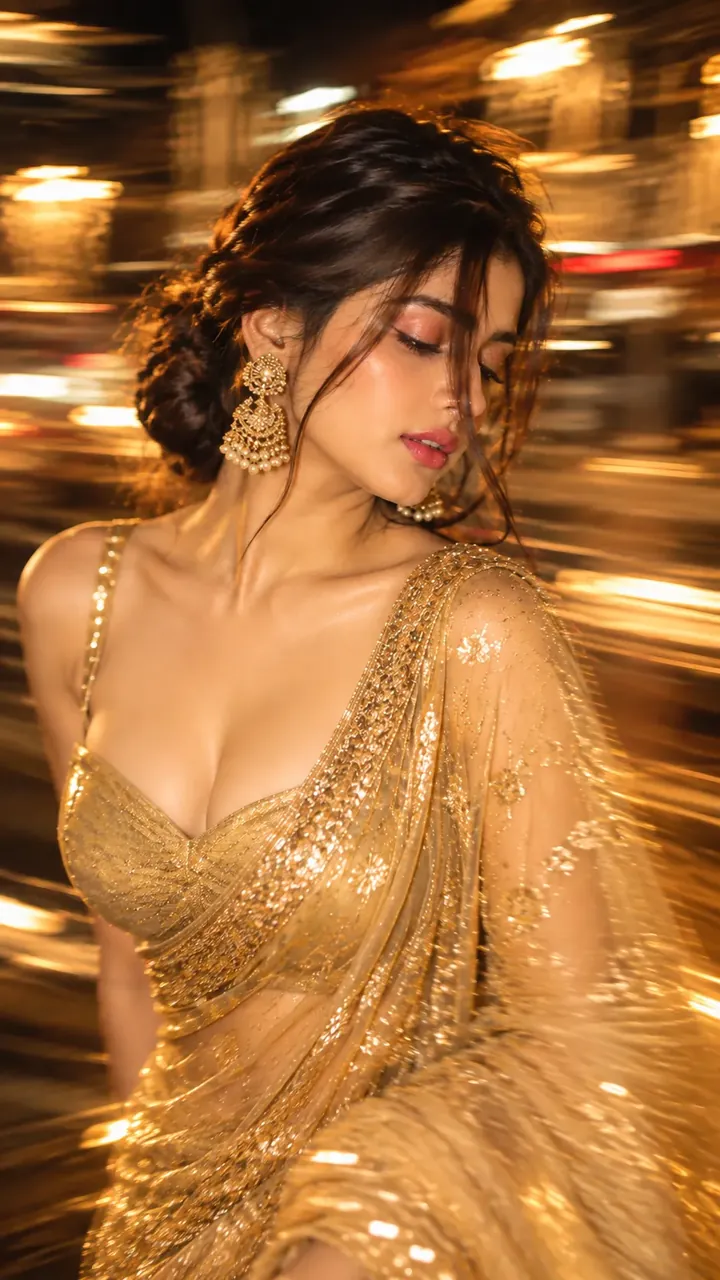
Golden saree motion blur
Create a portrait with intentional motion blur, like a long-exposure shot, framed moderately close rather than an extreme close-up. She wears a golden saree with a matching sweetheart-neckline blouse, hair in a loose low braided bun with one strand falling across her face. Head tilted slightly down and turned to one side, one eye softly concealed by the strand, lips gently parted. Statement gold earrings, shoulders exposed, radiant glowing skin, soft peach-toned makeup, dusty-rose lips. Vertical 9:16.
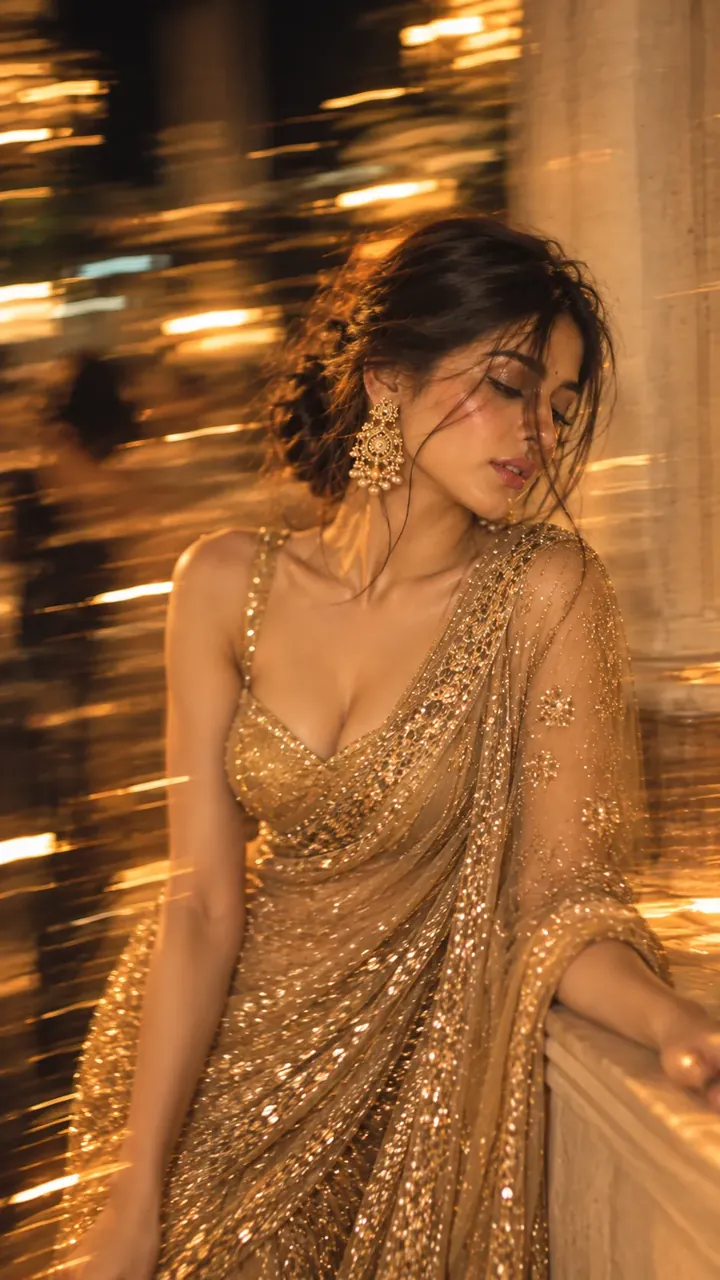
Aesthetic blurry saree portrait
Create a portrait with intentional motion blur, like a long-exposure shot, framed moderately close rather than an extreme close-up. She wears a golden saree with a matching sweetheart-neckline blouse, hair in a loose low braided bun with one strand falling across her face. Head tilted slightly down and turned to one side, one eye softly concealed by the strand, lips gently parted. Statement gold earrings, shoulders exposed, radiant glowing skin, soft peach-toned makeup, dusty-rose lips. Vertical 9:16.
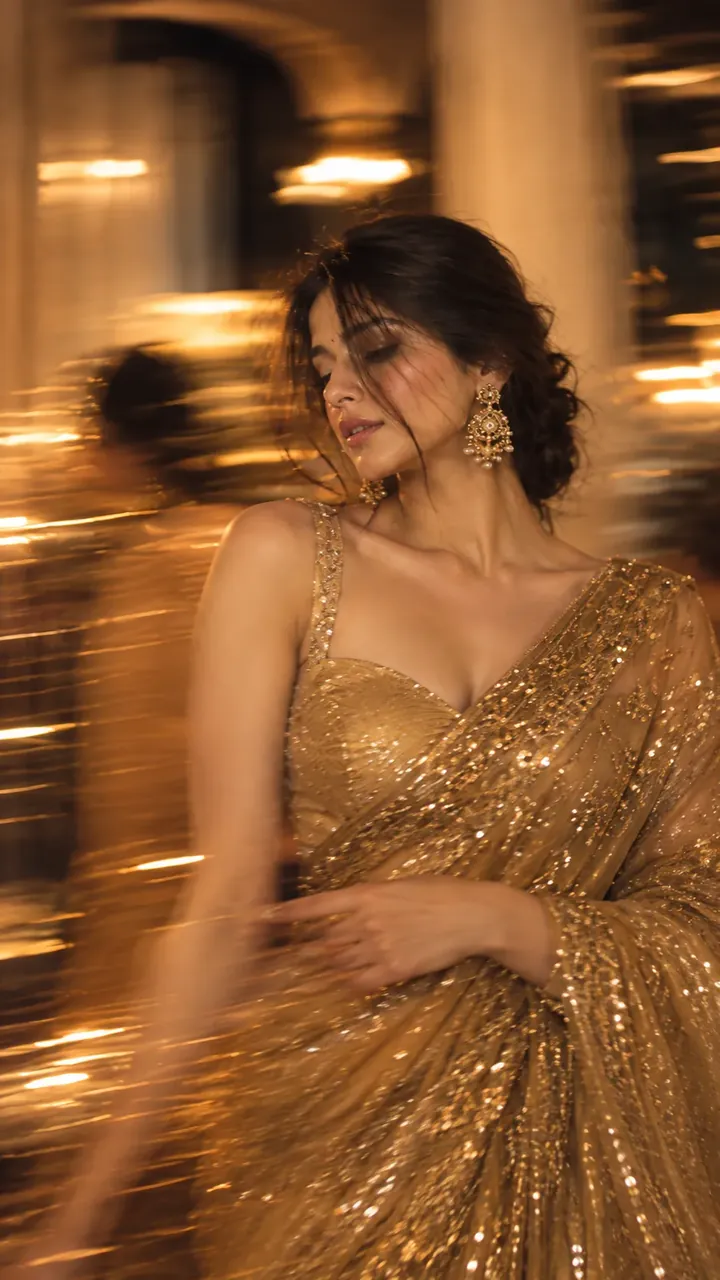
Dreamy golden saree portrait
Create a portrait with intentional motion blur, like a long-exposure shot, framed moderately close rather than an extreme close-up. She wears a golden saree with a matching sweetheart-neckline blouse, hair in a loose low braided bun with one strand falling across her face. Head tilted slightly down and turned to one side, one eye softly concealed by the strand, lips gently parted. Statement gold earrings, shoulders exposed, radiant glowing skin, soft peach-toned makeup, dusty-rose lips. Vertical 9:16.
What is an aesthetic blurry saree AI photo editing prompt?
An aesthetic blurry saree AI photo editing prompt is a written instruction that asks an AI image tool for a soft, motion-blurred portrait of a woman in a saree. It copies what a photographer gets with a slow shutter and a little movement: edges smear, light streaks across the frame and the face stays just readable.
On a golden saree the smear picks up the zari and turns it into a warm glow, and that glow is the whole charm. A phone camera rarely gives you this on purpose, and a real camera takes practice. An AI tool does it from one paragraph. For more free picks, see the Editing Prompt homepage.
What each part of the prompt does
- Intentional motion blur, like a long-exposure shot. This phrase makes the smeared, ghosting effect. Leave it out and the image comes back sharp.
- Framed moderately close. The face, blouse and part of the drape stay in the frame, so the gold still shows.
- A golden saree with a matching blouse. One colour story, and no clashing patch at the neckline.
- A loose low braid with one strand across the face. The candid detail that gives the blur something to catch.
- Head tilted down, one eye half hidden, lips parted. The quiet, dreamy pose that makes it feel like a moment, not a studio shot.
- Gold earrings, glowing skin, peach makeup, dusty-rose lips. A warm palette, so the blur looks planned instead of accidental.
- Vertical 9:16. Fills a phone screen, which is what Reels, Stories and wallpapers need.
Using your own photo? Add this line
Keep my face and features exactly the same as the reference photo. Without it, many tools invent a new face.
How to use this prompt in Gemini and ChatGPT
Open your AI tool
Use the Gemini or ChatGPT app or website, sign in and pick the image creation option.
Add your selfie (optional)
For a portrait that looks like you, upload one sharp, front-facing selfie. Skip this if you only want a generic model.
Paste the prompt
Paste the full prompt. If you uploaded a selfie, add the face-lock line from this page, then send.
Adjust and save
If it is close, ask for one change, such as softer blur or warmer light. Then download the version you like.
Easy ways to change the look
Change one phrase at a time and compare. These swaps are starting points, and results vary by tool.
- Saree colour: change golden to emerald green, deep maroon or ivory with a gold border.
- Blur strength: use subtle motion blur for more detail, or strong motion blur for a dreamier smear.
- Light: add warm sunset light or soft window light.
- Crop: replace moderately close with waist-up to show more of the drape.
- Format: change Vertical 9:16 to Vertical 4:5 for an Instagram feed post.
Fix common problems with blurry saree prompts
Most problems come from the blur landing on the wrong thing. Here is what to try first.
- The whole image is blurry, including the face. Keep framed moderately close and add: face partly sharp, blur on the saree and edges.
- The picture comes out sharp, with no motion. Move intentional motion blur to the start of the prompt, or use strong motion blur.
- The face does not look like me. Use one sharp, front-facing selfie and add the face line.
- The saree looks plain. Name the detail: golden saree with a fine zari border.
- The skin looks too smooth. Add: natural skin texture.
- The shape is square or wide. Keep Vertical 9:16 at the end, and pick the tall ratio in the tool if it offers one.
AI results differ every run, so it is worth running the same prompt twice before you change it.
Blurry saree prompt questions
What is an aesthetic blurry saree AI photo editing prompt?
It is a short written instruction that asks an AI image tool for a dreamy portrait of a woman in a saree with intentional motion blur, like a long-exposure photo. The prompt on this page uses a golden saree, a loose braided bun and a vertical 9:16 frame.
Which AI tool works best for this prompt, Gemini or ChatGPT?
Both can create this look from the same text. Results differ between them, so if one gives a result that is too sharp or too blurry, run the same prompt in the other and compare.
How do I get motion blur in an AI photo?
Put the effect in words: intentional motion blur, like a long-exposure shot. Keep the phrase near the start of the prompt, and ask for a moderately close frame so the face stays readable while the saree and edges smear.
Can I use my own photo with this prompt?
Yes. Upload one sharp, front-facing selfie and add the line keep my face and features exactly the same as the reference photo. Without that line, many tools invent a new face.
Why does my result not look like the examples?
Your photo, the tool and its current version all change the outcome, so results are close but never identical. Blurry or dark selfies, and prompts with extra changes added, are the usual causes. Try a clearer photo and run the prompt again.
What size should I use for a blurry saree portrait?
The prompt asks for vertical 9:16, which fills a phone screen and suits Reels, Stories and wallpapers. For an Instagram feed post, change that last line to vertical 4:5.
Is the blurry saree prompt free?
Yes. The prompt is free to copy, with no sign-up. Gemini and ChatGPT both have free access to image features, but limits can change, so check the app for your current allowance.
Is it safe to upload my photo to an AI tool?
It is generally fine if you only use photos you are comfortable sharing. Check the tool’s privacy settings, do not upload other people’s photos without their consent, and never upload ID cards or private documents.
Related prompts
Want more? Browse every free prompt on Editing Prompt.