Monsoon Rain Couple AI Photo Prompt (2026)
Turn a plain couple photo into a dreamy monsoon rain moment, wet streets and soft grey light included, with both faces kept exactly the same. Copy a prompt below, paste it into ChatGPT or Gemini with your photo, and you are done.
Quick answer
A monsoon rain couple AI photo prompt is a short instruction that tells an AI image tool to restyle your photo as a rainy romantic scene, raindrops, wet shine and moody light included, while keeping both faces unchanged. Copy one of the 2 prompts below, upload one clear photo of the couple, and keep the line that says do not change the faces.
Monsoon rain couple AI photo prompt: 2 looks
Two rain moods, two prompts. Tap Copy prompt, open ChatGPT or Gemini, upload your photo and paste.
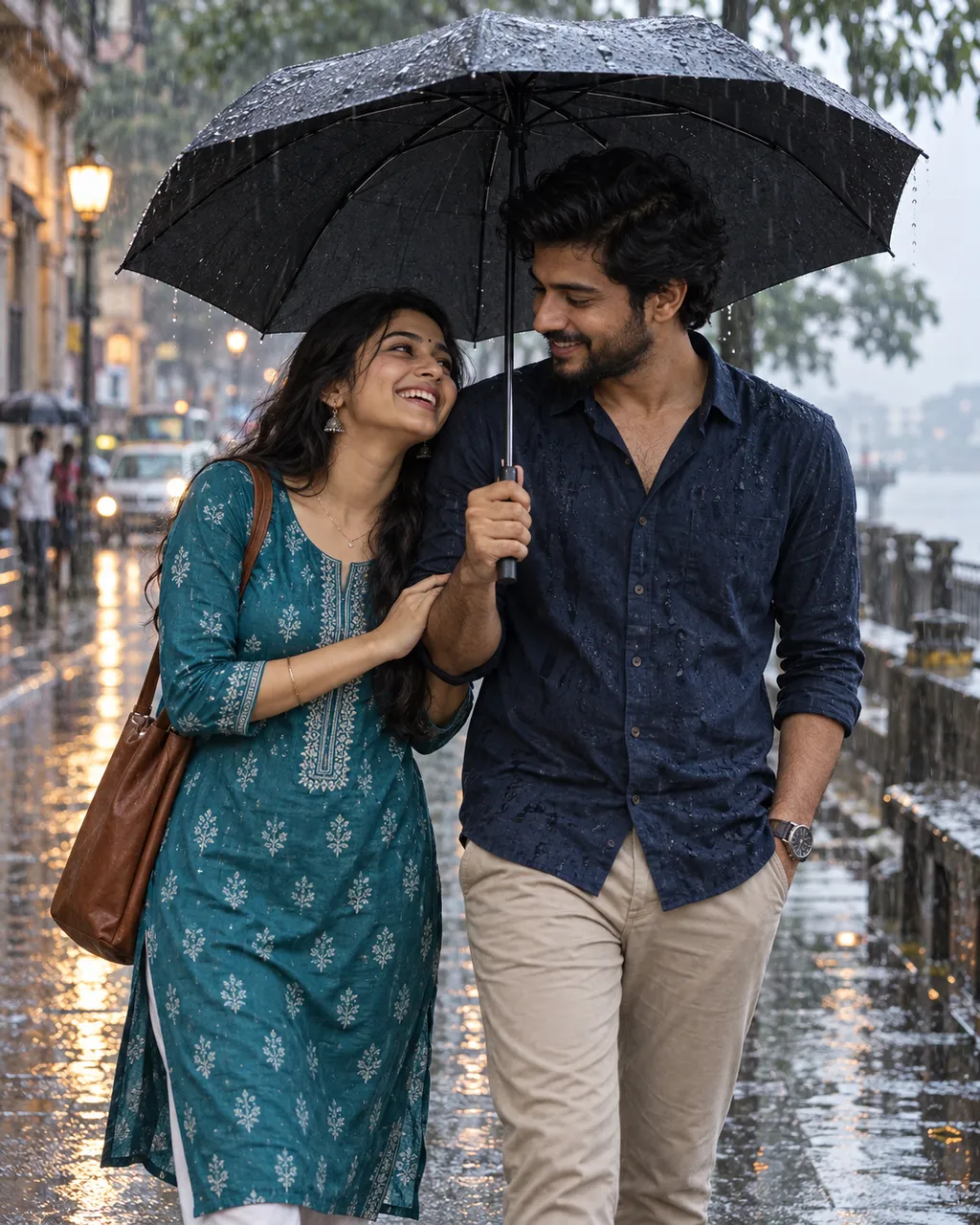
One umbrella rain walk
Turn our photo into a romantic monsoon rain scene. The couple walks close together under one large black umbrella on a wet street, raindrops falling around them, soft reflections on the road, the woman laughing while the man holds the umbrella over her. Overcast daylight, cinematic mood. Keep both faces exactly the same as the uploaded photo, do not change, beautify or reshape them. Natural skin texture, vertical 4:5 photo.
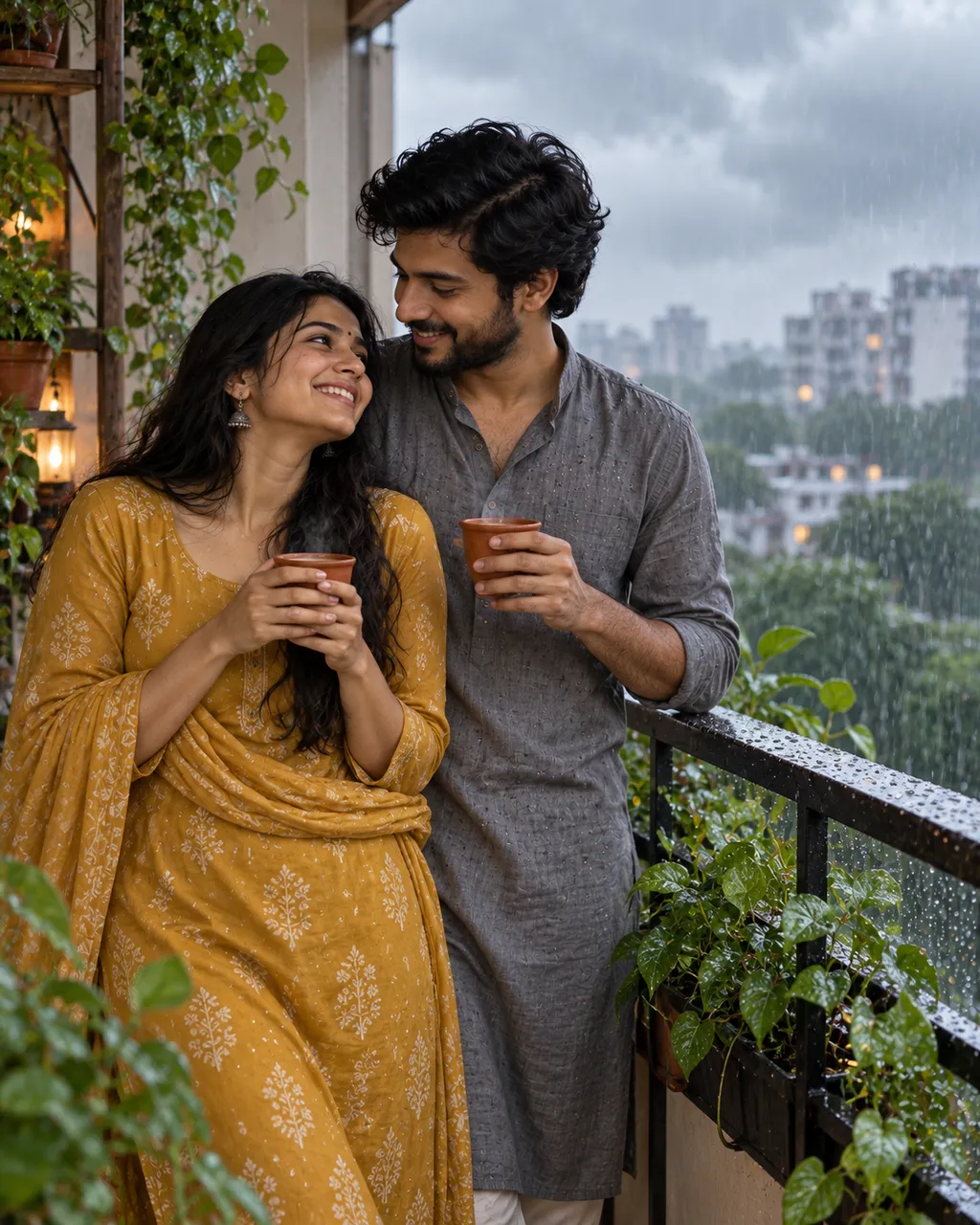
Rainy balcony chai moment
Turn our photo into a cozy rainy-day balcony scene. The couple stands close at the railing holding warm chai cups, rain falling beyond the balcony, grey monsoon clouds in the sky, plants glistening with raindrops. Calm, loving mood, gentle smiles. Keep both faces exactly the same as the uploaded photo, do not change, beautify or reshape them. Soft natural light, vertical 4:5 photo.
What is a monsoon rain couple AI photo prompt?
It is a written instruction that tells an AI image tool to turn a regular couple photo into a rainy monsoon scene. Rain adds instant romance, which is why monsoon photos always feel cinematic.
These prompts describe the rain, the wet surfaces and the light in detail, so the scene looks like real monsoon weather instead of a filter. For more free picks, see the Editing Prompt homepage.
What each part of these prompts does
- One umbrella walk, rainy balcony. Two rain moods, two different photos.
- Raindrops and wet reflections. The details that sell real rain.
- Keep both faces exactly the same. The face-lock, keeps both people recognisable.
- Overcast daylight. The soft, flattering light of a monsoon day.
- Vertical 4:5 photo. The familiar phone-photo shape.
Which prompt should you pick?
- Classic romance: the one umbrella rain walk.
- Cozy and calm: the rainy balcony chai moment.
If a face changes, add this line
Make sure the faces stay exactly the same. Paste it at the end of any prompt if the first result looks like someone else.
How to use these prompts in ChatGPT and Gemini
Open your AI tool
Open the ChatGPT or Gemini app or website and choose the image option.
Upload your photo
Add one clear photo where both faces are easy to see, with good light.
Paste the prompt
Paste the full prompt and send. If a face shifts, add: make sure the faces stay exactly the same.
Adjust and save
If it is close, ask for one change, such as a different background or outfit. Then download the version you like.
Easy ways to change the look
Change one phrase at a time and compare. These swaps are starting points, and results vary by tool.
- City: swap the street for Marine Drive, a hill road or your own city.
- Outfits: raincoats for fun, or traditional wear for a festive rain look.
- Time: daylight for fresh rain, evening for moody wet streets.
- Props: add a paper boat, chai cups or a shared scarf.
Fix common problems with rain prompts
Most problems come from rain that looks painted on or faces going too dark. Here is what to try first.
- The rain looks fake. Add: fine natural raindrops, realistic wet surfaces.
- Faces look too dark. Add: soft light falling gently on both faces.
- The umbrella covers a face. Add: both faces fully visible under the umbrella.
- Everything looks grey and dull. Add: gentle contrast, lively colors in the clothes.
AI results differ every run, so it is worth running the same prompt twice before you change it.
Monsoon prompt questions
What is a monsoon rain couple AI photo prompt?
It is a short written instruction that tells an AI image tool to restyle a photo of two people as a romantic rainy scene, with raindrops, wet streets and moody light, while keeping both faces unchanged.
Which photo should I upload?
One clear photo that shows both people with good light works best. Rain scenes need solid face detail, so avoid blurry or backlit originals.
How do I keep both faces the same?
Use a sharp, front-facing photo and keep the line keep both faces exactly the same in the prompt. If a face still drifts, paste make sure the faces stay exactly the same at the end and run it again.
Why does my rain look fake?
Vague rain words give flat results. Name the details: falling raindrops, wet road reflections, damp hair strands.
Can I add my city in the background?
Describe a landmark simply, like a sea link or an old fort gate. The AI gives a vibe of the place, not an exact copy.
ChatGPT or Gemini, which is better here?
Both follow the same text. If one makes the rain look flat, try the other, weather effects render differently between tools.
Is it free to use these prompts?
The prompts are free to copy with no sign-up. ChatGPT and Gemini both offer free image access with limits that can change, so check the app.
Recent posts
Google Gemini Couple Photo Prompts 2026 – Viral Pair Edits

AI Couple Photo Prompts 2026 – Cinematic Romantic Edits

Romantic Couple Photo Prompts for ChatGPT 2026
Want more? Browse every free prompt on Editing Prompt.